Tuesday, February 7, 2017
How to Get Android Nougat Notification Shade on Galaxy S6 S7 and Edge variants
How to Get Android Nougat Notification Shade on Galaxy S6 S7 and Edge variants
Welcome to the guide on how to enable soft keys and get the Nougat notification shade on Samsung Marshmallow ROMs.

If you don’t like Samsung S6 or S7 TouchWiz, Samsung’s custom UI, a lot, then we don’t blame you , in fact, we share the feeling with ya. The cool thing with Android and its myriad of hacks is that customization is endless. A trick shared below will allow you to replace the look of notification shade to make it more like Android Nougat!
With root, it’s possible to get some of Android Nougat looks on your Galaxy S6 and S7, including the Edge variants of them both. But know that this requires root access. If you don’t have root, then you better look to root your device first.

You can also enable and disable the soft keys, or on-screen keys if you prefer. While, if you wish to disable the capacitive keys — which is a good thing to do when you got soft keys up and running — then that’s possible too.
For the guide, please visit here by galaxyYtester, where you will find some basic guidance on how to achieve this.
For More Samsung Galaxy S6, S7 Updates Keep Checking Android Custom ROM Fix
That’s all. We hope this guide serves you well. If there’s anything you’d like to be added/changed on this page, PLZ Use the comment box below to contribute more ideas & Suggestions .
Like this post? PLZ Hit the share buttons below to share this article with your friends on Facebook, Google + and Twitter.
Want the latest Updates Sign up for our newsletters!
PLZ Follow Us On Flipboard 4 More Latest Updates.
Best Regards.™
Available link for download

Monday, January 16, 2017
How to Root Verizon Galaxy S7 SM G930V Easily
How to Root Verizon Galaxy S7 SM G930V Easily

According to XDA member JAYNO20 he has successfully rooted Verizon Galaxy S7 SM- G930V using the method discovered by XDA Member princecomsy and chainfire to root AT&T Galaxy S7 SM- G930A.
* Warning:
This is engboot, meaning its not made to be used on day to day basis you may run into some issues. Hopefully we can fix them as we go!
Also do not update supersu through playstore untill we are for sure that it wont mess anything up.
*Disclaimer:
Android Custom ROM fix ® provide various Firmware Updates and Rooting process along with Custom ROM,Modes,file are all belong to their owners/developers. The autor of this site or the developers are not responsible, if you damage or brick your device.Do it on your own risk and follow the instruction properly.
* Important:
Backup important files stored on your device before proceeding with the steps below, so that in case something goes wrong you’ll have backup of all your important files.

You can find out how to Root your Verizon Samsung Galaxy S7 SM- G930V via XDA.
For MoreVerizon Samsung Galaxy S7 Updates Keep Checking Android custom ROM Fix ™®
That’s all. We hope this guide serves you well. If there’s anything you’d like to be added/changed on this page, PLZ Use the comment box below to contribute more ideas & Suggestions .
Like this post? PLZ Hit the share buttons below to share this article with your friends on Facebook, Google + and Twitter.
Want the latest Updates Sign up for our newsletters!
PLZ Follow Us On Flipboard 4 More Latest Updates.
Best Regards.™
Available link for download
Thursday, December 29, 2016
How to Install Android 6 0 1 Marshmallow Jesse Kernel V1 2 ROM on Galaxy S7 Edge SM G935F
How to Install Android 6 0 1 Marshmallow Jesse Kernel V1 2 ROM on Galaxy S7 Edge SM G935F

÷ ROM Features:
Compiled with Linaro 6.1 Toolchain.
Linaro Stable Kernel 15.09 Merged.
Latest Google Kernel-Common Merged.
Latest Linux Stable 3.18.y branch Merged.
MNGS: OC to 2x2.8GHz,UC to 0.5GHz; A53: OC to 1.8GHz
Exynos MP voltage control
Zen-Tune v4.5
Fading LED and LED Controls
Ofast Optimizations.
I/O scheduler improvements
Scheduler improvements
Linaros Power Efficient Workqueue.
DVFS improvements. (automatic reset to prevent cpufreq_(min,max)_limit getting stuck)
Binder Improvements.
CPUidle improvements.
Backport latest crypto algorithm.
Backport latest random driver....
÷ BUG:
NULL.
÷ Prerequisites:
•This tutorial is only for installing Android 6.0.1 Marshmallow Jesse Kernel V1.2 ROM on Samsung Galaxy S7 Edge G935F. Please do not try on any other Galaxy S7 variants.
•Your phone should have a custom recovery installed in order to install this NanoROM ROM on your phone.
•We will be using TWRP Recovery for this tutorial.
•This tutorial will wipe out all your data. Make sure you backup all your data in your phone before proceeding.
•Samsung KIES will NOT detect your phone after installing this ROM because it is a custom firmware.
•Perform a Dalvik Cache wipe before proceeding from the Recovery Mode.
*Disclaimer:
Android Custom ROM fix ® provide various Firmware Updates and Rooting process along with Custom ROM,Modes,file are all belong to their owners/developers. The autor of this site or the developers are not responsible, if you damage or brick your device.Do it on your own risk and follow the instruction properly.
* Important:
Backup important files stored on your device before proceeding with the steps below, so that in case something goes wrong you’ll have backup of all your important files.

You can find out how to apply it right now via XDA.
For MoreVerizon Samsung Galaxy S7 Edge SM- G935F Updates Keep Checking Android custom ROM Fix ™®
That’s all. We hope this guide serves you well. If there’s anything you’d like to be added/changed on this page, PLZ Use the comment box below to contribute more ideas & Suggestions .
Like this post? PLZ Hit the share buttons below to share this article with your friends on Facebook, Google + and Twitter.
Want the latest Updates Sign up for our newsletters!
PLZ Follow Us On Flipboard 4 More Latest Updates.
Best Regards.™
Available link for download
Thursday, December 22, 2016
How to Install Android 6 0 1 Marshmallow SuperNexus Build 2 0 APFG ROM on Galaxy S7 SM G930F Deodexed
How to Install Android 6 0 1 Marshmallow SuperNexus Build 2 0 APFG ROM on Galaxy S7 SM G930F Deodexed

÷ ROM Info:
•UperNexus Build 2.0 The Smallest Nexus ROM ONLY 946MB in size.
•Its Based on G930FXXU1APFG latest Stock Base •Fully Debloated and Deodexed Rom.
* Whole Download is 946MB in size [SLIM]
* Based off G930FXXU1APFG [Latest Base]
*Same day rebase [FAST UPDATES]
* OTA Updater
* Heavily Debloated
* System Optimizations
* Super-Su
* Deknoxed
* Advanced Reboot Menu
* All Apps Split Windows
*Data on the left side
* Nexus look and feel
÷Changelog For Build 2.0
-AFPG July security patch
-Xposed fixed
-good lock removed
-Aroma removed
-jesse kernel 1.3
-Optimalization
-private mode fix
-eqalizer fix
-AOD should work now
÷Changelog For Build 1.7.1
-Rebased to G935FXXU1APF9
-google dialer updated
-stock DPI
-good look added
÷Changelog For Build 1.7
-REBASE to new base G935FXXU1APF8
÷Changelog For Build 1.6
-Jesse kernel 1.2
-s7 flat boots now perfect
-speed tweaks...
÷ Prerequisites:
•This tutorial is only for installing Android 6.0.1 Marshmallow Super Nexus Build 2.0 on Samsung Galaxy S7 SM-G930F.Please do not try on any other Galaxy S7 Variants.
•Your phone should have a custom recovery installed in order to install this NanoROM ROM on your phone.
•We will be using TWRP Recovery for this tutorial.
•This tutorial will wipe out all your data. Make sure you backup all your data in your phone before proceeding.
•Samsung KIES will NOT detect your phone after installing this ROM because it is a custom firmware
•Perform a Dalvik Cache wipe before proceeding from the Recovery Mode.
*Disclaimer:
Android Custom ROM fix ® provide various Firmware Updates and Rooting process along with Custom ROM,Modes,file are all belong to their owners/developers. The autor of this site or the developers are not responsible, if you damage or brick your device.Do it on your own risk and follow the instruction properly.
* Important:
Backup important files stored on your device before proceeding with the steps below, so that in case something goes wrong you’ll have backup of all your important files.

You can find out how to apply it right now via XDA.
For More Samsung Galaxy S7 Updates Keep Checking Android custom ROM Fix ™®
That’s all. We hope this guide serves you well. If there’s anything you’d like to be added/changed on this page, PLZ Use the comment box below to contribute more ideas & Suggestions .
Like this post? PLZ Hit the share buttons below to share this article with your friends on Facebook, Google + and Twitter.
Want the latest Updates Sign up for our newsletters!
PLZ Follow Us On Flipboard 4 More Latest Updates.
Best Regards.™
Available link for download
Saturday, December 3, 2016
How to Install Pre rooted Android 6 0 1 Marshmallow Exyfire Firepower 4 2 ApF9 on Galaxy S7 SM G930F
How to Install Pre rooted Android 6 0 1 Marshmallow Exyfire Firepower 4 2 ApF9 on Galaxy S7 SM G930F
According to XDA Member BenjaminW8, Android 6.0.1 Marshmallow Exyfire Firepower 4.2 [ApF9]. Is now released for Samsung Galaxy S7 SM- G930F.

÷ ROM Features:
•Based on FXXU1APF9
•Pre-rooted with Super-Su v2.76
•Pre-installed BusyBox
•Xposed v85.1
•Soundmod v16 &v17
•Kernel Chooser (S7Flat,S7Edge,JesseKernel)
•5-way Reboot Menu
•Deodexed & Debloated but all the functions are intact
•Build.prop & System Optimizations
•Custom Boot Splash
•ROM Control...
÷ Prerequisites:
•This tutorial is only for installing Android 6.0.1 Marshmallow Crisscross ROM V2.0 [ 2ZPFB] on Samsung Galaxy S7 SM-G930F. Please do not try on any other Galaxy S7 Variants.
•Your phone should have a custom recovery installed in order to install this NanoROM ROM on your phone.
•We will be using TWRP Recovery for this tutorial.
•This tutorial will wipe out all your data. Make sure you backup all your data in your phone before proceeding.
•Samsung KIES will NOT detect your phone after installing this ROM because it is a custom firmware
•Perform a Dalvik Cache wipe before proceeding from the Recovery Mode.
*Disclaimer:
Android Custom ROM fix ® provide various Firmware Updates and Rooting process along with Custom ROM,Modes,file are all belong to their owners/developers. The autor of this site or the developers are not responsible, if you damage or brick your device.Do it on your own risk and follow the instruction properly.
* Important:
Backup important files stored on your device before proceeding with the steps below, so that in case something goes wrong you’ll have backup of all your important files.
You can find out how to apply it right now via XDA.

For More Samsung Galaxy S7 Updates Keep Checking Android custom ROM Fix ™®
That’s all. We hope this guide serves you well. If there’s anything you’d like to be added/changed on this page, PLZ Use the comment box below to contribute more ideas & Suggestions .
Like this post? PLZ Hit the share buttons below to share this article with your friends on Facebook, Google + and Twitter.
Want the latest Updates Sign up for our newsletters!
PLZ Follow Us On Flipboard 4 More Latest Updates.
Best Regards.™
Available link for download
Wednesday, November 9, 2016
How to Update Galaxy S7 SM G930W8 to Prerooted Android 6 0 1 Marshmallow SuperMan ROM V1 8 1 APF2 Aroma
How to Update Galaxy S7 SM G930W8 to Prerooted Android 6 0 1 Marshmallow SuperMan ROM V1 8 1 APF2 Aroma

÷ Rom features:
- G935FXXU1APF2 Base
- Prerooted with V2.74 or v2.68 SuperSU (choose in aroma!)
- Latest Busybox installed (1.24.2)
- Aroma installer!
- Developer options enabled by default
- Full edge support!
- Xposed V85.1 is installed (choose in aroma)
- Adblocker enabled
- Viper4Android included
- Zipaligned
- Rom informations and logo
- choose IOS emojis in aroma
- Init.d support in Kernel
- DM-Verity disabled
- Force encrypt disabled
- ADB fully working
- Rounded UI (SystemUI tweaks if you choose in aroma)
- Applock feature build in
- Many csc tweaks!
- No sms to mms auto convertion
- Allow all apps in multiwindow
- Removed Grey statusbar in powersaving mode
- Updated all samung apps to recent version
- Bringing buttons "only once / always" to select when the task application "Open With."
- USB Plug/Unplug disable wake up
- Remove high volume warning for headphones
- Emergency mode" in "Settings/Lock screen and security
- Private mode fixed
- Enable Display Scaling in Settings
- Enable TouchKey light duration in settings
- Enable OutdoorMode
- Fully Deodexed
- Removed low battery warning
- Knox stuff is removed
- Stock APER Kernel or SuperMan-Kernel (which version you choose in aroma)
- Latest TouchWiz Sources!
- Debloated, but fully functional (all removed apps can be install with playstore) - >now new! choose in aroma which bloat to install!
- Selinux Enforcing
- quicklauncher in recents app
- re-enabled LED indicator settings
- toolbox added
- Emergency mode in Settings/Lock screen and security
- Sound Mod V16.3 with lot improvements! (choose in aroma)
- Updated all samsung apps
- June Security Patches
- Many other features, please read changelog to see what changed over the time...
÷ Prerequisites:
•This tutorial is only for installing Android 6.0.1 Marshmallow SuperMan ROM V1.8.1 [ APF2] Aroma on Samsung Galaxy S7 SM- G930W8. Please do not try on any other Galaxy Note 5 Variants.
•Your phone should have a custom recovery installed in order to install this NanoROM ROM on your phone.
•We will be using TWRP Recovery for this tutorial.
•This tutorial will wipe out all your data. Make sure you backup all your data in your phone before proceeding.
•Samsung KIES will NOT detect your phone after installing this ROM because it is a custom firmware.
•Perform a Dalvik Cache wipe before proceeding from the Recovery Mode.
*Disclaimer:
Android Custom ROM fix ® provide various Firmware Updates and Rooting process along with Custom ROM,Modes,file are all belong to their owners/developers. The autor of this site or the developers are not responsible, if you damage or brick your device.Do it on your own risk and follow the instruction properly.
* Important:
Backup important files stored on your device before proceeding with the steps below, so that in case something goes wrong you’ll have backup of all your important files.

You can find out how to apply it right now via XDA.
For MoreVerizon Samsung Galaxy S7 SM- G930 W8 Updates Keep Checking Android custom ROM Fix ™®
That’s all. We hope this guide serves you well. If there’s anything you’d like to be added/changed on this page, PLZ Use the comment box below to contribute more ideas & Suggestions .
Like this post? PLZ Hit the share buttons below to share this article with your friends on Facebook, Google + and Twitter.
Want the latest Updates Sign up for our newsletters!
PLZ Follow Us On Flipboard 4 More Latest Updates.
Best Regards.™
Available link for download
Wednesday, October 19, 2016
How To Update Galaxy S7 SM G930F to Marshmallow 6 0 1 July 2016 OTA G930FXXS1APG3
How To Update Galaxy S7 SM G930F to Marshmallow 6 0 1 July 2016 OTA G930FXXS1APG3
Today Samsung Currently Pushing July XXS1APG3 Update to the Galaxy S7 - SM-G930F on its network (Poland) that includes a security update, as well as now displaying which security patch your phone has and bug fixes. It is recommended you keep your device updated to the latest software so that you don’t experience any flaws or drops in reliability.

G930FXXS1APG3 is based on the latest Marshmallow 6.0.1 for the Samsung Galaxy S7 - SM-G930F.
Follow our guide below to download the update and install it yourself.
The Update brings the following changes:
•The security of your device has been improved.
•Device stability improvements, bug fixes.
•New and / or enhanced features.
•Further improvements to performance.
| Model | SM-G930F |
| Model name | Galaxy S7 |
| Country | Poland |
| Version | Android 6.0.1 |
| Changelist | 8206888 |
| Build date | Mon, 04 Jul 2016 02:20:39 +0000 |
| Security Patch Level | 2016-07-01 |
| Product code | XEO |
| PDA | G930FXXS1APG3 |
| CSC | G930FOXX1APD4 |
*Disclaimer:
Custom ROM fix ® provide various Firmware Updates and Rooting process along with Custom ROM,Modes,file are all belong to their owners/developers. The autor of this site or the developers are not responsible, if you damage or brick your device.Do it on your own risk and follow the instruction properly.
* Important:
Backup important files stored on your device before proceeding with the steps below, so that in case something goes wrong you’ll have backup of all your important files.

How To Update Galaxy S7 - SM-G930F to Marshmallow 6.0.1 July 2016 OTA G930FXXS1APG3.
Download Samsung Galaxy S7 - SM-G930F XXS1APG3 Firmware .
1- Extract (unzip) the firmware file
2- Download Odin v3.11.1
3- Extract Odin ZIP file
4- Open Odin v.3.11.1
5- Reboot Phone in Download Mode (press and hold Home + Power + Volume Down buttons)
6- Connect phone and wait until you get a blue sign in Odin
7- Add the firmware file to AP / PDA
Make sure re-partition is NOT ticked
8- Click the start button, sit back and wait few minutes.

That’s it! Your Galaxy S7 - SM-G930F should now have Marshmallow 6.0.1 July security patch on your phone! Go to Settings > About phone to verify.
For More Samsung GALAXY S7 Updates Keep Checking Android Custom ROM Fix ™®
That’s all. We hope this guide serves you well. If there’s anything you’d like to be added/changed on this page, PLZ Use the comment box below to contribute more ideas & Suggestions .
Like this post? PLZ Hit the share buttons below to share this article with your friends on Facebook, Google + and Twitter.
Want the latest Updates Sign up for our newsletters!
PLZ Follow Us On Flipboard 4 More Latest Updates.
Best Regards.™
Available link for download
Tuesday, October 11, 2016
How to Root Verizon Galaxy S7 Edge SM G935V Easily
How to Root Verizon Galaxy S7 Edge SM G935V Easily

* Warning:
*Disclaimer:

Available link for download
Friday, September 30, 2016
How to Install Android 6 0 1 Marshmallow Sevenpreince v2 2 ROM on Galaxy S7 Edge SM G935F Prerooted
How to Install Android 6 0 1 Marshmallow Sevenpreince v2 2 ROM on Galaxy S7 Edge SM G935F Prerooted

÷ ROM Features:
Android 6.0.1
Prerooted
Deknoxed
Zipaligned
Debloated
Busyboxed
Sound mod v16
New N5 UX apps
init.d tweaks
build.prop tweaks
High performance
Battery friendly
Aroma installer
Busybox in aroma
Adblock in aroma
Rom info in settings/about phone
ROM CONTROL :
-Dynamic status bar
-Lockscreen date and time color
-Reboot recovery in reboot menu...
÷ Prerequisites:
•This tutorial is only for installing Android 6.0.1 Marshmallow Sevenpreince v2.2 ROM is on Samsung Galaxy S7 Edge SM- G935F.. Please do not try on any other Galaxy S7 variants.
•Your phone should be rooted and haveClockworkMod recovery installed from before.
•This tutorial will wipe out all your data.Proceed at your own risk.Perform a Dalvik Cache wipe before proceeding from the recovery mode.
•Make sure you backup all your data in your phone before proceeding.
•Samsung KIES will NOT detect your phone after installing this ROM because it is a custom firmware.
*Disclaimer:
Android Custom ROM fix ® provide various Firmware Updates and Rooting process along with Custom ROM,Modes,file are all belong to their owners/developers. The autor of this site or the developers are not responsible, if you damage or brick your device.Do it on your own risk and follow the instruction properly.
* Important:
Backup important files stored on your device before proceeding with the steps below, so that in case something goes wrong you’ll have backup of all your important files.

ROM Download & Installation Instructions via XDA
For More Samsung Galaxy S7 updates Keep Checking Android Custom ROM Fix™®
Like this post? PLZ Hit the share buttons below to share this article with your friends on Facebook, Google + and Twitter.
PLZ Follow Us On Flipboard 4 More Latest Updates.
PLZ Use the comment box below to contribute more ideas & Suggestions .
Best Regards.
Available link for download
Thursday, September 15, 2016
Help! Briefing Covers Home AT T S7 Edge
Help! Briefing Covers Home AT T S7 Edge
I have imgur links for the screenshots but cant post them because this is my first post.
from xda-developers http://ift.tt/2akw8gQ
via IFTTT
Available link for download
Monday, September 12, 2016
Deal Alert The Galaxy S7 Duos is on sale for just 490 on eBay 210 off retail
Deal Alert The Galaxy S7 Duos is on sale for just 490 on eBay 210 off retail

[Deal Alert] The Galaxy S7 Duos is on sale for just $490 on eBay ($210 off retail) was written by the awesome team at Android Police.


from Android Police – Android News, Apps, Games, Phones, Tablets http://ift.tt/2ah5KRO
via IFTTT
Available link for download
Sunday, September 11, 2016
How to Root AT T Galaxy S7 SM G930A Galaxy S7 Edge SM G935A
How to Root AT T Galaxy S7 SM G930A Galaxy S7 Edge SM G935A

* Warning:
This is engboot, meaning its not made to be used on day to day basis you may run into some issues. Hopefully we can fix them as we go!
Also do not update supersu through playstore untill we are for sure that it wont mess anything up.
*Disclaimer:
Android Custom ROM fix ® provide various Firmware Updates and Rooting process along with Custom ROM,Modes,file are all belong to their owners/developers. The autor of this site or the developers are not responsible, if you damage or brick your device.Do it on your own risk and follow the instruction properly.
* Important:
Backup important files stored on your device before proceeding with the steps below, so that in case something goes wrong you’ll have backup of all your important files.

You can find out how to Root your AT&T Samsung Galaxy S7 SM- G930A & Galaxy S7 Edge SM-G935A via XDA.
For MoreVerizon Samsung Galaxy S7 Updates Keep Checking Android custom ROM Fix ™®
That’s all. We hope this guide serves you well. If there’s anything you’d like to be added/changed on this page, PLZ Use the comment box below to contribute more ideas & Suggestions .
Like this post? PLZ Hit the share buttons below to share this article with your friends on Facebook, Google + and Twitter.
Want the latest Updates Sign up for our newsletters!
PLZ Follow Us On Flipboard 4 More Latest Updates.
Best Regards.™
Available link for download
Friday, September 2, 2016
How to Update Verizon Galaxy S7 SM G930V Marshmallow 6 0 1 June Security Patch Enhanced Features
How to Update Verizon Galaxy S7 SM G930V Marshmallow 6 0 1 June Security Patch Enhanced Features
Today Samsung Currently Pushing VRU2APE1 Update to the Verizon Galaxy S7 SM-G930V on its network (USA) that includes a security update, as well as now displaying which security patch your phone has and bug fixes. It is recommended you keep your device updated to the latest software so that you don’t experience any flaws or drops in reliability.
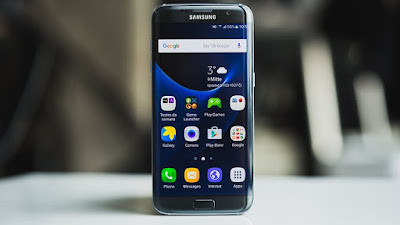
VRU2APE1 is based on the latest Marshmallow 6.0.1 for the Verizon Galaxy S7 SM-G930V.
Follow our guide below to download the update and install it yourself.
The Update brings the following changes:
•The security of your device has been improved.
•Device stability improvements, bug fixes.
•New and / or enhanced features.
•Further improvements to performance.
| Model | SM-G930V |
| Model name | |
| Country | USA (Verizon) |
| Version | Android 6.0.1 |
| Changelist | 7722939 |
| Build date | Tue, 24 May 2016 08:21:41 +0000 |
| Security Patch Level | 2016-06-01 |
| Product code | VZW |
| PDA | G930VVRU2APE1 |
| CSC | G930VVZW2APE1 |
*Disclaimer:
Custom ROM fix ® provide various Firmware Updates and Rooting process along with Custom ROM,Modes,file are all belong to their owners/developers. The autor of this site or the developers are not responsible, if you damage or brick your device.Do it on your own risk and follow the instruction properly.
* Important:
Backup important files stored on your device before proceeding with the steps below, so that in case something goes wrong you’ll have backup of all your important files.
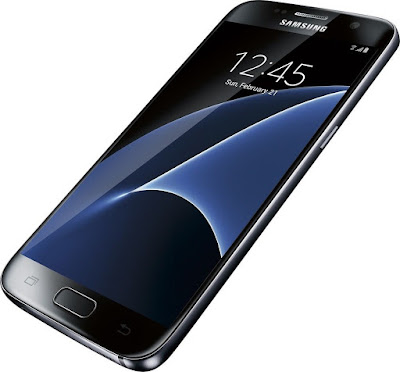
How To Update Verizon Galaxy S7 SM-G930V to Marshmallow 6.0.1 Stock Firmware VRU2APE1 [Security Patches / Bug Fixes]
Download Samsung Galaxy S7 SM-G930VUV VRU2APE1 Firmware .
1- Extract (unzip) the firmware file
2- Download Odin v3.11.1
3- Extract Odin ZIP file
4- Open Odin v.3.11.1
5- Reboot Phone in Download Mode (press and hold Home + Power + Volume Down buttons)
6- Connect phone and wait until you get a blue sign in Odin
7- Add the firmware file to AP / PDA
Make sure re-partition is NOT ticked
8- Click the start button, sit back and wait few minutes.
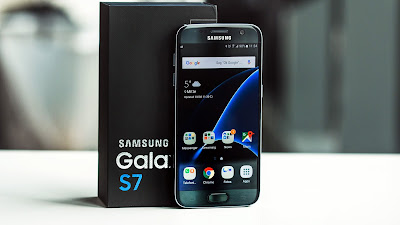
That’s it! Your Verizon Galaxy S7 SM-G930V should now have Marshmallow 6.0.1 on your phone! Go to Settings > About phone to verify.
Like this post? PLZ Hit the share buttons below to share this article with your friends on Facebook, Google + and Twitter.
PLZ Follow Us On Flipboard 4 More Galaxy Note 7 - SM-G935T Latest Updates.
PLZ Use the comment box below to contribute more ideas & Suggestions .
Best Regards.
Available link for download
Friday, August 19, 2016
How To Update Galaxy S7 edge SM G935F to Marshmallow 6 0 1 Latest Firmware XXU1APF2 New and Enhanced Features
How To Update Galaxy S7 edge SM G935F to Marshmallow 6 0 1 Latest Firmware XXU1APF2 New and Enhanced Features
Today Samsung Currently Pushing XXU1APF2 Update to the Galaxy S7 edge - SM-G935F on its network Germany (O2) that includes a security update, as well as now displaying which security patch your phone has and bug fixes. It is recommended you keep your device updated to the latest software so that you don’t experience any flaws or drops in reliability.
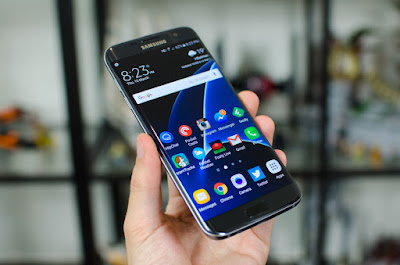
XXU1APF2 is based on the latest Marshmallow 6.0.1 for the Galaxy S7 edge - SM-G935F
Follow our guide below to download the update and install it yourself.
The Update brings the following changes:
•The security of your device has been improved.
•Device stability improvements, bug fixes.
•New and / or enhanced features.
•Further improvements to performance.
| Model | SM-G935F |
| Model name | Galaxy S7 edge |
| Country | Germany (O2) |
| Version | Android 6.0.1 |
| Changelist | 8252943 |
| Build date | Wed, 01 Jun 2016 09:18:57 +0000 |
| Security Patch Level | 2016-06-01 |
| Product code | VIA |
| PDA | G935FXXU1APF2 |
| CSC | G935FTEF1APC2 |
*Disclaimer:
Custom ROM fix ® provide various Firmware Updates and Rooting process along with Custom ROM,Modes,file are all belong to their owners/developers. The autor of this site or the developers are not responsible, if you damage or brick your device.Do it on your own risk and follow the instruction properly.

* Important:
Backup important files stored on your device before proceeding with the steps below, so that in case something goes wrong you’ll have backup of all your important files.
÷ How To : Update Galaxy S7 edge - SM-G935F to Marshmallow 6.0.1 Latest Firmware XXU1APF2
[New and Enhanced Features.]
Download Samsung Galaxy S7 edge - SM-G935F XXU1APF2 Firmware .
1- Extract (unzip) the firmware file
2- Download Odin v3.11.1
3- Extract Odin ZIP file
4- Open Odin v.3.11.1
5- Reboot Phone in Download Mode (press and hold Home + Power + Volume Down buttons)
6- Connect phone and wait until you get a blue sign in Odin
7- Add the firmware file to AP / PDA
Make sure re-partition is NOT ticked
8- Click the start button, sit back and wait few minutes.

That’s it! Your Galaxy S7 edge - SM-G935F should now have Marshmallow 6.0.1 on your phone! Go to Settings > About phone to verify.
Like this post? PLZ Hit the share buttons below to share this article with your friends on Facebook, Google + and Twitter.
PLZ Follow Us On Flipboard 4 More Galaxy S7 edge - SM-G935F Latest Updates.
PLZ Use the comment box below to contribute more ideas & Suggestions .
Best Regards.
Available link for download
Wednesday, August 17, 2016
How to Root Galaxy S7 SM G930F on Marshmallow 6 0 1 XXS1APG3
How to Root Galaxy S7 SM G930F on Marshmallow 6 0 1 XXS1APG3

Don’t worry we are going to share step by step guide to safely rootof your device easily
÷ Prerequisites:
•This root method tutorial is only for Samsung Galaxy S7 SM-G930F. Please do not try on any other Galaxy S7 LTE variants.
•Make sure you backup all your data in your phone before proceeding as a precaution.
•Your Galaxy S7 should be on an official firmware by Samsung, not a custom ROM.
•Your phone should be on XXS1APG3 Android 6.0.1 firmware.
*Disclaimer:
Android Custom ROM fix ® provide various Firmware Updates and Rooting process along with Custom ROM,Modes,file are all belong to their owners/developers. The autor of this site or the developers are not responsible, if you damage or brick your device.Do it on your own risk and follow the instruction properly.
* Important:
Backup important files stored on your device before proceeding with the steps below, so that in case something goes wrong you’ll have backup of all your important files.

÷ How to Root Galaxy S7 SM- G930F on Marshmallow 6.0.1 XXS1APG3:
Step 1 – Download CF-Auto-Root Android 6.0.1 Package for Samsung Galaxy S7 to your computer and extract the zip file.
Step 2 – Download ODIN v3.09 which will help you to root Android 6.0.1 on Samsung Galaxy S7 G930F.
Step 3 – Switch OFF your phone. Now go to Download Mode. How? Press and hold the Volume Down + Home buttons together, and then press the Power button till you see the construction Android robot and a triangle. Press Power again to confirm to enter into Download Mode.
Step 4 – Make sure you have your Samsung Galaxy S7 USB drivers installed on your computer.
Step 5 – Open ODIN on your computer. Connect your phone to your computer while your phone is in the Download Mode.
Step 6 – If your phone is connected successfully, one of the ID:COM boxes will turn yellow with the COM port number. This step might take some time.
Step 7 – Now select the file that you have to flash/install on your phone. This file will be found from the extracted file in Step 1.
Click on ‘AP’ and select the file CF-Auto-Root-herolte-heroltexx-smg930f.zip
Step 8 – In ODIN, check the Auto Reboot and F. Reset Time options, if not already.
Step 9 – Now click on the Start button in ODIN. Installation process will start and would take a few minutes to complete.
Step 10 – After the installation is completed, your phone will reboot into Recovery Mode automatically and install the root package / files. Your ID:COM box will also turn green.
Step 11 – After you see the home screen, unplug your phone from the computer.
*NOTE: Sometimes the device does NOT boot into Recovery Mode automatically (as given in Step 10) and root your device. If that happens, do the entire procedure again.
*OPTIONAL: Still not rooted? Once again perform the entire tutorial, but make sure in ODIN, the “Auto Reboot” option is NOT checked. Then after installation (Step 10), do the following:
Step 11 – Pull out the battery to turn OFF the phone forcefully.
Step 12 – Now boot (turn ON your phone) with Volume Up + Home + Power buttons to go directly into Recovery Mode manually. This will start the install process of rooting your phone.

That’s it. Your Galaxy S7 has now been rooted on Android 6.0.1 Marshmallow with CF-Auto-Root package. Check for the SuperSU app in your apps list to verify.
For More Samsung Galaxy S7 latest updates Keep Checking Android Custom ROM Fix ™®
That’s all. We hope this guide serves you well. If there’s anything you’d like to be added/changed on this page, PLZ Use the comment box below to contribute more ideas & Suggestions .
Like this post? PLZ Hit the share buttons below to share this article with your friends on Facebook, Google + and Twitter.
Want the latest Updates Sign up for our newsletters!
PLZ Follow Us On Flipboard 4 More Latest Updates.
Best Regards.™
Available link for download