Friday, February 3, 2017
How to Root Verizon LG G3 on 47A Marshmallow Update
How to Root Verizon LG G3 on 47A Marshmallow Update
Thanks to the folks over at xda, we (at-least) still have a way to root Verizon LG G3 even on the latest 47A Marshmallow update. Cheers!
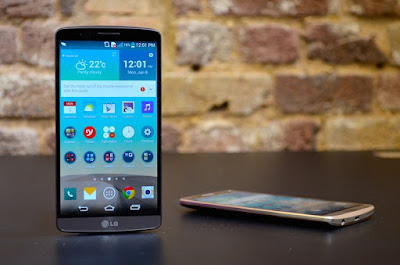
You can have root access on the Verizon G3’s latest update with software version 47a, but the procedure isn’t a pretty one. Rooting 47A firmware requires downgrading back to 10B first, then achieve root using Stump and then install TWRP and flash the bootstack from version 35B, and then finally flash a 47A stock ROM (or any custom 47A ROM) from TWRP.
÷ Prerequisites:
This tutorial is only for Rooting Verizon G3 on latest 47A Marshmallow update Please do not try on any other LG G3 variants.
*Disclaimer:
Android Custom ROM fix ® provide various Firmware Updates and Rooting process along with Custom ROM,Modes,file are all belong to their owners/developers. The autor of this site or the developers are not responsible, if you damage or brick your device.Do it on your own risk and follow the instruction properly.
* Important:
Backup important files stored on your device before proceeding with the steps below, so that in case something goes wrong you’ll have backup of all your important files.
÷ How to Root Verizon LG G3 on 47A Marshmallow Update:
1- Flash 10B firmware:
Step1- Download the Verizon G3 10B KDZ firmware file to your PC from the downloads section above.
Step2- Flash the 10B firmware KDZ to your Verizon G3.
For help, follow our detailed guide ? How to Flash KDZ firmware on LG Devices.
2- Root 10B firmware using StumpRoot: Once you’re on 10B firmware, do the following:
Step 3- Download the StumpRoot apk from the links above and install it on your Verizon G3.
Step 4- Open the app and tap the Grind button to execute root exploit.
Step5- Restart your G3 when prompted.
3- Install SuperSU and TWRP Recovery:
Step 5- Once you’ve successfully rooted your Verizon G3 on 10B firmware, install the SuperSU app from Play Store to manage superuser permission and TWRP Manager app to download/install TWRP recovery.
Step 6- Now download/transfer the 35B Bootstack zip file and 47A firmware zip file to your Verizon G3’s internal storage.
Step 7- Boot into TWRP recovery and perform a simple factory reset.
Step 8- Install/Flash the 35B Bootstack zip file from TWRP recovery.
Step 9- Perform a wipe data/cache from within the recovery.
Step 10- Install/Flash the 47A firmware zip file from TWRP recovery.
Step 11- Reboot device.
? If TWRP asks to install SuperSU, DENY IT.
That’s all. Your Verizon G3 should be rooted now, running on firmware 47A.
For More LG G3 Updates Keep Checking Android Custom ROM Fix ™®
That’s all. We hope this guide serves you well. If there’s anything you’d like to be added/changed on this page, PLZ Use the comment box below to contribute more ideas & Suggestions .
Like this post? PLZ Hit the share buttons below to share this article with your friends on Facebook, Google + and Twitter.
Want the latest Updates Sign up for our newsletters!
PLZ Follow Us On Flipboard 4 More Latest Updates.
Best Regards.™
Available link for download

Monday, January 16, 2017
How to Root Verizon Galaxy S7 SM G930V Easily
How to Root Verizon Galaxy S7 SM G930V Easily

According to XDA member JAYNO20 he has successfully rooted Verizon Galaxy S7 SM- G930V using the method discovered by XDA Member princecomsy and chainfire to root AT&T Galaxy S7 SM- G930A.
* Warning:
This is engboot, meaning its not made to be used on day to day basis you may run into some issues. Hopefully we can fix them as we go!
Also do not update supersu through playstore untill we are for sure that it wont mess anything up.
*Disclaimer:
Android Custom ROM fix ® provide various Firmware Updates and Rooting process along with Custom ROM,Modes,file are all belong to their owners/developers. The autor of this site or the developers are not responsible, if you damage or brick your device.Do it on your own risk and follow the instruction properly.
* Important:
Backup important files stored on your device before proceeding with the steps below, so that in case something goes wrong you’ll have backup of all your important files.

You can find out how to Root your Verizon Samsung Galaxy S7 SM- G930V via XDA.
For MoreVerizon Samsung Galaxy S7 Updates Keep Checking Android custom ROM Fix ™®
That’s all. We hope this guide serves you well. If there’s anything you’d like to be added/changed on this page, PLZ Use the comment box below to contribute more ideas & Suggestions .
Like this post? PLZ Hit the share buttons below to share this article with your friends on Facebook, Google + and Twitter.
Want the latest Updates Sign up for our newsletters!
PLZ Follow Us On Flipboard 4 More Latest Updates.
Best Regards.™
Available link for download
Sunday, December 25, 2016
Install Android 6 0 1 Marshmallow AICP 11 0 ROM on Verizon Samsung Galaxy S5 SM G900V
Install Android 6 0 1 Marshmallow AICP 11 0 ROM on Verizon Samsung Galaxy S5 SM G900V
According to XDA Member Beeko, Android 6.0.1 Marshmallow AICP 11.0 ROM is now released for Verizon Samsung Galaxy S5 SM- G900V [ kltevzw].

AICP is known by everyone as Ice Cold Project that started on Desire HD and since then evolved into a mature ROM with the BEST community you can find!!!
Until Lollipop, Rom has always been AOKP based. Unfortunately, since AOKP either stopped development or will make a comeback later this year, we changed our base to CM when it comes to hardware, drivers and some features.
If there are any bugs, either we will sort them or CM team if it concerns their modifications. This rom isnt CM supported so no need to report errors or bugs to them.
÷ Prerequisites:
•This tutorial is only for installing Android 6.0.1 Marshmallow AICP 11.0 ROM on Verizon Samsung Galaxy S5 SM- G900V [ kltevzw] .Please do not try on any other Galaxy S5 Variants.
•Your phone should have a custom recovery installed in order to install this NanoROM ROM on your phone.
•We will be using TWRP Recovery for this tutorial.
•This tutorial will wipe out all your data. Make sure you backup all your data in your phone before proceeding.
•Samsung KIES will NOT detect your phone after installing this ROM because it is a custom firmware
•Perform a Dalvik Cache wipe before proceeding from the Recovery Mode.
*Disclaimer:
Android Custom ROM fix ® provide various Firmware Updates and Rooting process along with Custom ROM,Modes,file are all belong to their owners/developers. The autor of this site or the developers are not responsible, if you damage or brick your device.Do it on your own risk and follow the instruction properly.
* Important:
Backup important files stored on your device before proceeding with the steps below, so that in case something goes wrong you’ll have backup of all your important files.

You can find out how to apply it right now via XDA.
For More Samsung Galaxy Note 5 Updates Keep Checking Android custom ROM Fix ™®
That’s all. We hope this guide serves you well. If there’s anything you’d like to be added/changed on this page, PLZ Use the comment box below to contribute more ideas & Suggestions .
Like this post? PLZ Hit the share buttons below to share this article with your friends on Facebook, Google + and Twitter.
Want the latest Updates Sign up for our newsletters!
PLZ Follow Us On Flipboard 4 More Latest Updates.
Best Regards.™
Available link for download
Tuesday, October 11, 2016
How to Root Verizon Galaxy S7 Edge SM G935V Easily
How to Root Verizon Galaxy S7 Edge SM G935V Easily

* Warning:
*Disclaimer:

Available link for download
Sunday, October 9, 2016
How to Install Android 6 0 1 Marshmallow PaulPizzROM VRU2CPD1 BETA r 2 on Verizon Galaxy Note 4 SM N910V
How to Install Android 6 0 1 Marshmallow PaulPizzROM VRU2CPD1 BETA r 2 on Verizon Galaxy Note 4 SM N910V

÷ ROM Features:
- Based off of stock N910VVRU2CPD1 firmware
- DeoDexed
- Zip Aligned
- Rooted
- Busybox
- De-Knoxed
- DeBloated
- Xposed Framework
- More to come...
÷ Prerequisites:
•This tutorial is only for installing Android 6.0.1 Marshmallow PaulPizzROM VRU2CPD1 BETA r-2 on Verizon Samsung Galaxy Note 4 SM- N910V. Please do not try on any other Galaxy Note 4 variants.
•Your phone should have a custom recovery installed in order to install this NanoROM ROM on your phone.
•We will be using TWRP Recovery for this tutorial.
•This tutorial will wipe out all your data. Make sure you backup all your data in your phone before proceeding.
•Samsung KIES will NOT detect your phone after installing this ROM because it is a custom firmware.
•Perform a Dalvik Cache wipe before proceeding from the Recovery Mode.
*Disclaimer:
Android Custom ROM fix ® provide various Firmware Updates and Rooting process along with Custom ROM,Modes,file are all belong to their owners/developers. The autor of this site or the developers are not responsible, if you damage or brick your device.Do it on your own risk and follow the instruction properly.
* Important:
Backup important files stored on your device before proceeding with the steps below, so that in case something goes wrong you’ll have backup of all your important files.
You can find out how to apply it right now via XDA.

For More Verizon Samsung Galaxy Note 4 SM- N910V Updates Keep Checking Android custom ROM Fix ™®
That’s all. We hope this guide serves you well. If there’s anything you’d like to be added/changed on this page, PLZ Use the comment box below to contribute more ideas & Suggestions .
Like this post? PLZ Hit the share buttons below to share this article with your friends on Facebook, Google + and Twitter.
Want the latest Updates Sign up for our newsletters!
PLZ Follow Us On Flipboard 4 More Latest Updates.
Best Regards.™
Available link for download
Monday, September 26, 2016
Moto Z and Moto Z Force hit Verizon stores July 28
Moto Z and Moto Z Force hit Verizon stores July 28

When LG launched their G5 flagship earlier this year, we thought that smartphones had just received their first taste of true modular capabilities. Then Motorola and Lenovo just waltzed onto the scene and showed everyone how mods could really be done. Today Verizon formally announced when the Moto Z and Moto Z Force would be arriving, and they also unveiled their prices.
Thats right, the next members of the Moto line are just around the corner. The Moto Z and Moto Z Force hit stores exactly one week from today, July 28. Youll also be able to snag a handful of Moto Mods for these devices, which you can hot-swap onto the back for a variety of different perks. Its worth noting that these smartphones are Verizon-exclusive "Droid Editions" of these devices.
The Moto Z Droid Edition has a price tag of $624 (or $26 per month for two years) and the somewhat more robust Moto Z Force Droid Edition will cost you $720 (or $30 per month for 24 months). Pre-orders through Verizon and Motorolas Moto Maker website go live today.
 See also: Moto Z and Moto Z Force (DROID) review
 If youre interested in scooping up a Moto Mod or two for your device, then weve got pricing information on those as well. The $79.99 JBL SoundBoost mod amps up your devices audio capabilities with dual speakers, a kickstand, and an extra 1000mAh battery to keep your tunes blasting all afternoon long.
The Moto Insta-Share DLP, which transforms your phone into a portable projector, is a bit pricier with a $299.99 price tag. This Moto Mod also comes with a 1100mAh battery.
A handful of battery-dedicated mods from the likes of TUMI, Kate Spade, and Incipio run the price gamut from $60 to $90 and offer up to an additional 2200mAh of battery power.
If youre interested in the low-down on these devices, be sure to check out our comprehensive review. Let us know if youll be picking up a Moto Z or a Moto Z Force in the comments below!
 Related: Verizons Moto Z Moto Mods cost quite a pretty penny
 from Android Authority http://ift.tt/2ad2fx9
via IFTTT
Available link for download
Friday, September 2, 2016
How to Update Verizon Galaxy S7 SM G930V Marshmallow 6 0 1 June Security Patch Enhanced Features
How to Update Verizon Galaxy S7 SM G930V Marshmallow 6 0 1 June Security Patch Enhanced Features
Today Samsung Currently Pushing VRU2APE1 Update to the Verizon Galaxy S7 SM-G930V on its network (USA) that includes a security update, as well as now displaying which security patch your phone has and bug fixes. It is recommended you keep your device updated to the latest software so that you don’t experience any flaws or drops in reliability.
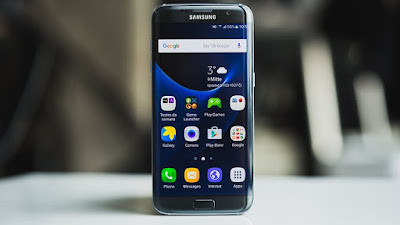
VRU2APE1 is based on the latest Marshmallow 6.0.1 for the Verizon Galaxy S7 SM-G930V.
Follow our guide below to download the update and install it yourself.
The Update brings the following changes:
•The security of your device has been improved.
•Device stability improvements, bug fixes.
•New and / or enhanced features.
•Further improvements to performance.
| Model | SM-G930V |
| Model name | |
| Country | USA (Verizon) |
| Version | Android 6.0.1 |
| Changelist | 7722939 |
| Build date | Tue, 24 May 2016 08:21:41 +0000 |
| Security Patch Level | 2016-06-01 |
| Product code | VZW |
| PDA | G930VVRU2APE1 |
| CSC | G930VVZW2APE1 |
*Disclaimer:
Custom ROM fix ® provide various Firmware Updates and Rooting process along with Custom ROM,Modes,file are all belong to their owners/developers. The autor of this site or the developers are not responsible, if you damage or brick your device.Do it on your own risk and follow the instruction properly.
* Important:
Backup important files stored on your device before proceeding with the steps below, so that in case something goes wrong you’ll have backup of all your important files.
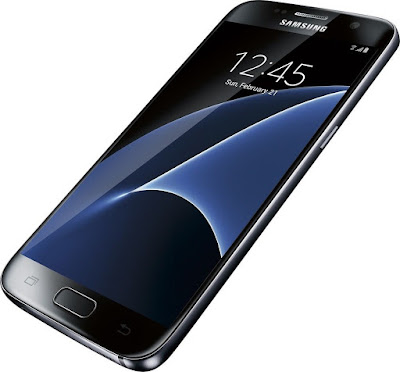
How To Update Verizon Galaxy S7 SM-G930V to Marshmallow 6.0.1 Stock Firmware VRU2APE1 [Security Patches / Bug Fixes]
Download Samsung Galaxy S7 SM-G930VUV VRU2APE1 Firmware .
1- Extract (unzip) the firmware file
2- Download Odin v3.11.1
3- Extract Odin ZIP file
4- Open Odin v.3.11.1
5- Reboot Phone in Download Mode (press and hold Home + Power + Volume Down buttons)
6- Connect phone and wait until you get a blue sign in Odin
7- Add the firmware file to AP / PDA
Make sure re-partition is NOT ticked
8- Click the start button, sit back and wait few minutes.
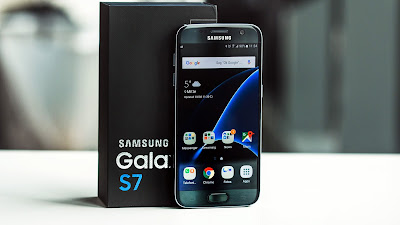
That’s it! Your Verizon Galaxy S7 SM-G930V should now have Marshmallow 6.0.1 on your phone! Go to Settings > About phone to verify.
Like this post? PLZ Hit the share buttons below to share this article with your friends on Facebook, Google + and Twitter.
PLZ Follow Us On Flipboard 4 More Galaxy Note 7 - SM-G935T Latest Updates.
PLZ Use the comment box below to contribute more ideas & Suggestions .
Best Regards.
Available link for download
Tuesday, August 30, 2016
How to Install Android 6 0 1 Marshmallow Tipsy OS 4 1 ROM on Verizon Galaxy S5 SM G900V
How to Install Android 6 0 1 Marshmallow Tipsy OS 4 1 ROM on Verizon Galaxy S5 SM G900V

If you are looking to install a new custom ROM on your Verizon Galaxy S5 SM-G900V then we have here as usual the best Custom ROMs for you.
According to XDA member Blackjubel, Android 6.0.1 Marshmallow Tipsy OS 4.1 ROM is available for Verizon Samsung Galaxy S5 SM- G900V [ kltespr].
You can Find out How to Apply it Right Now via This Easy Tutorial.
÷ Prerequisites:
•This tutorial is only for installing ROM on Verizon Samsung Galaxy S5 SM- G900V [ kltevzw]. Please do not try on any other galaxy S5 variants.
•Your phone should be rooted and haveClockworkMod recovery installed from before.
•This tutorial will wipe out all your data.Proceed at your own risk.Perform a Dalvik Cache wipe before proceeding from the recovery mode.
•Samsung KIES will NOT detect your phone after installing this ROM because it is a custom firmware.
•Make sure you backup all your data in your phone before proceeding.

*Disclaimer:
Android Custom ROM fix ® provide various Firmware Updates and Rooting process along with Custom ROM,Modes,file are all belong to their owners/developers. The autor of this site or the developers are not responsible, if you damage or brick your device.Do it on your own risk and follow the instruction properly.
* Important:
Backup important files stored on your device before proceeding with the steps below, so that in case something goes wrong you’ll have backup of all your important files.
÷ How to Install Android 6.0.1 Marshmallow Tipsy OS 4.1 ROM on Verizon Galaxy S5 SM- G900V.
Step 1 – Download Tipsy OS 4.1 Android 6.0.1 Marshmallow and Google Apps for your Verizon Samsung Galaxy S5 SM- G900V to your computer.
Step 2 – Connect and mount your Galaxy S5 USB memory on your computer using the USB cable.
Step 3 – Now copy/paste the downloaded Android 6.0.1 ROM zip file and Google Appszip files to your SD card. Make sure the files are in the SD card root (not in any folder).
Step 4 – Then turn OFF your phone and disconnect from the USB cable.
Step 5 – Now to get in the Recovery Mode. Switch ON the phone while pressing and holding Volume Up + Home + Power buttons together
Step 6 – Once you are in ClockworkModRecovery, select perform a full data wipe by selecting “wipe data/factory reset”. Use the Power button to select everything while in the Recovery Mode.
Step 7 – Then, perform a cache wipe by selecting “wipe cache partition” .
Step 8 – Now this is optional, but it is recommended to perform a wipe of your dalvik cache as well. You will not get into boot loops or any other errors. From CWM recovery, go to ‘advanced’ and then select “wipe dalvik cache”.
Step 9 – Then go back to the main recovery screen and select “install zip from SD card”.
Step 10 – Now select “choose zip from sdcard”. Using your volume keys, navigate to the Android 6.0.1 ROM zip file that you copied to your SD card and select it using the Power button. Confirm the installation on the next screen and the installation procedure should start now.
Google Apps: Repeat the above step for the Gapps zip file as well and install it on your phone.
Step 11 – After the installation completes, go to “+++++Go Back+++++” and reboot the phone by selecting “reboot system now” from the recovery menu.
Your Verizon Samsung Galaxy S5 SM- G900V will boot now and it might take about 5 minutes to boot on your first time. So, please wait.

That’s it Your Samsung Galaxy S5 SM- G900V should now have Tipsy OS 4.1 Android 6.0.1 Marshmallow latest build installed on your phone! Go to Settings > About phone to verify.
For More Samsung Galaxy S5 Brand New Firmware & Custom ROM keep checking AndroidCustomROM Fix ™®
Like this post? PLZ Hit the share buttons below to share this article with your friends on Facebook, Google + and Twitter.
Want the latest Updates Sign up for our newsletters!
PLZ Follow Us On Flipboard 4 More latest custom ROM fix.
PLZ Use the comment box below to contribute more ideas & Suggestions .
Best Regards.
Available link for download