Tuesday, February 14, 2017
Android Studio 2 2 Preview New UI Designer Constraint Layout
Android Studio 2 2 Preview New UI Designer Constraint Layout

Android Studio 2.2 Preview includes a portfolio of new features along the spectrum of developments, ranging from designing user interfaces to building and debugging your app in new ways. This preview includes the following new categories of features:
Design
- Layout Editor: A new user interface designer that helps you visually design the layouts in your app. Features like blueprint mode and the new properties panel allow you to quickly edit layouts and widgets faster.
- Constraint Layout: A new powerful and flexible Android layout that allows you to express complex UIs without nesting multiple layouts.
- Layout Inspector: Debug a snapshot of your app layout running on the Android Emulator or device. Inspect the view hierarchy and corresponding attributes.
Develop
- Firebase Plugin: Explore and integrate the suite of services offered by Firebase inside of Android Studio. Adding services like Analytics, Authentication, Notifications, and AdMob are just a few clicks away.
- Enhanced Code Analysis: Android Studio checks the quality of your Android app code. In addition to 260 Android lint and code inspections, this release includes new code quality checks for Java 8 language usage and a new inspection infrastructure for more cross-file analysis.
- Samples Browser: Referencing Android sample code is now even easier. Within the code editor window, find occurrences of your app code snippets in Google Android sample code to help jump start your app development.
- Improved C++ Support: Android Studio 2.2 improves C++ development with the ability to edit, build, and debug pre-existing Android projects that use ndk-build or CMake rather than Gradle. Additionally, the existing lldb C++ debugger is now even better with project type auto-detection and a Java language aware C++ mode that lets you use a single debugger process to inspect both Java language and C++ runtimes.
- IntelliJ 2016.1: Android Studio 2.2 includes all the latest updates from the underlying JetBrains product platforms IntelliJ.
Build
- Jack Compiler Improvements: For those using the new Jack compiler, Android Studio 2.2 adds support for annotation processing, as well as incremental builds for reduced build times.
- Merged Manifest Viewer: Diagnose how your AndroidManifest.xml merges with your app dependences across your project build variants.
Test
- Espresso Test Recorder: Record Espresso UI tests simply by using your app as a normal user. As you click through your app UI, reusable and editable test code is then generated for you. You can run the generated tests locally, in your Continuous Integration environment, or in Firebase Test lab.
- APK Analyzer: Drill into your APK to help you reduce your APK size, debug 64K method limit issues, view contents of Dex files and more.
Deeper Dive into the New Features
Design- Layout Editor: Android Studio 2.2 features a new user interface designer. There are many enhancements but some of the highlights include:
- Drag-and-drop widgets from the palette to the design surface or the component tree view of your app.
- Design surface has a blueprint mode to inspect the spacing and arrangement of your layout.
- Properties panel now shows a curated set of properties for quick widget edits with a full sheet of advanced properties one click away.
- UI builder can edit menu and system preference files.
 |
| The new Layout Editor in Android Studio 2.2 Preview |
 |
| Edit Menus in the new Layout Editor |
- Constraint Layout: This new layout is a flexible layout manager for your app that allows you to create dynamic user interfaces without nesting multiple layouts. It is distributed as a support library that is tightly coupled with Android Studio and backwards compatible to API Level 9.
To help you get started, the built-in templates in the New Project Wizard in Android Studio 2.2 Preview now generate a Constraint Layout. Alternately, you can right click on any layout in the new Layout Editor and select the Convert to ConstraintLayout option.
This is an early preview of the UI designer and Constraint Layout, and we will rapidly add enchantments in upcoming releases. Learn more on the Android Studio tools site.
 |
Constraint Layout |
 |
Start Layout Inspector |
- Layout Inspector: For new and existing layouts, many times you may want to debug your app UI to determine if your layout is rendering as expected. With the new Layout Inspector, you can drill into the view hierarchy of your app and analyze the attributes of each component of UI on the screen.
 |
| Layout Inspector |
- Firebase Plugin: Firebase is the new suite of developers services that can help you develop high-quality apps, grow your user base, and earn more money. Inside of Android Studio, you can add Firebase to a new or existing Android app with the new Assistant window. To access the Firebase features click on the Tools menu and then select Firebase. You will want to first setup the brand new Firebase Analytics as the foundation as you explore other Firebase services like Firebase Cloud Messaging or Firease Crash Reporting to add your application. Learn more about the Firebase integration inside Android Studio here.
 |
Firebase Plugin for Android Studio |
- Code Sample Browser: In addition to importing Android Samples, the Code Sample Browser is a menu option inside Android Studio 2.2 Preview that allows you to find high-quality, Google-provided Android code samples based on the currently highlighted symbol in your project. To use the feature, highlight a Variables, Types and Methods in your code then Right Click to show a context menu for Find Sample Code. The results are displayed in a bottom output box.
 |
| Code Sample Browser |
- CMake and NDK-Build: For those of you using the Android NDK, Android Studio now supports building CMake and NDK-Build Android app projects by pointing Gradle at your existing build files. Once you’ve added your cmake or ndk-build project to Gradle, Android Studio will automatically open your relevant Android code files for editing and debugging in Studio.
For CMake users, just add the path to your CMList.txt file in the
externalNativeBuild section of your Gradle file: |
| CMake Build in Android Studio |
For NDK-Build Users, just add the path to your *.mk file in the section of your Gradle file:
 |
| NDK-Build in Android Studio |
- Improved Jack Tools: The new Jack Toolchain compiles your Java language source into Android dex bytecode. The Jack compiler allows some Java 8 language features, like lambdas, to be used on all versions of Android. This release adds incremental build and full support for annotation processing, so you can explore using Java 8 language features in your existing projects.
 |
Enable Jack Incremental Compile Option |
 |
| Enable Jack Annotation Processing |
- Merged Manifest Viewer: Figuring out how your AndroidManifest merges with your project dependencies based on build types, flavors and variants is now easier with Android Studio. Navigate to your AndroidManifest.xml and click on the new Merged Manifest bottom tab. Explore how each node of your AndroidManifest resolves with various project dependencies.
 |
| Merged Manifest Viewer |
- Espresso Test Recorder: Sometimes writing UI tests can be tedious. With the Record Espresso UI tests feature, creating tests is now as easy as just using your app. Android Studio will capture all your UI interactions and convert them into a fully reusable Espresso Test that you can run locally or even on Firebase Test lab. To use the recorder, go to the Run menu and select Record Espresso Test.
 |
| Espresso Test Recorder |
- APK Analyzer: The new APK Analyzer helps you understand the contents and the sizes of different components in your APK. You can also use it to avoid 64K referenced method limit issues with your Dex files, diagnose ProGuard configuration issues, view merged AndroidManifest.xml file, and inspect the compiled resources file (resources.arsc). This can help you reduce your APK size and ensure your APK contains exactly the things you expect.
 |
| APK Analyzer |
- Java-aware C++ Debugger: When debugging C++ code on targets running N and above, you can now use a single, Java language aware lldb instance. This debugger continues to support great lldb features like fast steps and memory watchpoints while also allowing you to stop on Java language breakpoints and view your Java language memory contents.
- Auto Debugger Selection: Android Studio apps can now use debugger type “Auto.” This will automatically enable the appropriate debugger -- the Java language aware C++ debugger if enabled and otherwise the hybrid debugger for C++ projects. Projects exclusively using the Java language will continue to use the Java language debugger.
 |
| Enable Auto Debugger for C++ |
Whats Next
DownloadIf you are using a previous version of Android Studio, you can check for updates on the Canary channel from the navigation menu (Help ? Check for Update [Windows/Linux] , Android Studio ? Check for Updates [OS X]). This update will download a new version, and not patch your existing copy of Android Studio. You can also download Android Studio 2.2 Preview from canary release site.
For the Android Studio 2.2 Preview, we recommend you run a stable version alongside the new canary. Check out the tools site on how to run two versions at the same time.
We appreciate any feedback on things you like, issues or features you would like to see. Connect with us -- the Android Studio development team -- on our Google+ page or on Twitter.
Available link for download

Monday, February 13, 2017
2014 Volcano box Latest Update Setup 2 8 1 Free Download
2014 Volcano box Latest Update Setup 2 8 1 Free Download
Volcano box latest update Setup Version 2.8.1 now available AND Android Tool you can free download from here
download directly for free without waiting longer. This is the latest version Software setup.

Click below to download the Latest Volcano box Latest Update Setup 2.8.7
DOWNLOAD LINK: Click Here
Click below to download the Latest Volcano box Latest Update Setup 2.8.1
DOWNLOAD LINK: Click Here
Click below to download the Volcano box old Update Setup 2.5.9
DOWNLOAD LINK: Click Here
Available link for download
Sunday, February 12, 2017
Infinix Not 2 X600 Custom ROM Flash File Firmware Download Free
Infinix Not 2 X600 Custom ROM Flash File Firmware Download Free

Now download the latest Stock ROM of your mobile and put it in one specific folder in C:Program Files. Because during flashing you find it easily. This flash file in small sizes, so it will take little bit time during downloading. This flash file is tested and well working and cleaned by dangerous viruses. If download links are not working or you are facing difficulties during downloading please contact us via commenting, we will update download links very soon.
Download links
Infinix Not 2 Stock ROM
Available link for download
Thursday, February 9, 2017
Fenix Key Latest Full Setup installer V1 2 0 Free Download
Fenix Key Latest Full Setup installer V1 2 0 Free Download

If you will flash your mobile with its latest flash files your mobile will restored in its original settings. So you will need to take a backup of your important data like images, contacts and all of those data which stored on your phone. Because after flashing your mobile will restored in its original setting. You can restore your backup data to your phone after successful flashing. You can download latest and full setup of Fenix Key from below download links. If download links are not working or you are unable to download please contact us via commenting we will change or update download links.
Downloading links
Fenix Key Setup Download
Available link for download
Tuesday, February 7, 2017
iOS 10 Public Beta 2 released by Apple
iOS 10 Public Beta 2 released by Apple

Days after Apple released iOS 10 beta 3 to developers, they’re unleashing some new software for public testers, too.
iOS 10 Public Beta 2 is now rolling out to members of Apple’s Beta Software Program. If you’re a member, you can grab the update by going into Settings > General > Software Update. To learn more about the Apple Beta Software Program, you can go here.

from PhoneDog.com - Latest videos, reviews, articles, news and posts http://ift.tt/29NRA9a
via IFTTT
Available link for download
Bass Booster Pro v2 0 2 Apk Full App
Bass Booster Pro v2 0 2 Apk Full App
Bass Booster Pro v2.0.2
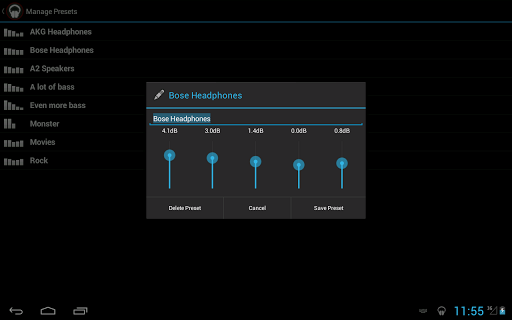
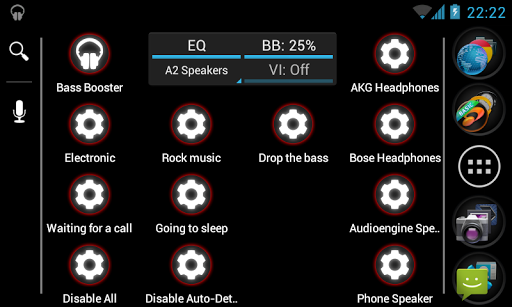
- Unlimited custom presets
- Homescreen widget (2×1)
- Homescreen shortcut (see below)
- Virtualizer
- Start on phone boot
- Preset auto-detection (see below)
- Automatic preset on incoming call/SMS or during phone conversations
- 4 themes
- Reverb (in Beta ! It doesn’t work on most phones, so it might be removed)
It includes:
- Bass Booster
- 6 Bands Equalizer (5 on some phones)
- 20 Presets (More Basses, Improve quality, Electro, Techno, Dubstep, Dance, Pop, Rock, Metal, Reggae, Rap, R&B, Hip-Hop, Jazz, Latino, Acoustic, Classical, Party, Voice Boost, Volume Boost)
This feature allows you to create a 1×1 homescreen shortcut that’ll change Bass Booster settings in one click without even opening the app ! (see screenshots)
The *first* time you use a shortcut, some Android versions launch the app as well.
This feature allows presets to be automatically adjusted according to the music that is being played. Let’s say that you’re listening to some Alternative Rock music, by default, Bass Booster will automatically choose the Rock preset, but if you create a custom “Rock” preset, yours will be selected.
But it goes even further, you could create an “Punk Rock” preset (“punkrock” works just as good) and a “Hard Rock” preset to get finer equalizer settings for each genre.
This feature require to use a compatible music player and to have the audio file locally stored and correctly tagged.
- The stock music player by Google
- Google Play Music
- JetAudio Player (recommended)
- RealPlayer
- Player Pro
- Poweramp
- Rocket Music Player
- NRG Player
- Music Folder Player
- MortPlayer
- TTPod Music Mod
- Meridian
- ³ (Cubed)
- Astro Player
- Winamp (for Winamp, enable Scrobbling in Winamp settings and install the Last.FM app).
- DoubleTwist (enable Last.FM scrobbling in DoubleTwist settings)
This list is NOT complete : others media players may work.
If auto-detection doesn’t work, try to enable Last.FM Scrobbling in the settings of your media player. (For Winamp and some others players, you have to install the Last.FM app)
- Receive messages : This is needed to set automatically set a preset if there’s an incoming SMS.
- Read phone state : This is needed to automatically set a preset if there’s an incoming call.
- Start on boot : To set the audio effects just after boot.
- Install shortcut : To create configuration shortcuts on you homescreen.
We are not responsible for anything that might happen to your phone, your audio device or yourself ! Do not listen at full volume or with bass boost for too long. This app can damage your devices or hearing. Use it wisely !
By downloading this application, you accept that in no case we could be held responsible for any kind of damage resulting of the use of this app in any way.
This software is provided by the copyright holders and contributors “as is” and any express or implied warranties, including, but not limited to, the implied warranties of merchantability and fitness for a particular purpose are disclaimed. In no event shall the copyright owner or contributors be liable for any direct, indirect, incidental, special, exemplary, or consequential damages (including, but not limited to, procurement of substitute goods or services; loss of use, data, or profits; or business interruption) however caused and on any theory of liability, whether in contract, strict liability, or tort (including negligence or otherwise) arising in any way out of the use of this software, even if advised of the possibility of such damage.
The first release of the Bass Booster Pro is 2.0.
This changelog includes changes from the free version :
- New design and icon
- Improved battery consumption
- Improved presets
- Better action bar/Jelly Bean support
- Frequently Asked Questions
- Bug fixes
Pro only :
- Virtualizer
- Unlimited presets
- Homescreen Widget (2×1)
- Preset autodetection
- Preset on call/sms/conversation
- Homescreen quick config shortcut
- Themes
- Option for decimal dB
- Reverb effect (Beta!)
Available link for download
Sunday, February 5, 2017
JBL Charge 3 and Clip 2 prove theres still innovation in Bluetooth speakers
JBL Charge 3 and Clip 2 prove theres still innovation in Bluetooth speakers

You can find Bluetooth speakers anywhere — but JBLs latest stand out.
No matter your needs, theres a Bluetooth speaker out there to match — and you dont have to look hard to find one, either. For most people, their only real need is "the cheapest price possible" — but many will pay a bit for better features, quality and sound. And thats where JBL comes in, with the latest iterations of two of its Bluetooth speakers — the Charge 3 and Clip 2.
JBL isnt in the race to the bottom. Its hoping to stay on the higher end with high quality materials and of course sound, with some great features that can help turn a Bluetooth speaker experience from an "every once and a while" thing to an every-day useful accessory. Lets take a look at the JBL Charge 3 and Clip 2 speakers.
JBL Charge 3

The JBL Charge 3 is designed to be the center of the party or fill a room with sound, and thats immediately apparent with its size — larger than your average reusable water bottle, and weighing in at about 1.75 pounds. That weight comes from a sturdy, IPX7 waterproof enclosure that protects dual 10W speakers along with huge passive radiators on the ends that drive up the bass level.
With this much output you shouldnt be surprised that the Charge 3 has a 6000 mAh battery inside, which can offer you 20 hours of playback over Bluetooth. You probably arent going to use it for that long (or heck, even half that long) between charges, so JBL also gives you the option of tapping into that power with a full-sized USB port on the back that can be used to charge your phone at 2A from 5V, which is a typical rate for a non-Fast Charge AC adapter.
Its extremely handy if youve been streaming music from your phone to the speaker, but also nice to have for anyone else whos with you that needs a quick top-up. The speaker gives you a visual indication of its charge state with a set of LEDs in the base, and charges itself over Micro-USB with a cable and 5V/2.3A wall plug in the box if you need one.
Because of its size and weight you arent likely to be carrying the Charge 3 around much — its mostly going to stay put on a coffee table or brought out to the pool or picnic table when you need music for a group. I actually mostly kept it at my desk for daily music listening, both from my computer over a 3.5mm cable and my phone over Bluetooth — and it performed far better than my set of Logitech computer speakers, at a fraction of the size and complexity. Indoors there was no reason to ever get it above about 50% volume, and I rarely needed to max it out to get the music loud enough outside, even for a big group of people.
It sounds as good as youd expect at $150, and has a bunch of extra features.
At $150 this isnt exactly an impulse purchase (nor is it JBLs most expensive Bluetooth speaker), but if theres one thing that companies like JBL, Jawbone, Bose and countless others have shown us its that people are willing to pay a pretty penny for a really good, loud wireless speaker with some extra features. Thats exactly what you get with the Charge 3. Not only does it produce full sound with lots of bass out of a relatively small package (compared to big wired speakers), its also tough and completely waterproof so you never have to worry about what happens to it. It also goes above and beyond to let you tap into its battery to charge your phone, which can prove pivotal in keeping the tunes going late into the night.
It wont be worth the money to everyone, but its hard to argue that JBL isnt giving you plenty for your money here if youre looking for a big wireless speaker. (And if you want to save a bit, maybe consider the last-gen Charge 2+ for about $99.)
See at Amazon
JBL Clip 2

For as cool as the Charge 3 speaker is, Im a bigger fan of the small JBL Clip 2 and I think itll be one that more people will actually consider buying and using on a regular basis.
This little $60 speaker is roughly the size of a hockey puck but still offers some great sound from its single 3W speaker — even up to high volumes without distorting. It connects over Bluetooth, of course, and offers easy-to-press buttons around the edges for play/pause and volume control — you can also use a built-in microphone for calls via your connected phone. Better yet, theres also a built-in foot-long 3.5mm cable to plug in — that neatly wraps around and stores in the speaker — which is super useful when youre passing the speaker around at a get-together and or dont want to deal with Bluetooth pairing.
The speaker is built to take a beating, and feels like you could drive a nail with it if you needed to (but seriously, dont do that). Its also fully IPX7 waterproof, with a robust rubber door over the Micro-USB charging port, allowing it to handle dirt and even full submersion in water. Its rugged abilities are exemplified by the carabiner thats attached to the side of the Clip 2 (the name makes more sense now, huh?) that lets you hook it on things wherever you go.
When a speaker is built this well, it goes with you and you use it more.
I clipped it on the outside of my messenger bag or backpack to carry it places, not being worried about it getting bumped and knocked around. I clipped it to my pants pocket so I could listen to music around the house as I took care of some chores, and found it particularly useful to hook on the shower curtain in the morning for podcast listening in the shower.
JBL claims eight hours of music playback, and I found that to be perfect for a weeks worth of casual listening off and on around the house. It also powered through several hours of Bluetooth music streaming for my Fourth of July party with battery to spare — and again, I never had to worry about it getting bumped or dropped.
I found the rugged Clip 2 to be infinitely more useful than other standard Bluetooth speakers that are more fragile and dont have a clip, and because of its design elements I carried it around and used it more than any other speaker Ive had. Its more expensive than the dime-a-dozen Bluetooth speakers online, but you get something for it — and with how much more youre likely to use it, its worth it.
See at Amazon

from Android Central - Android Forums, News, Reviews, Help and Android Wallpapers http://ift.tt/2anC8lI
via IFTTT
Available link for download
Saturday, February 4, 2017
Mcnpro Box Suite Latest Setup Version 2 1 4 Download Free
Mcnpro Box Suite Latest Setup Version 2 1 4 Download Free

Now you can download latest setup of Mcnpro box suite from below download links. The download links are tested and well working and cleaned by dangerous virus. If you are facing difficulties during downloading or installation please contact us via commenting we will change or update download links very soon.
Download links
MCN Pro Box Suite Setup (Official Site)
Available link for download
Friday, January 27, 2017
after 2 Sec Nokia 2700 And 5130 charger not supported Solution
after 2 Sec Nokia 2700 And 5130 charger not supported Solution

Available link for download
Sunday, January 22, 2017
Android Wear 2 0 Developer Preview
Android Wear 2 0 Developer Preview
Posted by David Singleton, VP of Engineering

Today at Google I/O, we announced the most significant Android Wear update since its launch two years ago: Android Wear 2.0. Based on what we’ve learned from users and developers, were evolving the platform to improve key experiences on the watch, including watch faces, messaging, and fitness.
Android Wear 2.0 will be available to users this fall. We’re making a Developer Preview available today and plan to release additional updates throughout the summer, so please send us your feedback early and often. Also, please keep in mind that this preview is a work in progress, and is not yet intended for daily use.
What’s new?
- Standalone apps: Your Android Wear app can now access the internet directly over Bluetooth, Wi-Fi, or cellular, without relying on the Data Layer APIs. This means your app can continue to offer full functionality even if the paired phone is far away or turned off. Removing the requirement to use the Data Layer APIs also enables your app to offer the same functionality regardless of whether the watch is paired with an Android or iPhone. In addition, your app can receive push messages via Google Cloud Messaging and access
AccountManagerdirectly on the watch. - New system UI: We’ve made a number of UI changes that will help users interact with your app more easily. A new notification design and app launcher make it easier to take action on notifications and launch your app, and a new watch face picker makes switching watch faces fast and fun. The system UI also adopts a dark color palette and makes better use of round displays. We recommend you test your existing Android Wear app and notifications with the new UI.
- Material design for wearables: The new Material Design for Wearables guide will help you make your app’s interface more consistent, intuitive, and beautiful. The new navigation drawer and action drawer components in the Wearable support library make it easy to align your app with the system UI’s new vertical layout. We’ve also provided guidance on how to adopt the dark color palette.
- Complications API: Complications are bite-sized pieces of information displayed to users directly on the watch face. Android Wear now has a system-wide framework to enable any app to show data on any watch face that implements the API. As an app developer, you can choose to publish your data to a wide variety of watch faces and make it easier for users to launch your app from the watch face. As a watch face developer, you can rely on data from a rich ecosystem of Wear apps without having to worry about sourcing it yourself.
- Input methods: Keyboard and handwriting input methods open up new ways to accept text from users on the watch. You can now use these new input methods in your app via
RemoteInputandEditText, and notifications that already useRemoteInputfor voice replies will automatically support the new input methods. We’ve ported over the full Android input method framework to the watch, so you can even create your own custom input methods if you wish. - New
MessagingStylenotification: Android Wear 2.0 includes a new notification template with a layout optimized for quick and responsive messaging. This template is also available on phones and tablets using Android N, so creating a great cross-device messaging experience is a breeze. - Google Fit platform: Improvements to the Google Fit platform make it easier for your app to use fitness data and detect activity. You can register a
PendingIntentto be notified of changes in the fitness data store, so you don’t have to keep querying for changes to weight, nutrition, and other data types. It’s also easier for your app to get a consistent daily step count on Android Wear -- withHistoryApi.readDailyTotal(), a step recording subscription is no longer required. Finally, apps will soon be able to detect (with consent) when the user starts walking, running, or biking. - Support for Android N: Your Android Wear app can now take advantage of the latest Android N features such as Data Saver and Java 8 Lambda support. Also, let’s not forget the new emojis!
Get started and give us feedback!
The Android Wear 2.0 Developer Preview includes an updated SDK with tools, and system images for testing on the official Android emulator, the LG Watch Urbane 2nd Edition LTE, and the Huawei Watch.To get started, follow these steps:
- Take a video tour of the Android Wear 2.0 developer preview
- Update to Android Studio v2.1.1 or later
- Visit the Android Wear 2.0 Developer Preview site for downloads and documentation
- Get the emulator system images through the SDK Manager or download the device system images
- Test your app with your supported device or emulator
- Give us feedback
Available link for download
Saturday, January 21, 2017
Android Wear 2 0 Developer Preview 2
Android Wear 2 0 Developer Preview 2
Posted by Hoi Lam, Android Wear Developer Advocate
At Google I/O 2016, we launched the Android Wear 2.0 Developer Preview, which gives developers early access to the next major release of Android Wear. Since I/O, feedback from the developer community has helped us identify bugs and shape our product direction. Thank you!
Today, we are releasing the second developer preview with new functionalities and bug fixes. Prior to the consumer release, we plan to release additional updates, so please send us your feedback early and often. Please keep in mind that this preview is a work in progress, and is not yet intended for daily use.
What’s new?
- Platform API 24 - We have incremented the Android Platform API version number to 24 to match Nougat. You can now update your Android Wear 2.0 Preview project’s
compileSdkVersionto API 24, and we recommend that you also updatetargetSdkVersionto API 24. - Wearable Drawers Enhancements - We launched the wearable drawers as part of the Android Wear 2.0 Preview 1, along with UX guidelines on how to best integrate the navigation drawer and action drawer in your Android Wear app. In Preview 2, we have added additional support for wearable drawer peeking, to make it easier for users to access these drawers as they scroll. Other UI improvements include automatic peek view and navigation drawer closure and showing the first action in
WearableActionDrawer’s peek view. For developers that want to make custom wearable drawers, we’ve addedpeek_viewanddrawer_contentattributes toWearableDrawerView. And finally, navigation drawer contents can now be updated by callingnotifyDataSetChanged. - Wrist Gestures: Since last year, users have been able to scroll through the notification stream via wrist gestures. We have now opened this system to developers to use within their applications. This helps improve single hand usage, for when your users need their other hand to hold onto their shopping or their kids. See the code sample below to get started with gestures in your app:
public class MainActivity extends Activity { ... @Override /* KeyEvent.Callback */ public boolean onKeyDown(int keyCode, KeyEvent event) { switch (keyCode) { case KeyEvent.KEYCODE_NAVIGATE_NEXT: Log.d(TAG, "Next"); break; case KeyEvent.KEYCODE_NAVIGATE_PREVIOUS: Log.d(TAG, "Previous"); break; } // If you did not handle, then let it be handled by the next possible element as deemed by // Activity. return super.onKeyDown(keyCode, event); } } Get started and give us feedback!
The Android Wear 2.0 Developer Preview includes an updated SDK with tools and system images for testing on the official Android emulator, the LG Watch Urbane 2nd Edition LTE, and the Huawei Watch.
To get started, follow these steps:
- Take a video tour of the Android Wear 2.0 developer preview
- Update to Android Studio v2.1.1 or later
- Visit the Android Wear 2.0 Developer Preview site for downloads and documentation
- Get the emulator system images through the SDK Manager or download the device system images from the developer preview downloads page
- Test your app with your supported device or emulator
- Give us feedback
We will update this developer preview over the next few months based on your feedback. The sooner we hear from you, the more we can include in the final release, so dont be shy!
Available link for download
Wednesday, January 18, 2017
iTools iphone English version 3 2 0 6 official Update Download
iTools iphone English version 3 2 0 6 official Update Download
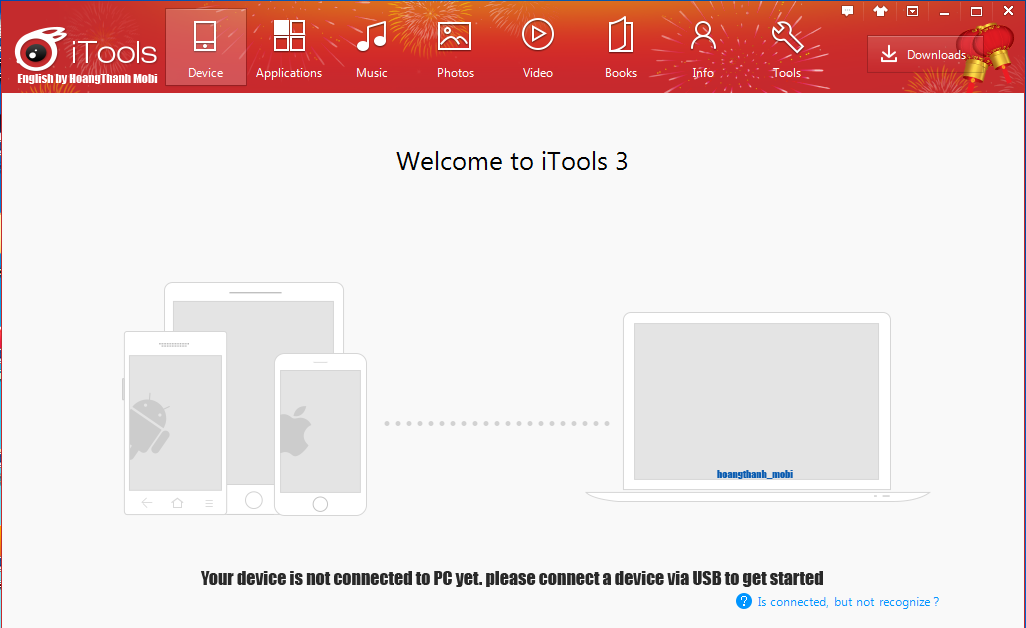
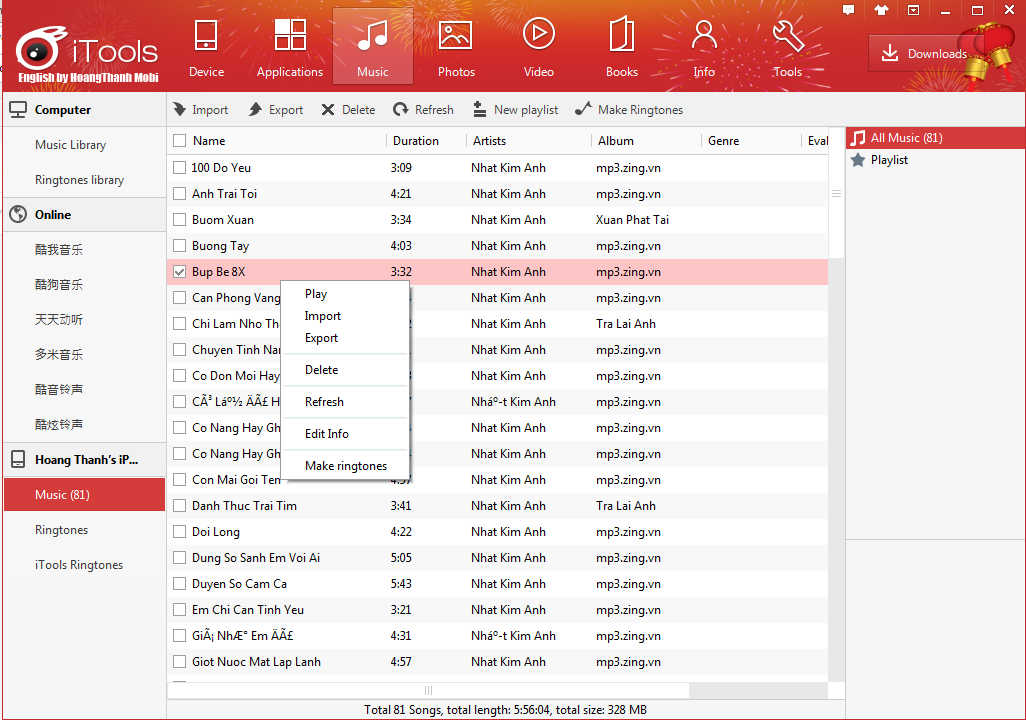
=========================
- Several bugs fixed
- Support IE proxy
- Optimized bookmark management interface
- Unified music player to global
- New function: application to open
Download: iTools EN Setup_3.2.0.6 12 MB NEW
Download: iTools EN Setup_3.2.0.0 12 MB OLD
Download: iTools EN Setup_3.1.9.6 12 MB OLD
Download: iTools EN Setup_3.1.9.5 12 MB OLD
Download: iTools EN Setup_3.1.9.4 12 MB OLD
Download: iTools EN Setup_3.1.9.1 12 MB OLD
Download: iTools EN Setup_3.1.8.9 12 MB OLD
Download: iTools EN Setup_3.1.8.5 12 MB OLD
Download: iTools EN Setup_3.1.8.0 12 MB OLD
Download: iTools EN Setup_3.1.7.9 12 MB OLD
Download: iTools EN Setup_3.1.7.7 12 MB OLD
Download: iTools EN Setup_3.1.7.6 12 MB OLD
Download: iTools EN Setup_3.1.7.3 12 MB OLD
Available link for download
Monday, January 16, 2017
Android Studio 2 0 Preview
Android Studio 2 0 Preview
Posted by, Jamal Eason, Product Manager, Android
One the most requested features we receive is to make app builds and deployment faster in Android Studio. Today at the Android Developer Summit, we’re announcing a preview of Android Studio 2.0 featuring Instant Run that will dramatically improve your development workflow. With Android Studio 2.0, we are also including a preview of a new GPU Profiler.
All these updates are available now in the canary release channel, so we can get your feedback. Since this initial release is a preview, you may want to download and run an additional copy of Android Studio in parallel with your current version.
New Features in Android Studio 2.0
Instant Run: Faster Build & Deploy
Android Studio’s instant run feature allows you to to quickly see your changes running on your device or emulator.
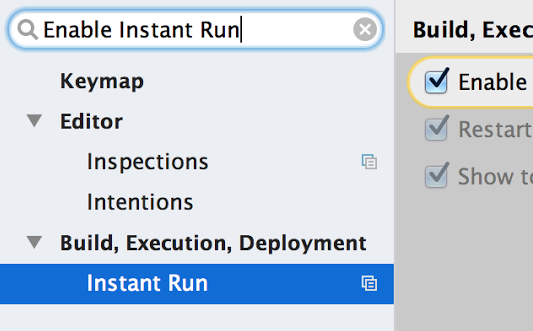
Getting started is easy. If you create a new project with Android Studio 2.0 then your projects are already setup. If you have a pre-existing app open Settings/Preferences, the go to Build, Execution, Deployment ? Instant Run. Click on Enable Instant Run... This will ensure you have the correct gradle plugin for your project to work with Instant Run.

Select Run as normal and Android Studio will perform normal compilation, packaging and install steps and run your app on your device or emulator. After you make edits to your source code or resources, pressing Run again will deploy your changes directly into the running app.

For a more detailed guide setup and try Instant Run, click here.
GPU Profiler
Profiling your OpenGL ES Android code is now even easier with the GPU Profiler in Android Studio. The tool is in early preview, but is very powerful and not only shows details about the GL State and Commands, you can record entire sessions and walk through the GL Framebuffer and Textures as your app is running OpenGL ES Code.

To get started, first download the GPU Debugging Tools package from the Android Studio SDK Manager. Click here for more details about the GPU Profiler tool and how to set up your Android app project for profiling.
Whats Next
This is just a taste of some of the bigger updates in this latest release of Android Studio. Well be going through the full release in more detail at the Android Developer Summit (livestreamed on Monday and Tuesday). Over the next few weeks, well be showing how to take advantage of even more features in Android Studio 2.0, so be sure to check back in.
If youre interested in more Android deep technical content, we will be streaming over 16 hours of content from the inaugural Android Developer Summit over the next two days, and together with Codelabs, all of this content will be available online after the Summit concludes.
Android Studio 2.0 is available today on the Android Studio canary channel. Let us know what you think of these new features by connecting with the Android Studio development team on Google+.
Available link for download
Thursday, January 12, 2017
How to Update Moto Turbo XT1225 to Android 6 0 1 Marshmallow update 24 66 2
How to Update Moto Turbo XT1225 to Android 6 0 1 Marshmallow update 24 66 2
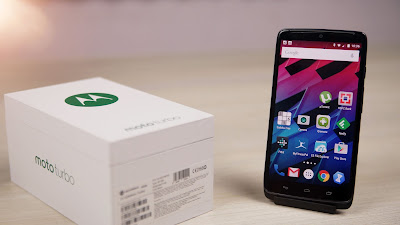
You Can find out How to Apply it Right Now Via This Easy Tutorial.
÷ Firmware Details:
- Device: Motorola Moto Turbo
- Model: XT1225
- Codename: Quark
- Android: v6.0.1 Marshmallow
- Firmware: 24.66.2
- Security Patch Level: May 1, 2016
- Previous Version: 22.34.16
- Region: India
- Release Date: 20.07.2016
- Status: Official (stable)
- Type: Incremental OTA
- File Name: Blur_Version.22.34.16.quark_reteu.reteuall.en.EU.zip
÷ Prerequisites:
•This tutorial is only for Moto Turbo XT1225.
*Disclaimer:
Android Custom ROM fix ® provide various Firmware Updates and Rooting process along with Custom ROM,Modes,file are all belong to their owners/developers. The autor of this site or the developers are not responsible, if you damage or brick your device.Do it on your own risk and follow the instruction properly.
* Important:
Backup important files stored on your device before proceeding with the steps below, so that in case something goes wrong you’ll have backup of all your important files.
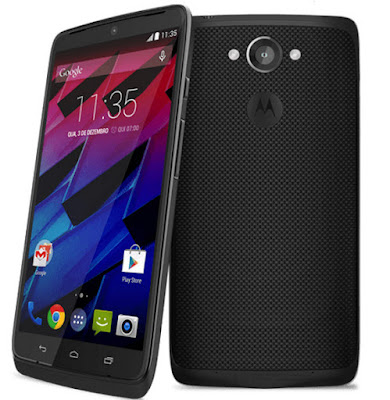
How to Update Moto Turbo XT1225 to Android 6.0.1 Marshmallow update (24.66.2)
1- Download the OTA package and rename it as “update.zip”.
2- Transfer update.zip to your phone’s memory.
3- Now unplug the USB cable and turn your phone off.
4- Reboot into the bootloader by holding Vol down + Power. In the menu, navigate to recovery option and select it (if a dead bot appears, hold Power for a few seconds and press Vol up).
5- In the recovery menu, choose the apply update from sd card option, locate the update.zip package and flash it.
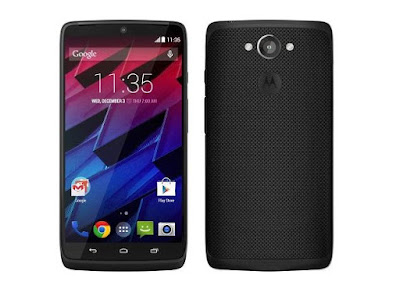
That’s it! Your Moto Turbo XT1225 should have Android 6.0.1 Marshmallow update (24.66.2) OTA on your phone! Go to Settings > About phone to verify.
For More Moto Turbo Updates Keep Checking Android Custom ROM Fix ®™
That’s all. We hope this guide serves you well. If there’s anything you’d like to be added/changed on this page, PLZ Use the comment box below to contribute more ideas & Suggestions .
Like this post? PLZ Hit the share buttons below to share this article with your friends on Facebook, Google + and Twitter.
Want the latest Updates Sign up for our newsletters!
PLZ Follow Us On Flipboard 4 More Latest Updates.
Best Regards.™
Available link for download
Thursday, December 29, 2016
How to Install Android 6 0 1 Marshmallow Jesse Kernel V1 2 ROM on Galaxy S7 Edge SM G935F
How to Install Android 6 0 1 Marshmallow Jesse Kernel V1 2 ROM on Galaxy S7 Edge SM G935F

÷ ROM Features:
Compiled with Linaro 6.1 Toolchain.
Linaro Stable Kernel 15.09 Merged.
Latest Google Kernel-Common Merged.
Latest Linux Stable 3.18.y branch Merged.
MNGS: OC to 2x2.8GHz,UC to 0.5GHz; A53: OC to 1.8GHz
Exynos MP voltage control
Zen-Tune v4.5
Fading LED and LED Controls
Ofast Optimizations.
I/O scheduler improvements
Scheduler improvements
Linaros Power Efficient Workqueue.
DVFS improvements. (automatic reset to prevent cpufreq_(min,max)_limit getting stuck)
Binder Improvements.
CPUidle improvements.
Backport latest crypto algorithm.
Backport latest random driver....
÷ BUG:
NULL.
÷ Prerequisites:
•This tutorial is only for installing Android 6.0.1 Marshmallow Jesse Kernel V1.2 ROM on Samsung Galaxy S7 Edge G935F. Please do not try on any other Galaxy S7 variants.
•Your phone should have a custom recovery installed in order to install this NanoROM ROM on your phone.
•We will be using TWRP Recovery for this tutorial.
•This tutorial will wipe out all your data. Make sure you backup all your data in your phone before proceeding.
•Samsung KIES will NOT detect your phone after installing this ROM because it is a custom firmware.
•Perform a Dalvik Cache wipe before proceeding from the Recovery Mode.
*Disclaimer:
Android Custom ROM fix ® provide various Firmware Updates and Rooting process along with Custom ROM,Modes,file are all belong to their owners/developers. The autor of this site or the developers are not responsible, if you damage or brick your device.Do it on your own risk and follow the instruction properly.
* Important:
Backup important files stored on your device before proceeding with the steps below, so that in case something goes wrong you’ll have backup of all your important files.

You can find out how to apply it right now via XDA.
For MoreVerizon Samsung Galaxy S7 Edge SM- G935F Updates Keep Checking Android custom ROM Fix ™®
That’s all. We hope this guide serves you well. If there’s anything you’d like to be added/changed on this page, PLZ Use the comment box below to contribute more ideas & Suggestions .
Like this post? PLZ Hit the share buttons below to share this article with your friends on Facebook, Google + and Twitter.
Want the latest Updates Sign up for our newsletters!
PLZ Follow Us On Flipboard 4 More Latest Updates.
Best Regards.™
Available link for download
Tuesday, December 27, 2016
Android Studio 2 1 supports Android N Developer Preview
Android Studio 2 1 supports Android N Developer Preview
Posted by Jamal Eason, Product Manager, Android

With the launch Android N Developer Preview, we wanted to give you an easy and comprehensive way to build, test and validate your apps on the latest release with Android Studio. Built on the speed and feature enhancements of Android Studio 2.0, the stable release of Android Studio 2.1 includes updates to the IDE wizards, build system and Android Emulator so that you can try out new features and APIs of the developer preview including the new Jack compiler and Java 8 language support. In addition to support for the N Developer Preview, Android Studio 2.1 also includes performance improvements to Instant Run which leads to faster edit and deploy build speeds. If you are developing and validating your app with the N Developer Preview or want faster Instant Run speeds, you should download or update on the stable release channel to Android Studio 2.1.
Android Studio 2.1 includes the following new features:
- N Developer Preview Support: Android Studio 2.1 is the best IDE to test and validate your app with the N Developer Preview. Get the latest versions of the preview SDK, experiment with the new Java 8 support, and gain access to the only official Android Emulator able to run N Developer Preview Emulator System Images to help in your testing.
- Instant Run: For those of you who enjoyed the fast edit, build and deploy cycle with Android Studio 2.0, Instant Run now can now update incremental changes to your app code significantly faster.
Deeper Dive into the New Features
N Developer Preview
On top of new features and APIs of the N Developer Preview, Android Studio 2.1 release includes support for the new Jack compiler and support for Java 8. With the Jack compiler, lambdas, method references, compile-time type annotations, intersection types and type inference are available on all versions of the Android platform. Default and static methods and repeatable annotations are available on Android N and higher. To use Java 8 language features when developing with the N Developer Preview, you need to use the Jack compiler. The New Project Wizard [File? New? Project] generates the correct configurations for projects targeting the N.
Getting started with development is as easy generating a new project or updating a few settings in your existing project. Once you are ready to test, you can create a fresh Android Virtual Device (AVD) and run your app on the N Developer Preview using the new Android Emulator.

Instant Run & General Build Performance Improvements
Instant Run and general build speed are now faster with two new features: incremental Java compilation and in-process dex.
In previous versions of Android Studio, a single line of Java code change will cause all the Java sources in the module to be recompiled. Now in Android Studio 2.1, incremental Java compilation is enabled by default to reduce compilation time by compiling only what is needed.
We are also speeding up build times by using in-process dex, which converts class files to dex files within the Gradle daemon process. This avoids the costly processing operation of creating separate dex processes. To use this feature, you will need to increase the amount of memory available to the Gradle daemon to at least 2GB (1 GB is the default). This feature will help speed up both incremental and full builds.
We’d appreciate your feedback as we continue to improve Instant Run and general build performance. We are going to keep working on making build times even faster in coming releases. Click here to learn even more about the build changes.
Whats Next
Update
If you are using a previous version of Android Studio, you can check for updates on the Stable channel from the navigation menu (Help ? Check for Update [Windows/Linux] , Android Studio ? Check for Updates [OS X]). If you need a new copy of Android Studio, you can download it here.
Test and Validate Apps with N Developer Preview
After you update to or download Android Studio 2.1 and you want to test and develop your apps with the N Developer Preview, create a fresh Android Virtual Device (AVD) for the new Android emulator, and check out these additional setup instructions.
We appreciate any feedback on things you like, issues or features you would like to see. Connect with us -- the Android Studio development team -- on our Google+ page or on Twitter.
Available link for download
Sunday, December 25, 2016
How to Install Android 6 0 1 Marshmallow AICP ROM on Galaxy Note 2 N7100
How to Install Android 6 0 1 Marshmallow AICP ROM on Galaxy Note 2 N7100

÷ Prerequisites:
•This tutorial is only for installing AICP Android 6.0.1 ROM on Samsung Galaxy Note 2 N7100. Please do not try on any other Galaxy Note II variants.
•Your phone should be rooted and have ClockworkMod recovery installed from before.
•This tutorial will wipe out all your data. Proceed at your own risk.
•Perform a Dalvik Cache wipe before proceeding from the recovery mode.
•Samsung KIES will NOT detect your phone after installing this ROM because it is a custom firmware.
•Make sure you backup all your data in your phone before proceeding.
*Disclaimer:
Android Custom ROM fix ® provide various Firmware Updates and Rooting process along with Custom ROM,Modes,file are all belong to their owners/developers. The autor of this site or the developers are not responsible, if you damage or brick your device.Do it on your own risk and follow the instruction properly.
* Important:
Backup important files stored on your device before proceeding with the steps below, so that in case something goes wrong you’ll have backup of all your important files.

÷ How to Install Android 6.0.1 Marshmallow AICP ROM on Galaxy Note 2 N7100:
Step 1 – Download AICP Android 6.0.1 ROM for Galaxy Note II to your computer.
Step 2 – Connect and mount your Galaxy Note 2 USB memory on your computer using the USB cable.
Step 3 – Now copy/paste the downloaded Android 6.0.1 ROM zip file to your SD card. Make sure the file is in the SD card root (not in any folder).
Step 4 – Then turn OFF your phone and disconnect from the USB cable.
Step 5 – Now to get in the Recovery Mode. Switch ON the phone while pressing and holding Volume Up + Home + Power buttons together.
Step 6 – Once you are in ClockworkMod Recovery, select perform a full data wipe by selecting “wipe data/factory reset. Use the Power button to select everything while in the Recovery Mode.
Step 7 – Then, perform a cache wipe by selecting “wipe cache partition” .
Step 8 – Now this is optional, but it is recommended to perform a wipe of your dalvik cache as well. You will not get into boot loops or any other errors. From CWM recovery, go to ‘advanced’ and then select “wipe dalvik cache”.
Step 9 – Then go back to the main recovery screen and select “install zip from SD card”.
Step 10 – Now select “choose zip from sdcard”. Using your volume keys, navigate to the Android 6.0.1 ROM zip file that you copied to your SD card and select it using the Power button. Confirm the installation on the next screen and the installation procedure should start now.
Step 11 – After the installation completes, go to “+++++Go Back+++++” and reboot the phone by selecting “reboot system now” from the recovery menu.

Your Samsung Galaxy Note 2 N7100 will boot now and it might take about 5 minutes to boot on your first time. So, please wait.
That’s it! Your Galaxy Note 2 should now have AICP Android 6.0.1 Marshmallow custom ROM installed on your phone! Go to Settings > About phone to verify.
For More Galaxy Note 2 Updates Keep Checking Android Custom ROM Fix ™®
That’s all. We hope this guide serves you well. If there’s anything you’d like to be added/changed on this page, PLZ Use the comment box below to contribute more ideas & Suggestions .
Like this post? PLZ Hit the share buttons below to share this article with your friends on Facebook, Google + and Twitter.
Want the latest Updates Sign up for our newsletters!
PLZ Follow Us On Flipboard 4 More Latest Updates.
Best Regards.™
Available link for download