Showing posts with label g3. Show all posts
Showing posts with label g3. Show all posts
Sunday, February 19, 2017
How to Install Android 6 0 1 Marshmallow Tekcafe v5 3 v30A ROM on AT T LG G3 D850
How to Install Android 6 0 1 Marshmallow Tekcafe v5 3 v30A ROM on AT T LG G3 D850
According to XDA member Truongthevinh, Android 6.0.1 Marshmallow Tekcafe v5.3 [ v30A] ROM is now released for AT&T LG G3 D850.

÷ ROM Info:
Android 6.0 (MRA58K) + some 6.0.1 patches
Based on LG v30A build 16052016
Updated Google security patches to May, 2016
Add supersu v2.76
Full UX 5.0 from latest LG G5 v10d base
Multi-ariants support
Battery life, performance and memory improvements.


÷ Changelog:
Changelog V5.3:
- Marshmallow 6.0 D855 V30A 16/05/2016
- Fixes and stability improvements, more battery life
- Updated Full app with latest LG G5 v10d base
- Added QSlide and QRemote quick toggles
- Added LED quick toggle
- Added SuperSU 2.76
- Added Play 360 VR Video G5
- Added LG Remote Call G5
- Added Smart Doctor from LG G5
- Added Mirror Link with car from G5
Changelog V5.2:
- Update Marshmallow 6.0 D855 V30A 16/05/2016
- Patch Security Android: 01/05/2016
- Added Xposed v85 in Aroma
- Updated some latest LG G5 apps
- New stock boot for D855(30K), F400(30G),D850(30K), D852(30D), VS985(47A)
- New kernel port for D851,us990, ls990
- Added Apn setting
- Fix copy Clip Tray
- Fix Qmemo
- Netfix: OK (for USA user)
- More Stable System
Changelog V5.1:
- Update Marshmallow 6.0 D855 V30K (26/04/2016)
- Updated and synced with latest LG G5 v10c base
- New stock boot for D855 (30K), D851 (30D)
- New kernel for all variants
- Fix thermal
Changelog V5.0:
- Update Marshmallow 6.0 D855 V30F
- Full LG G5 UX 5.0 and LG G5 Apps
- New stock boot for D855, D851, F400, D852, VS985
- New kernel for all variants
- New root - SuperSU 2.65
- Add ViPER4Android FX Audio Mod in Aroma
- Call Recorder in Aroma
- Navibar 32 dpi in Aroma
- Weather deodex for Support Install Xposed v80
- LG G3 LS990, US990: bug: NFC...
View my Flipboard Magazine.
÷ Prerequisites:
•This tutorial is only for installing Android 6.0.1 Marshmallow Tekcafe v5.3 [ v30A] ROM on AT&T LG G3 D850.Please do not try on any other LG G3 Variants.
•Your phone should have a custom recovery installed in order to install this NanoROM ROM on your phone.
•We will be using TWRP Recovery for this tutorial.
•This tutorial will wipe out all your data. Make sure you backup all your data in your phone before proceeding.
•Perform a Dalvik Cache wipe before proceeding from the Recovery Mode.
*Disclaimer:
Android Custom ROM fix ® provide various Firmware Updates and Rooting process along with Custom ROM,Modes,file are all belong to their owners/developers. The autor of this site or the developers are not responsible, if you damage or brick your device.Do it on your own risk and follow the instruction properly.
* Important:
Backup important files stored on your device before proceeding with the steps below, so that in case something goes wrong you’ll have backup of all your important files.


You can find out how to apply it right now via XDA.
For More LG G3 Updates Keep Checking Android custom ROM Fix ™®
That’s all. We hope this guide serves you well. If there’s anything you’d like to be added/changed on this page, PLZ Use the comment box below to contribute more ideas & Suggestions .
Like this post? PLZ Hit the share buttons below to share this article with your friends on Facebook, Google + and Twitter.
Want the latest Updates Sign up for our newsletters!
PLZ Follow Us On Flipboard 4 More Latest Updates.
Best Regards.™
÷ Prerequisites:
•This tutorial is only for installing Android 6.0.1 Marshmallow Tekcafe v5.3 [ v30A] ROM on AT&T LG G3 D850.Please do not try on any other LG G3 Variants.
•Your phone should have a custom recovery installed in order to install this NanoROM ROM on your phone.
•We will be using TWRP Recovery for this tutorial.
•This tutorial will wipe out all your data. Make sure you backup all your data in your phone before proceeding.
•Perform a Dalvik Cache wipe before proceeding from the Recovery Mode.
*Disclaimer:
Android Custom ROM fix ® provide various Firmware Updates and Rooting process along with Custom ROM,Modes,file are all belong to their owners/developers. The autor of this site or the developers are not responsible, if you damage or brick your device.Do it on your own risk and follow the instruction properly.
* Important:
Backup important files stored on your device before proceeding with the steps below, so that in case something goes wrong you’ll have backup of all your important files.
You can find out how to apply it right now via XDA.
For More LG G3 Updates Keep Checking Android custom ROM Fix ™®
That’s all. We hope this guide serves you well. If there’s anything you’d like to be added/changed on this page, PLZ Use the comment box below to contribute more ideas & Suggestions .
Like this post? PLZ Hit the share buttons below to share this article with your friends on Facebook, Google + and Twitter.
Want the latest Updates Sign up for our newsletters!
PLZ Follow Us On Flipboard 4 More Latest Updates.
Best Regards.™
Available link for download

Friday, February 3, 2017
How to Root Verizon LG G3 on 47A Marshmallow Update
How to Root Verizon LG G3 on 47A Marshmallow Update
Thanks to the folks over at xda, we (at-least) still have a way to root Verizon LG G3 even on the latest 47A Marshmallow update. Cheers!
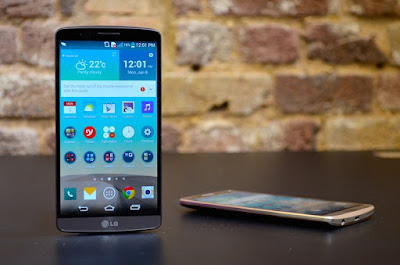
You can have root access on the Verizon G3’s latest update with software version 47a, but the procedure isn’t a pretty one. Rooting 47A firmware requires downgrading back to 10B first, then achieve root using Stump and then install TWRP and flash the bootstack from version 35B, and then finally flash a 47A stock ROM (or any custom 47A ROM) from TWRP.
View my Flipboard Magazine.
÷ Prerequisites:
This tutorial is only for Rooting Verizon G3 on latest 47A Marshmallow update Please do not try on any other LG G3 variants.
*Disclaimer:
Android Custom ROM fix ® provide various Firmware Updates and Rooting process along with Custom ROM,Modes,file are all belong to their owners/developers. The autor of this site or the developers are not responsible, if you damage or brick your device.Do it on your own risk and follow the instruction properly.
* Important:
Backup important files stored on your device before proceeding with the steps below, so that in case something goes wrong you’ll have backup of all your important files.
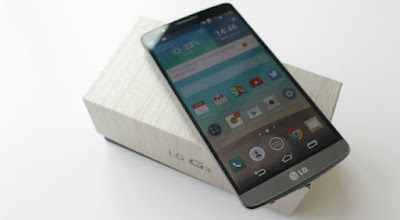
÷ How to Root Verizon LG G3 on 47A Marshmallow Update:
1- Flash 10B firmware:
Step1- Download the Verizon G3 10B KDZ firmware file to your PC from the downloads section above.
Step2- Flash the 10B firmware KDZ to your Verizon G3.
For help, follow our detailed guide ? How to Flash KDZ firmware on LG Devices.
2- Root 10B firmware using StumpRoot: Once you’re on 10B firmware, do the following:
Step 3- Download the StumpRoot apk from the links above and install it on your Verizon G3.
Step 4- Open the app and tap the Grind button to execute root exploit.
Step5- Restart your G3 when prompted.
3- Install SuperSU and TWRP Recovery:
Step 5- Once you’ve successfully rooted your Verizon G3 on 10B firmware, install the SuperSU app from Play Store to manage superuser permission and TWRP Manager app to download/install TWRP recovery.
Step 6- Now download/transfer the 35B Bootstack zip file and 47A firmware zip file to your Verizon G3’s internal storage.
Step 7- Boot into TWRP recovery and perform a simple factory reset.
Step 8- Install/Flash the 35B Bootstack zip file from TWRP recovery.
Step 9- Perform a wipe data/cache from within the recovery.
Step 10- Install/Flash the 47A firmware zip file from TWRP recovery.
Step 11- Reboot device.
? If TWRP asks to install SuperSU, DENY IT.
That’s all. Your Verizon G3 should be rooted now, running on firmware 47A.
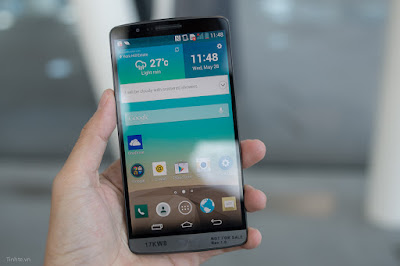
For More LG G3 Updates Keep Checking Android Custom ROM Fix ™®
That’s all. We hope this guide serves you well. If there’s anything you’d like to be added/changed on this page, PLZ Use the comment box below to contribute more ideas & Suggestions .
Like this post? PLZ Hit the share buttons below to share this article with your friends on Facebook, Google + and Twitter.
Want the latest Updates Sign up for our newsletters!
PLZ Follow Us On Flipboard 4 More Latest Updates.
Best Regards.™
÷ Prerequisites:
This tutorial is only for Rooting Verizon G3 on latest 47A Marshmallow update Please do not try on any other LG G3 variants.
*Disclaimer:
Android Custom ROM fix ® provide various Firmware Updates and Rooting process along with Custom ROM,Modes,file are all belong to their owners/developers. The autor of this site or the developers are not responsible, if you damage or brick your device.Do it on your own risk and follow the instruction properly.
* Important:
Backup important files stored on your device before proceeding with the steps below, so that in case something goes wrong you’ll have backup of all your important files.
÷ How to Root Verizon LG G3 on 47A Marshmallow Update:
1- Flash 10B firmware:
Step1- Download the Verizon G3 10B KDZ firmware file to your PC from the downloads section above.
Step2- Flash the 10B firmware KDZ to your Verizon G3.
For help, follow our detailed guide ? How to Flash KDZ firmware on LG Devices.
2- Root 10B firmware using StumpRoot: Once you’re on 10B firmware, do the following:
Step 3- Download the StumpRoot apk from the links above and install it on your Verizon G3.
Step 4- Open the app and tap the Grind button to execute root exploit.
Step5- Restart your G3 when prompted.
3- Install SuperSU and TWRP Recovery:
Step 5- Once you’ve successfully rooted your Verizon G3 on 10B firmware, install the SuperSU app from Play Store to manage superuser permission and TWRP Manager app to download/install TWRP recovery.
Step 6- Now download/transfer the 35B Bootstack zip file and 47A firmware zip file to your Verizon G3’s internal storage.
Step 7- Boot into TWRP recovery and perform a simple factory reset.
Step 8- Install/Flash the 35B Bootstack zip file from TWRP recovery.
Step 9- Perform a wipe data/cache from within the recovery.
Step 10- Install/Flash the 47A firmware zip file from TWRP recovery.
Step 11- Reboot device.
? If TWRP asks to install SuperSU, DENY IT.
That’s all. Your Verizon G3 should be rooted now, running on firmware 47A.
For More LG G3 Updates Keep Checking Android Custom ROM Fix ™®
That’s all. We hope this guide serves you well. If there’s anything you’d like to be added/changed on this page, PLZ Use the comment box below to contribute more ideas & Suggestions .
Like this post? PLZ Hit the share buttons below to share this article with your friends on Facebook, Google + and Twitter.
Want the latest Updates Sign up for our newsletters!
PLZ Follow Us On Flipboard 4 More Latest Updates.
Best Regards.™
Available link for download
Sunday, October 23, 2016
Install Android 6 0 1 Marshmallow Tekcafe ROM 5 3 on T Mobile LG G3 D851
Install Android 6 0 1 Marshmallow Tekcafe ROM 5 3 on T Mobile LG G3 D851
According to XDA member Truongthevinh, Android 6.0.1 Marshmallow Tekcafe ROM 5.3 is released for T-Mobile LG G3 D851.

÷ ROM Info:
Android 6.0 (MRA58K) + some 6.0.1 patches
Based on LG v30A build 16052016
Updated Google security patches to May, 2016
Add supersu v2.76
Full UX 5.0 from latest LG G5 v10d base
Multi-ariants support
Battery life, performance and memory improvements.
÷ Changelog:
Changelog V5.3:
- Marshmallow 6.0 D855 V30A 16/05/2016
- Fixes and stability improvements, more battery life
- Updated Full app with latest LG G5 v10d base
- Added QSlide and QRemote quick toggles
- Added LED quick toggle
- Added SuperSU 2.76
- Added Play 360 VR Video G5
- Added LG Remote Call G5
- Added Smart Doctor from LG G5
- Added Mirror Link with car from G5
Changelog V5.2:
- Update Marshmallow 6.0 D855 V30A 16/05/2016
- Patch Security Android: 01/05/2016
- Added Xposed v85 in Aroma
- Updated some latest LG G5 apps
- New stock boot for D855(30K), F400(30G),D850(30K), D852(30D), VS985(47A)
- New kernel port for D851,us990, ls990
- Added Apn setting
- Fix copy Clip Tray
- Fix Qmemo
- Netfix: OK (for USA user)
- More Stable System
Changelog V5.1:
- Update Marshmallow 6.0 D855 V30K (26/04/2016)
- Updated and synced with latest LG G5 v10c base
- New stock boot for D855 (30K), D851 (30D)
- New kernel for all variants
- Fix thermal
Changelog V5.0:
- Update Marshmallow 6.0 D855 V30F
- Full LG G5 UX 5.0 and LG G5 Apps
- New stock boot for D855, D851, F400, D852, VS985
- New kernel for all variants
- New root - SuperSU 2.65
- Add ViPER4Android FX Audio Mod in Aroma
- Call Recorder in Aroma
- Navibar 32 dpi in Aroma
- Weather deodex for Support Install Xposed v80
- LG G3 LS990, US990: bug: NFC...
÷ ROM Info:
Android 6.0 (MRA58K) + some 6.0.1 patches
Based on LG v30A build 16052016
Updated Google security patches to May, 2016
Add supersu v2.76
Full UX 5.0 from latest LG G5 v10d base
Multi-ariants support
Battery life, performance and memory improvements.
÷ Changelog:
Changelog V5.3:
- Marshmallow 6.0 D855 V30A 16/05/2016
- Fixes and stability improvements, more battery life
- Updated Full app with latest LG G5 v10d base
- Added QSlide and QRemote quick toggles
- Added LED quick toggle
- Added SuperSU 2.76
- Added Play 360 VR Video G5
- Added LG Remote Call G5
- Added Smart Doctor from LG G5
- Added Mirror Link with car from G5
Changelog V5.2:
- Update Marshmallow 6.0 D855 V30A 16/05/2016
- Patch Security Android: 01/05/2016
- Added Xposed v85 in Aroma
- Updated some latest LG G5 apps
- New stock boot for D855(30K), F400(30G),D850(30K), D852(30D), VS985(47A)
- New kernel port for D851,us990, ls990
- Added Apn setting
- Fix copy Clip Tray
- Fix Qmemo
- Netfix: OK (for USA user)
- More Stable System
Changelog V5.1:
- Update Marshmallow 6.0 D855 V30K (26/04/2016)
- Updated and synced with latest LG G5 v10c base
- New stock boot for D855 (30K), D851 (30D)
- New kernel for all variants
- Fix thermal
Changelog V5.0:
- Update Marshmallow 6.0 D855 V30F
- Full LG G5 UX 5.0 and LG G5 Apps
- New stock boot for D855, D851, F400, D852, VS985
- New kernel for all variants
- New root - SuperSU 2.65
- Add ViPER4Android FX Audio Mod in Aroma
- Call Recorder in Aroma
- Navibar 32 dpi in Aroma
- Weather deodex for Support Install Xposed v80
- LG G3 LS990, US990: bug: NFC...
View my Flipboard Magazine.
÷ Prerequisites:
•This tutorial is for installing Android 6.0.1 Marshmallow Tekcafe v5.3 [ v30A] ROM on T-Mobile LG G3 D851
•Your phone should have a custom recovery installed in order to install this NanoROM ROM on your phone.
•We will be using TWRP Recovery for this tutorial.
*Disclaimer:
Android Custom ROM fix ® provide various Firmware Updates and Rooting process along with Custom ROM,Modes,file are all belong to their owners/developers. The autor of this site or the developers are not responsible, if you damage or brick your device.Do it on your own risk and follow the instruction properly.
* Important:
Backup important files stored on your device before proceeding with the steps below, so that in case something goes wrong you’ll have backup of all your important files.

You can find out how to apply it right now via XDA.
For More LG G3 Updates Keep Checking Android custom ROM Fix ™®
That’s all. We hope this guide serves you well. If there’s anything you’d like to be added/changed on this page, PLZ Use the comment box below to contribute more ideas & Suggestions .
Like this post? PLZ Hit the share buttons below to share this article with your friends on Facebook, Google + and Twitter.
Want the latest Updates Sign up for our newsletters!
PLZ Follow Us On Flipboard 4 More Latest Updates.
Best Regards.™
•This tutorial will wipe out all your data. Make sure you backup all your data in your phone before proceeding.
•Perform a Dalvik Cache wipe before proceeding from the Recovery Mode.
÷ Prerequisites:
•This tutorial is for installing Android 6.0.1 Marshmallow Tekcafe v5.3 [ v30A] ROM on T-Mobile LG G3 D851
•Your phone should have a custom recovery installed in order to install this NanoROM ROM on your phone.
•We will be using TWRP Recovery for this tutorial.
*Disclaimer:
Android Custom ROM fix ® provide various Firmware Updates and Rooting process along with Custom ROM,Modes,file are all belong to their owners/developers. The autor of this site or the developers are not responsible, if you damage or brick your device.Do it on your own risk and follow the instruction properly.
* Important:
Backup important files stored on your device before proceeding with the steps below, so that in case something goes wrong you’ll have backup of all your important files.
You can find out how to apply it right now via XDA.
For More LG G3 Updates Keep Checking Android custom ROM Fix ™®
That’s all. We hope this guide serves you well. If there’s anything you’d like to be added/changed on this page, PLZ Use the comment box below to contribute more ideas & Suggestions .
Like this post? PLZ Hit the share buttons below to share this article with your friends on Facebook, Google + and Twitter.
Want the latest Updates Sign up for our newsletters!
PLZ Follow Us On Flipboard 4 More Latest Updates.
Best Regards.™
•This tutorial will wipe out all your data. Make sure you backup all your data in your phone before proceeding.
•Perform a Dalvik Cache wipe before proceeding from the Recovery Mode.
Available link for download
Monday, September 19, 2016
÷ How to Install CM13 0 Nightly Android 6 0 1 Marshmallow on LG G3 LGD852 Latest Build
÷ How to Install CM13 0 Nightly Android 6 0 1 Marshmallow on LG G3 LGD852 Latest Build
LG G3 is One of the best phones of 2014 and a real alternative to the Samsung Galaxy S5.

The LG G3 somehow packs a world-beating screen and a huge battery into a slim, premium-feeling case, making it the most advanced phone on the market.
If you are looking to install a new custom ROM on your LG G3 LGD852 then we have here as usual the best Custom ROMs for you.
CyanogenMod 13 [CM13.0] Nightly ROM latest build cm-13.0-20160618-NIGHTLY-d852.zip is released for LG G3 LGD852.
CM13.0 will let LG G3 LGD852 users taste the sweetness of Marshmallow 6.0.1 such as the battery saving ‘doze’ functionality and new permissions model, alongside the CM features you’d expect.
Follow our guide below to download the Unofficial CM13.0 Nightly and install it yourself.
View my Flipboard Magazine.
÷ Prerequisites:
•This tutorial is only for installing CyanogenMod 13 [CM13.0] Nightly ROM on LG G3 LGD852. Please do not try on any otherLG G3 variants.
•Your phone should be rooted and haveClockworkMod recovery installed from before.
•This tutorial will wipe out all your data.Proceed at your own risk.Perform a Dalvik Cache wipe before proceeding from the recovery mode.
•Make sure you backup all your data in your phone before proceeding.
*Disclaimer:
Android Custom ROM fix ® provide various Firmware Updates and Rooting process along with Custom ROM,Modes,file are all belong to their owners/developers. The autor of this site or the developers are not responsible, if you damage or brick your device.Do it on your own risk and follow the instruction properly.
* Important:
Backup important files stored on your device before proceeding with the steps below, so that in case something goes wrong you’ll have backup of all your important files.

÷ How to Install CM13.0 Nightly Android 6.0.1 Marshmallow on LG G3 LGD852.
Step 1 – Download CM13.0 Android 6.0.1 Marshmallow and Google Apps for your LG G3 LGD852 to your computer.
Step 2 – Connect and mount your LG G3 USB memory on your computer using the USB cable.
Step 3 – Now copy/paste the downloaded Android 6.0.1 ROM zip file and Google Appszip files to your SD card. Make sure the files are in the SD card root (not in any folder).
Step 4 – Then turn OFF your phone and disconnect from the USB cable.
Step 5 – Now to get in the Recovery Mode. Switch ON the phone while pressing and holding Volume Up + Home + Power buttons together
Step 6 – Once you are in ClockworkModRecovery, select perform a full data wipe by selecting “wipe data/factory reset”. Use the Power button to select everything while in the Recovery Mode.
Step 7 – Then, perform a cache wipe by selecting “wipe cache partition” .
Step 8 – Now this is optional, but it is recommended to perform a wipe of your dalvik cache as well. You will not get into boot loops or any other errors. From CWM recovery, go to ‘advanced’ and then select “wipe dalvik cache”.
Step 9 – Then go back to the main recovery screen and select “install zip from SD card”.
Step 10 – Now select “choose zip from sdcard”. Using your volume keys, navigate to the Android 6.0.1 ROM zip file that you copied to your SD card and select it using the Power button. Confirm the installation on the next screen and the installation procedure should start now.
Google Apps: Repeat the above step for the Gapps zip file as well and install it on your phone.
Step 11 – After the installation completes, go to “+++++Go Back+++++” and reboot the phone by selecting “reboot system now” from the recovery menu.

Your LG G3 LGD852 will boot now and it might take about 5 minutes to boot on your first time. So, please wait.
That’s it Your LG G3 LGD852 should now have CM13.0 Nightly Android 6.0.1 Marshmallow latest build installed on your phone! Go to Settings > About phone to verify.
For More LG G3 Brand New Firmware & Custom ROM keep checking AndroidCustomROM Fix ™®
Like this post? PLZ Hit the share buttons below to share this article with your friends on Facebook, Google + and Twitter.
PLZ Follow Us On Flipboard 4 More latest custom ROM fix.
PLZ Use the comment box below to contribute more ideas & Suggestions .
Best Regards.
cm-13.0-20160618-NIGHTLY-hiaeul.zip
÷ Prerequisites:
•This tutorial is only for installing CyanogenMod 13 [CM13.0] Nightly ROM on LG G3 LGD852. Please do not try on any otherLG G3 variants.
•Your phone should be rooted and haveClockworkMod recovery installed from before.
•This tutorial will wipe out all your data.Proceed at your own risk.Perform a Dalvik Cache wipe before proceeding from the recovery mode.
•Make sure you backup all your data in your phone before proceeding.
*Disclaimer:
Android Custom ROM fix ® provide various Firmware Updates and Rooting process along with Custom ROM,Modes,file are all belong to their owners/developers. The autor of this site or the developers are not responsible, if you damage or brick your device.Do it on your own risk and follow the instruction properly.
* Important:
Backup important files stored on your device before proceeding with the steps below, so that in case something goes wrong you’ll have backup of all your important files.
÷ How to Install CM13.0 Nightly Android 6.0.1 Marshmallow on LG G3 LGD852.
Step 1 – Download CM13.0 Android 6.0.1 Marshmallow and Google Apps for your LG G3 LGD852 to your computer.
Step 2 – Connect and mount your LG G3 USB memory on your computer using the USB cable.
Step 3 – Now copy/paste the downloaded Android 6.0.1 ROM zip file and Google Appszip files to your SD card. Make sure the files are in the SD card root (not in any folder).
Step 4 – Then turn OFF your phone and disconnect from the USB cable.
Step 5 – Now to get in the Recovery Mode. Switch ON the phone while pressing and holding Volume Up + Home + Power buttons together
Step 6 – Once you are in ClockworkModRecovery, select perform a full data wipe by selecting “wipe data/factory reset”. Use the Power button to select everything while in the Recovery Mode.
Step 7 – Then, perform a cache wipe by selecting “wipe cache partition” .
Step 8 – Now this is optional, but it is recommended to perform a wipe of your dalvik cache as well. You will not get into boot loops or any other errors. From CWM recovery, go to ‘advanced’ and then select “wipe dalvik cache”.
Step 9 – Then go back to the main recovery screen and select “install zip from SD card”.
Step 10 – Now select “choose zip from sdcard”. Using your volume keys, navigate to the Android 6.0.1 ROM zip file that you copied to your SD card and select it using the Power button. Confirm the installation on the next screen and the installation procedure should start now.
Google Apps: Repeat the above step for the Gapps zip file as well and install it on your phone.
Step 11 – After the installation completes, go to “+++++Go Back+++++” and reboot the phone by selecting “reboot system now” from the recovery menu.
Your LG G3 LGD852 will boot now and it might take about 5 minutes to boot on your first time. So, please wait.
That’s it Your LG G3 LGD852 should now have CM13.0 Nightly Android 6.0.1 Marshmallow latest build installed on your phone! Go to Settings > About phone to verify.
For More LG G3 Brand New Firmware & Custom ROM keep checking AndroidCustomROM Fix ™®
Like this post? PLZ Hit the share buttons below to share this article with your friends on Facebook, Google + and Twitter.
PLZ Follow Us On Flipboard 4 More latest custom ROM fix.
PLZ Use the comment box below to contribute more ideas & Suggestions .
Best Regards.
cm-13.0-20160618-NIGHTLY-hiaeul.zip
Available link for download
Subscribe to:
Posts (Atom)