Monday, February 13, 2017
How to Install Android 6 0 1 Marshmallow Nexify ROM V3 on T Mobile Galaxy Note 5 SM N920T
How to Install Android 6 0 1 Marshmallow Nexify ROM V3 on T Mobile Galaxy Note 5 SM N920T
According to XDA Member TechGuy081, Android 6.0.1 Marshmallow Nexify ROM V3 Available now for T-Mobile Samsung Galaxy Note 5 SM- N920T.

Nexify Rom Its Made To Make Your Note 5 Close To Stock Android MM Keep In Mind This Wont Make Your Device Be Stock Android I Just Removed Apps (Like Bloatware) From Samsung So You Can Download Google Apps To Replace Stock Apps, Like Clock App, Calculator With Googles Or Your Own!
•Rom Features
- Based on N920TUVU2DPD1 Firmware
- Deodexed all Apps
- Rooted with SuperSU 2.74
- Auto Wipe Cache, Dalvik Cache and Format System
- System Optimization
- Tweaks in Build.prop
- Removed Knox
- Removed As Many Apps As Possible
- Removed Safe Volume Warning
- Ad Away
- Private Mode Working
- 5 Reboot Menu
- Added Dolby Atmos
- Ultra Data Saving Working
- Battery Tweaks
- App Lock
- Gray Status Bar Removed
- Stock MM Emojis.

Change Log:
• June 16
-Initial Release V1
• June 26
- V2
-Special Thanks To @Battlehero
- Reboot Menu Fixed
- Gray Status Bar Removed
- Updated some apps
- Fixed Bugs
- Samsung keyboard Replaced By Googles
- Added Stock MM Emojis
• July 7
- Fixed alot of bugs you asked for
- Nfc And Payment, VPN functionality , Live Walpaper Picker, Hardware Buttons Fixed, Auto Brightness Fixed
- Removed Emergency From power Menu
- Removed Some More Bloat
- Removed Carrier Text In Lock-screen
- Removed Slide To Unlock in Lock-screen
- App Signature Check Removed Now You Can Install Old Apps Over New Versions
- Touchlight Key Enabled In Settings
- Animation Set to 0.25
- OutdoorMode
- Knox Removed
- All Apps In Multiwindow Mode
- And More!
÷ Prerequisites:
•This tutorial is only for installing Android 6.0.1 Marshmallow Nexify ROM V3 on T-Mobile Samsung Galaxy Note 5 SM- N920T.Please do not try on any other Galaxy Note 5 Variants.
•Your phone should have a custom recovery installed in order to install this NanoROM ROM on your phone.
•We will be using TWRP Recovery for this tutorial.
•This tutorial will wipe out all your data. Make sure you backup all your data in your phone before proceeding.
•Samsung KIES will NOT detect your phone after installing this ROM because it is a custom firmware
•Perform a Dalvik Cache wipe before proceeding from the Recovery Mode.
*Disclaimer:
Android Custom ROM fix ® provide various Firmware Updates and Rooting process along with Custom ROM,Modes,file are all belong to their owners/developers. The autor of this site or the developers are not responsible, if you damage or brick your device.Do it on your own risk and follow the instruction properly.
* Important:
Backup important files stored on your device before proceeding with the steps below, so that in case something goes wrong you’ll have backup of all your important files.
You can find out how to apply it right now via XDA.

For More Samsung Galaxy Note 5 Updates Keep Checking Android custom ROM Fix ™®
That’s all. We hope this guide serves you well. If there’s anything you’d like to be added/changed on this page, PLZ Use the comment box below to contribute more ideas & Suggestions .
Like this post? PLZ Hit the share buttons below to share this article with your friends on Facebook, Google + and Twitter.
Want the latest Updates Sign up for our newsletters!
PLZ Follow Us On Flipboard 4 More Latest Updates.
Best Regards.™
Available link for download

Thursday, February 9, 2017
Huawei Mobile Flashing Software Tool Download Free
Huawei Mobile Flashing Software Tool Download Free
- You can download it in very short time
- It is very easy and straight to use
- You can flash all over Huawei mobiles
- You can use latest flash files of your mobile if you are going to flash your phone with this tool
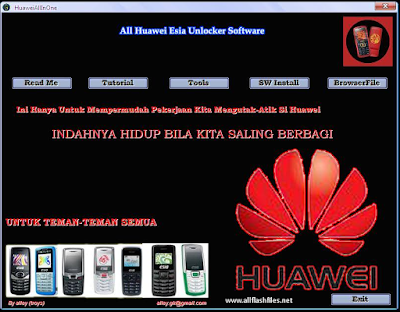
Now you can download latest and full setup of Huawei mobile flashing tool/software from below download links. If downloading links are not working or you are unable to download it please contact us via commenting we will change or update downloading links.
Downloading links
Huawei Mobile Flashing Software
Available link for download
Wednesday, February 8, 2017
All Spreadtrum Android Mobile Factory Flasher Tool Download
All Spreadtrum Android Mobile Factory Flasher Tool Download
How to use Researchdownload Video tutorial follow this guide.
Available link for download
Wednesday, February 1, 2017
Huawei E5311 Pocket Mobile WiFi
Huawei E5311 Pocket Mobile WiFi
 Huawei E5311 3G Mobile Pocket WiFi Hotspot Router
 * Built-in UMTS and WLAN high gain antenna
* Built-in DHCP Server, MAC filtering, DMZ, VPN, NAT function
* Plug and Play Software Installation (PnP)
* One touch connection, 5s quick startup time
Download (Télécharger) Firmware Update Huawei E5311 Huawei E5311 Unlocked Full Specs, Features, Reviews and Price:
| General | |
|---|---|
| Model | E5311 |
| Brand | HUAWEI |
| Type | 3G Mobile WiFi |
| Ports | 1x Micro USB |
| Dimensions | |
|---|---|
| Weight | <90 g |
| Height | 95 mm |
| Width | 40 mm |
| Depth | 29 mm |
| Network Access | |
|---|---|
| 3G: HSPA+/UMTS | 900 MHz, 2100 MHz |
| 2G: GSM/GPRS/EDGE | 850 MHz, 900 MHz, 1800 MHz, 1900 MHz |
| Connectivity Speed | |
|---|---|
| HSPA+ | 21.6 Mbps |
| HSDPA | 14.4 Mbps |
| HSUPA | 5.76 Mbps |
| UMTS | 384 kbps |
| EDGE | 236.8 kbps |
| GPRS | 85.6 kbps |
| Battery | |
|---|---|
| Type | Li-ion battery |
| Capacity | 3.7v, 1500mAh |
| Life Time | 6 Hours |
| Standby Time | 280 Hours |
| WiFi Connection | |
|---|---|
| Protocols | IEEE 802.11b/g/n |
| Encryption | WEP, WPA, WPA2 |
| Wi-Fi Devices | 8 Users |
| System Requirements | |
|---|---|
| Operating System | Windows 2000 * Windows XP * Windows Vista * Windows 7 & 8 * Mac |
Available link for download
Tuesday, January 24, 2017
HP Elite x3 high end Windows 10 Mobile phone hitting U S this month for 699
HP Elite x3 high end Windows 10 Mobile phone hitting U S this month for 699

After making its official debut back in February, the high-end HP Elite x3 is finally about to launch.

from PhoneDog.com - Latest videos, reviews, articles, news and posts http://ift.tt/29PNCip
via IFTTT
Available link for download
Monday, January 23, 2017
How to Update T Mobile Galaxy S6 Edge G925T to Android 6 0 1 Marshmallow Sick as Hell ROM
How to Update T Mobile Galaxy S6 Edge G925T to Android 6 0 1 Marshmallow Sick as Hell ROM

Sick as Hell custom ROM is basically a stock ROM with some performance and battery optimisations that makes your device run faster and smoother. Other than that it is a simple TouchWiz ROM and the developer claims that it runs faster than the stock firmware.
Don’t worry we are going to share step by step guide to safely Install Android 6.0.1 Marshmallow Sick as Hell ROM on your T-Mobile Galaxy S6 Edge G925T.
÷ Prerequisites:
•This tutorial is only for installing Android 6.0.1 Sick as Hell ROM on T-Mobile Galaxy S6 Edge G925T. Please do not try on any other Galaxy S6 Edge variants.
•Your phone should have a custom recovery installed in order to install this Sick as Hell ROM on your phone.
•We will be using TWRP Recovery for this tutorial.
•This tutorial will wipe out all your data. Make sure you backup all your data in your phone before proceeding.
•Perform a Dalvik Cache wipe before proceeding from the Recovery Mode.
*Disclaimer:
Android Custom ROM fix ® provide various Firmware Updates and Rooting process along with Custom ROM,Modes,file are all belong to their owners/developers. The autor of this site or the developers are not responsible, if you damage or brick your device.Do it on your own risk and follow the instruction properly.
* Important:
Backup important files stored on your device before proceeding with the steps below, so that in case something goes wrong you’ll have backup of all your important files.

÷ How to Update T-Mobile Galaxy S6 Edge G925T to Android 6.0.1 Marshmallow Sick as Hell ROM:
Step 1 – Download Android 6.0.1 Sick as Hell ROM for Galaxy S6 Edge to your computer.
Step 2 – Connect and mount your Galaxy S6 Edge USB memory to your computer using the USB cable.
Step 3 – Now copy/paste the downloaded Android 6.0.1 ROM zip file to your phone memory / SD card. Make sure the file is in the phone memory / SD card root (not in any folder).
Step 4 – Then turn OFF your phone and disconnect from the USB cable.
Step 5 – Now to get in the Recovery Mode. Switch ON the phone while pressing and holding Volume Up + Home + Power buttons together.
Step 6 – Once you are in TWRP Recovery, perform a full data wipe by tapping on the ‘Wipe’ button. Then swipe on the “Swipe to Factory Reset” option at the bottom.
Step 7 – Now go back to the main menu and then tap on the ‘Install’ button. From the list, choose the ZIP file that you copied to your phone memory in Step 3.
Step 8 – Confirm installation on the next screen by swiping on the “Swipe to Confirm Flash” option. The installation procedure should start now.
Step 9 – Once the installation is completed.
Step 10 – Tap on the “Wipe cache/dalvik” button if you get into any boot loops or other issues.
Step 11 – You can now reboot your phone by selecting the “Reboot System” button.
Your T-Mobile Galaxy S6 Edge will boot now and it might take about 5 minutes to boot on your first time after flashing a new ROM. So, please wait.

For More Samsung Galaxy S6 Edge Updates Keep Checking Android Custom ROM Fix ™®
That’s all. We hope this guide serves you well. If there’s anything you’d like to be added/changed on this page, PLZ Use the comment box below to contribute more ideas & Suggestions .
Like this post? PLZ Hit the share buttons below to share this article with your friends on Facebook, Google + and Twitter.
Want the latest Updates Sign up for our newsletters!
PLZ Follow Us On Flipboard 4 More Latest Updates.
Best Regards.™
Available link for download
Sunday, January 8, 2017
How to Install Android 6 0 1 Marshmallow ViperROM MM on T Mobile Galaxy Note 5 SM N920T
How to Install Android 6 0 1 Marshmallow ViperROM MM on T Mobile Galaxy Note 5 SM N920T
According to XDA Member asif.malick, Android 6.0.1 Marshmallow ViperROM MM is a now released for T-Mobile Samsung Galaxy Note 5 SM- N920T.

÷ ROM Features:
Based on Latest N920CXXS2BPE4 Firmware
-Deodexed all Apps
-Rooted with BETA-SuperSU-v2.68
-BusyBox
-Auto Wipe Cache, Dalvik Cache and Format System
-System Optimization
-Removed Knox
-Removed Social Apps
-Speed meter
-Added Rounded recent apps windows
-Added Rounded Notifications
-Add quick launcher in recent app
-Advanced power menu
-Exit in Internet Explorer
- Xposed working
- S7 Edge Panel
- 3 virtual keys, right left, home
- quick connect added
- Microsoft Apps Removed
- Disable SMS to MMS converting
- Shutter Sound in camera settings
- Enable Camera During Call
- Call Recording
- Message notification popup
- Call and SMS blocking menu in settings
- Show Data usage in expanded SystemUI near brightness auto check
- Force Enable Security Save in SmartManager...
÷ Prerequisites:
•This tutorial is only for installing Android 6.0.1 Marshmallow ViperROM MM for T-Mobile Samsung Galaxy Note 5 SM- N920T. Please do not try on any other Galaxy Note 5 Variants.
•Your phone should have a custom recovery installed in order to install this NanoROM ROM on your phone.
•We will be using TWRP Recovery for this tutorial.
•This tutorial will wipe out all your data. Make sure you backup all your data in your phone before proceeding.
•Samsung KIES will NOT detect your phone after installing this ROM because it is a custom firmware.
•Perform a Dalvik Cache wipe before proceeding from the Recovery Mode.
*Disclaimer:
Android Custom ROM fix ® provide various Firmware Updates and Rooting process along with Custom ROM,Modes,file are all belong to their owners/developers. The autor of this site or the developers are not responsible, if you damage or brick your device.Do it on your own risk and follow the instruction properly.
* Important:
Backup important files stored on your device before proceeding with the steps below, so that in case something goes wrong you’ll have backup of all your important files.

You can find out how to apply it right now via XDA.
For MoreVerizon Samsung Galaxy Note 5SM- N920T Updates Keep Checking Android custom ROM Fix ™®
That’s all. We hope this guide serves you well. If there’s anything you’d like to be added/changed on this page, PLZ Use the comment box below to contribute more ideas & Suggestions .
Like this post? PLZ Hit the share buttons below to share this article with your friends on Facebook, Google + and Twitter.
Want the latest Updates Sign up for our newsletters!
PLZ Follow Us On Flipboard 4 More Latest Updates.
Best Regards.™
Available link for download
Sunday, January 1, 2017
Mobile Partner 23 002 08 03 45 Indian Version
Mobile Partner 23 002 08 03 45 Indian Version
Développé en 2012, Mobile Partner 23.002.08.03.45 est un gestionnaire de connexion utilisé pour se connecter à internet avec les modems Huawei de type HiLink et E5 (Mobile Hotspot).

Cette version offre également aux utilisateurs la possibilité de créer un réseau WiFi à condition davoir un ordinateur avec carte WiFi interne.
Pour accéder au réseau mobile 3G/4G de votre opérateur, il est important de configurer le tableau de bord Mobile Partner pour avoir accès à internet.
Après avoir installé le logiciel de connexion Mobile Partner, exécutez lapplication ensuite cliquez sur: Settings (1) ? Options (2).

Cliquez sur Profile Management (3) ? New (4) ? entrez le nom du fournisseur internet dans Profile Name (5).

Entrez le nom du point daccès réseau de lopérateur dans APN (6). Pour les options relatives à lauthentification, ces informations varient en fonction des opérateurs:
Access number (7): *99****1# ou *99#. Les options Username (8) & Password (9) peuvent être remplis ou pas.
Cliquez sur Save (10) ? Default (11) ? OK (12) pour revenir à linterface du tableau de bord Mobile Partner.

Une fois votre modem connecté à linterface du port USB de lordinateur, cliquez sur Connect (13) pour établir la connexion. Le type de signal (14) varie en fonction de la couverture réseau, vous devez vérifier que WCDMA Only soit sélectionné dans les paramètres réseaux.
Download Link
Unlock Tool free download Mobile Partner 23.002.08.03.45, Mobile Partner 23.002.08.03.45, descargar Mobile Partner 23.002.08.03.45, Mobile Partner 23.002.08.03.45 download, Mobile Partner 23.002.08.03.45 free download, telecharger cdma workshop v 2.7.0, télécharger gratuitement Mobile Partner 23.002.08.03.45Available link for download
Tuesday, December 27, 2016
HTC Desire 530 now on sale at T Mobile and HTC com
HTC Desire 530 now on sale at T Mobile and HTC com
The mid-range HTC Desire 530 smartphone is officially on sale in the U.S. The phone can be purchased unlocked on the companys website for $179, or you can get it from T-Mobile for $159.99 without a contract. T-Mobile is also selling it for $0 down and $6.67 a month for 24 months.

The Desire 530 was one of number of smartphones that were first revealed by HTC during the 2016 Mobile World Congress trade show in February. The 5-inch Desire 530 has an interesting "micro-splash" design for its case that is supposed to give each phone a completely unique pattern of dots. Inside theres a Qualcomm Snapdragon 210 processor, 1.5GB of RAM, 16GB of onboard storage, an 8 megapixel rear camera and a 5 MP front facing camera. Audiophiles can experience the phones "BoomSound" enhancements.
The HTC Desire 530 is also supposed to go on sale via Verizon Wireless at some point in the near future.
Check out our hands-on impressions of the HTC Desire 530
See at T-Mobile
See at HTC.com

from Android Central - Android Forums, News, Reviews, Help and Android Wallpapers http://ift.tt/29SpxZH
via IFTTT
Available link for download
Monday, December 26, 2016
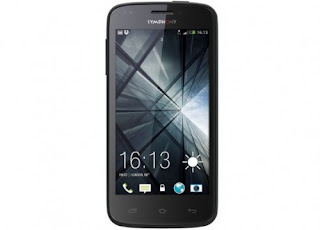
All Symphony Android Mobile Flashing USB Cable Driver Free Download
All Symphony Android Mobile Flashing USB Cable Driver Free Download
All Symphony Android Mobiles USB Driver Free Download For Windows
Available link for download
Saturday, December 24, 2016
Débloquer Huawei E58xx avec QC Mobile Analysis Tool
Débloquer Huawei E58xx avec QC Mobile Analysis Tool
Besoin de débloquer votre Huawei E58xx pour utiliser la carte SIM dun autre opérateur, une solution logicielle est disponible pour calculer le code de déblocage des routeurs Huawei appelés Mobile Hotspot ou Mobile WiFi comme ces modèles: Huawei E585, Huawei E5832, Huawei E5830, Huawei E583C, Huawei E586, Huawei E586Bs, Huawei E586Es-2.
Insérez une carte SIM dun autre opérateur dans votre Huawei Mobile Hotspot, puis connectez le routeur à votre ordinateur via un câble USB compatible. Allumez votre routeur Huawei et ignorez les messages derreur comme carte SIM invalide ou Erreur de carte SIM.

Après avoir téléchargé et installé "QC Mobile Analysis Tool" (Revskills) dans votre ordinateur, exécutez "QMAT" pour ouvrir lapplication ensuite cliquez sur « Hardware Forensics » (1) –> « Use Mobile Ports » (2) pour ouvrir une fenêtre pop up.

Sélectionnez « COM - HUAWEI Mobile Connect - 3G Application Interface (COM) » dans « Serial COM Port » (3).
Sélectionnez « Read EFS » (4), ensuite cochez « Alternative Method » (5).
Cliquez sur « lets go » (6) maintenant entrez un nom et enregistrez le fichier dans le bureau de préférence .
Ouvrez le fichier sauvegardé dans lordinateur à laide de lapplication Notepad, puis vérifiez votre code de déblocage à 8 chiffres entres les lignes 11 et 12.
ACHETEZ VOTRE CODE DE DÉBLOCAGE – MAINTENANT! Notre service de déblocage vous offre la possibilité dobtenir votre code de déblocage en 5 minutes, satisfaction 100% garantie. COMMANDEZ MAINTENANT. pocket wifi router, portable 3g router, huawei unlock code calculator, huawei codes generator and calculator, unlock huawei, deverrouiller, cracker, deverrouillage, deblocage, telecharger qc mobile analysis tool, qc mobile analysis tool v5 telecharger, Available link for download
Tuesday, December 13, 2016
4 4 4 mobile data issue
4 4 4 mobile data issue
I tried clearing the cache to no avail. Any ideas?
from xda-developers http://ift.tt/2asPDmS
via IFTTT
Available link for download
Sunday, December 11, 2016
How to Create a Dial Up Profile in Mobile Partner APN Settings
How to Create a Dial Up Profile in Mobile Partner APN Settings
After unlocking your modem, the second step is to download and configure the dashboard Mobile Partner. This connection manager is used to connect to the Internet with a modem Huawei unlocked, the program is developed by Huawei Technologies Co., Ltd.

Versions of Mobile Partner listed below are compatible only with Huawei modems old algo, these models have a serial number that starts with the number 35.
? Mobile Partner 11.302.09.00.03
? Mobile Partner 11.302.09.01.539
? Mobile Partner 15.001.06.00.03
? Mobile Partner 16.001.05.00.45
? Mobile Partner 16.001.06.01.500
? Mobile Partner 21.003.27.00.03
To create a profile APN (Access Point Name) in Mobile Partner, configuration is identical for all these versions.
Installing Mobile Partner This is important before you install Mobile Partner, uninstall the dashboard used or any other internet connection software present in your computer. - After you download the connection software Mobile Partner, run the setup program then click « Next » to install the application.
- Read the terms and conditions of the license agreement then click « I agree »
- Leave the default software installation directory and click « Next »
- Click « Install » then wait time copying files. Click « Finish » at the end of the installation of Mobile Partner.
Configuring Mobile Partner Before connecting the modem to the USB port of the computer, disable the PIN code of the SIM card if this feature is enabled. Double-click the icon Mobile Partner to access the program interface, click « Tools » (1) ? « Options » (2). 
Click « Profile Management » (3) to access the panel, click « New » (4) to create a new profile.
Enter the name of your operator in « Profile Name » (5), select « Static » (6) after enter the name of the access point in « APN » (7).
The authentication options vary for each mobile operator, you can contact your operator or search the Internet.
« Access Number » (8): *99****1# or *99#.
« Username » (9) if necessary
« Password » (10) if necessary
Click « Save » (11) ? « OK » (12) to return to the interface of the dashboard. Click « Connect » (13) to connect now open your web browser (Internet Explorer, Mozilla Firefox, Google Chrome, Safari) to surf.
The type of signal (14) varies depending on network coverage and modem emission intensity is indicated by the number of bars or tri color LED indicator.
It is very important to select « WCDMA Only » in the network parameters to use the 3G service, click Tools ? Options ? Network ? Network Type. To stop the internet connection, click « Disconnect »
CAUTION: It is recommended to use Mobile Partner v23 if your Huawei modem has a serial number that starts with the number 86, this version of Mobile Partner supports all Huawei modems (old / new / v201) algo.
? Mobile Partner 23.001.07.04.910
? Mobile Partner 23.001.07.06.910
? Mobile Partner 23.002.08.03.45
? Mobile Partner 23.001.07.22.910
? Mobile Partner 23.009.09.02.910
For details on the configuration procedure, please see this article dedicated to Mobile Partner v23.
Available link for download
Tuesday, December 6, 2016
Installation Mobile Partner Configuration Access Point Name
Installation Mobile Partner Configuration Access Point Name
Après avoir débloqué votre modem Huawei, la seconde étape consiste à télécharger et configurer le logiciel de connexion Mobile Partner pour accéder à internet. Vous devez créer un profil APN dans Mobile Partner et la configuration est identique pour les versions suivantes:
? Mobile Partner 11.302.09.00.03 (2004)
? Mobile Partner 16.001.05.00.45 (2009)
? Mobile Partner 21.003.27.00.03 (2011)
Cependant ces logiciels de connexion supportent seulement les modems Huawei de type ancien algorithme, ces modèles ont un numéro de série qui commence par le 35. Si vous avez un modem Huawei new / v201 / v3 / v4 algo, il est recommandé dutiliser Mobile Partner v23.

? Mobile Partner 23.009.09.02.910 est développé en 2013, cette dernière version du logiciel de connexion Mobile Partner supporte les modems USB Huawei avec un numéro de série qui commence 86. Lire la suite....
Installation Mobile Partner Cette étape est importante avant dinstaller Mobile Partner, désinstallez le tableau de bord utilisé ou tout autre gestionnaire de connexion internet présent dans votre ordinateur. Après avoir téléchargé Mobile Partner, exécutez le setup du programme ensuite cliquez sur « Next » pour installer lapplication. Lisez les termes et conditions de la licence dutilisation ensuite cliquez sur « I agree » Laissez le répertoire d’installation du logiciel par défaut puis cliquez sur « Next » Cliquez sur « Install » et patientez le temps de la copie des fichiers. Cliquez sur « Finish » à la fin de linstallation du logiciel de connexion.
Configuration Mobile Partner Avant dinsérer une carte SIM dans le modem, veuillez désactiver la protection code PIN si cette fonction est activée par mesure de sécurité. Connectez le modem au port USB de lordinateur ensuite exécutez Mobile Partner pour accéder à linterface de lapplication. 
Cliquez sur « Tools » (1) ? « Options » (2) ? « Profile Management » (3) pour accéder au panneau de configuration.
Cliquez sur « New » (4) ensuite entrez le nom de votre opérateur dans « Profile Name » (5).
Sélectionnez « Static » (6) après entrez le nom du point daccès dans « APN » (7). Les options relatives à lauthentification varient en fonction des opérateurs.
Access Number (8): *99****1# or *99#,
Username (9) si nécessaire
Password (10) si nécessaire
Cliquez sur « Save » (11) ? « OK » (12) pour revenir à linterface du tableau de bord Mobile Partner. Cliquez sur « Connect » (13) pour établir la connexion internet.
Ouvrez votre navigateur Web (Internet Explorer, Mozilla Firefox, Google Chrome, Safari) pour commencer à surfer. Cliquez sur « Disconnect » pour arrêter la connexion
Le type du signal (14) varie en fonction de la couverture réseau, le statut du modem est indiqué par le nombre de barre. Pour avoir le réseau 3G à tout moment et partout, veuillez sélectionner « WCDMA Only» dans les paramètres réseaux de Mobile Partner: « Tools » ? « Options » ? « Network» ? « Network Type»
Available link for download
Tuesday, November 29, 2016
Google Tweaks Mobile Search UI
Google Tweaks Mobile Search UI
Google tweaked the mobile search interface. Theres now a menu that lets you view the original image, open the list of saved images, search by image and send feedback. Theres also a redundant "visit page" link below the image.

Google brought back the title of the page and thats a good thing because you can find more details about the image. Hopefully, Google will also bring back the snippets.


You can find some screenshots for the old interface in this post.
Available link for download
Sunday, November 27, 2016
Inline Search Results in Mobile Google Search
Inline Search Results in Mobile Google Search
Googles goal used to be sending users as quickly as possible to the best sites that answered their questions. Smartphones popularity changed this and Google started to show detailed answers that used information from other sites. On-the-go users dont have much time to check multiple search results and find their answers, many sites arent optimized for mobile, mobile data is still expensive and users have to deal with slow Internet connections.
Brandon Giesing noticed an interesting question from Google Opinion Rewards: "Imagine youre Googling on your phone. Compared to tapping on a regular search result, would tapping on a result that expanded to reveal content below where you tapped would be... much worse/worse/similar/better/much better?" It looks like Google considers adding a feature that loads the content of a search result inline, probably from Google Cache.

{ Thanks, Brandon. }
Available link for download
How to Install Android 6 0 1 Marshmallow Slim ROM on T Mobile LG Optimus L90 D415
How to Install Android 6 0 1 Marshmallow Slim ROM on T Mobile LG Optimus L90 D415

SlimROM is a custom android operating system. The main goal is to offer users a slimmed down but still feature rich alternative to other android operating systems.
The entire SlimTeam works together to bring you this tailor-made beauty straight from Android Open Source Project (AOSP) source code.
÷ ROM Features:
Android Marshmallow
Slim Center
Slim Launcher
Slim File Manager
Slim Heads Up
The Real Dark Slim User Interface
SlimPIE (inspired by ParanoidAndroids PIE with a light touch of Slim)
Smart Card Service
Adaptive Backlight
Adaptive Brightness
Smart Lock
Privacy Guard
Sounds Tweaks(Audio FX and Music FX)
Status Bar Tweaks
Battery Saver Mode
Removed Bloatwares
Notification Reminder/Snoozer
Drawer Shortcuts
Lockscreen Shortcuts
Custom Quick Settings Tiles
Improved Performance
Camera - True View
Camera - Smart Capture
and Much More!
WHATS WORKING:
Everything..
BUGS/NOT WORKING:
IR.
Follow our guide below to download Android 6.0.1 Marshmallow Slim ROM and install it yourself.
÷ Prerequisites:
•This tutorial is only for installing Android 6.0.1 Marshmallow Slim ROM on T-Mobile LG Optimus L90 D415. Please do not try on any other LG Optimus variants.
•Your phone should be rooted and haveClockworkMod recovery installed from before.
•This tutorial will wipe out all your data.Proceed at your own risk.Perform a Dalvik Cache wipe before proceeding from the recovery mode.
Make sure you backup all your data in your phone before proceeding.
*Disclaimer:
Android Custom ROM fix ® provide various Firmware Updates and Rooting process along with Custom ROM,Modes,file are all belong to their owners/developers. The autor of this site or the developers are not responsible, if you damage or brick your device.Do it on your own risk and follow the instruction properly.
* Important:
Backup important files stored on your device before proceeding with the steps below, so that in case something goes wrong you’ll have backup of all your important files.

÷ How to Install Android 6.0.1 Marshmallow Slim ROM on T-Mobile LG Optimus L90 D415.
Step 1 – Download Slim ROM Android 6.0.1 Marshmallow and Google Apps for your T-Mobile LG Optimus L90 D415 to your computer.
Step 2 – Connect and mount your LG Optimus L90 D415 USB memory on your computer using the USB cable.
Step 3 – Now copy/paste the downloaded Android 6.0.1 ROM zip file and Google Appszip files to your SD card. Make sure the files are in the SD card root (not in any folder).
Step 4 – Then turn OFF your phone and disconnect from the USB cable.
Step 5 – Now to get in the Recovery Mode. Switch ON the phone while pressing and holding Volume Up + Home + Power buttons together
Step 6 – Once you are in ClockworkModRecovery, select perform a full data wipe by selecting “wipe data/factory reset”. Use the Power button to select everything while in the Recovery Mode.
Step 7 – Then, perform a cache wipe by selecting “wipe cache partition” .
Step 8 – Now this is optional, but it is recommended to perform a wipe of your dalvik cache as well. You will not get into boot loops or any other errors. From CWM recovery, go to ‘advanced’ and then select “wipe dalvik cache”.
Step 9 – Then go back to the main recovery screen and select “install zip from SD card”.
Step 10 – Now select “choose zip from sdcard”. Using your volume keys, navigate to the Android 6.0.1 ROM zip file that you copied to your SD card and select it using the Power button. Confirm the installation on the next screen and the installation procedure should start now.
Google Apps: Repeat the above step for the Gapps zip file as well and install it on your phone.
Step 11 – After the installation completes, go to “+++++Go Back+++++” and reboot the phone by selecting “reboot system now” from the recovery menu.

Your T-Mobile LG Optimus L90 D415 will boot now and it might take about 5 minutes to boot on your first time. So, please wait.
That’s it Your LG Optimus L90 D415. should now have Android 6.0.1 Marshmallow Slim ROM installed on your phone! Go to Settings > About phone to verify.
For More T-Mobile LG Optimus L90 D415. Brand New Firmware & Custom ROM keep checking AndroidCustomROM Fix ™®
Like this post? PLZ Hit the share buttons below to share this article with your friends on Facebook, Google + and Twitter.
PLZ Follow Us On Flipboard 4 More latest custom ROM fix.
PLZ Use the comment box below to contribute more ideas & Suggestions .
Best Regards
Available link for download
Friday, November 25, 2016
MT65xx Preloader For All Android Mobile Phone Usb Driver Update Download
MT65xx Preloader For All Android Mobile Phone Usb Driver Update Download
MT65xx Preloader Android Phone USB Vcom Driver Download

Available link for download
Thursday, November 24, 2016
Easy Flasher Mobile Flashing Software Tool Free Download
Easy Flasher Mobile Flashing Software Tool Free Download

Before flashing please dont forget to take a backup of your important data like images, messages or contacts. Because after flashing you will lose your all of data and your mobile will restored in its original setting. You can easily restore your backup data to your phone after successful flashing. Now you can download latest setup of Easy Flasher from below downloading links. Feel free to contact us if downloading links are not working or you are unable to download.
Downloading links
Easy Flasher Download
Available link for download
Tuesday, November 22, 2016
Huawei E5336 Mobile WiFi Hotspot
Huawei E5336 Mobile WiFi Hotspot
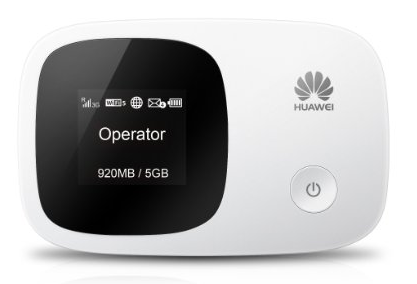 Huawei E5336 3G Mobile Pocket WiFi Hotspot Router
 * 1.4 inch TFT-LCD screen display
* One touch connection, 5 seconds fast boot
* Built-in UMTS and WLAN high gain antenna
* External Antenna Connector: No
Download (Télécharger) Firmware Update Huawei E5336 Huawei E5336 (E5336s) Unlocked Full Specs, Features, Reviews and Price:
| General | |
|---|---|
| Model | E5336 |
| Sub Model | E5336s-2 |
| Brand | HUAWEI |
| Type | 3G Mobile WiFi |
| Ports | 1x Micro USB |
| Dimensions | |
|---|---|
| Weight | <79 g |
| Height | 93.2 mm |
| Width | 60 mm |
| Depth | 14.5 mm |
| Frequency Bands | |
|---|---|
| 3G: WCDMA/UMTS | 900 MHz, 2100 MHz |
| 2G: GSM/GPRS/EDGE | 850 MHz, 900 MHz, 1800 MHz, 1900 MHz |
| Connectivity Speed | |
|---|---|
| WI-FI | 72.2 Mbps |
| HSDPA | 21.6 Mbps |
| HSUPA | 5.76 Mbps |
| UMTS | 384 kbps |
| EDGE | 236.8 kbps |
| GPRS | 85.6 kbps |
| Battery | |
|---|---|
| Type | Li-ion battery |
| Capacity | 3.7v, 1500mAh |
| Life Time | 6 Hours |
| Standby Time | 300 Hours |
| Memory Support | |
|---|---|
| Memory Capacity | 32 GB |
| Memory Card Slot | SD Card |
| WiFi Connection | |
|---|---|
| WLAN Band | 2.4G |
| Protocol | IEEE 802.11b/g/n |
| Encryption | WEP, WPA, WPA2 |
| Wi-Fi Devices | 10 Users |
| Additional Features | |
|---|---|
| SMS Service | Yes |
| Plug and Play (PnP) | Yes |
| LED Indicator | Yes |
| SD Card Slot | No |
| Other Features | Ethernet/3G dual link, Web UI, Auto connect, support MIMO, Traffic statistic |
| System Requirements | |
|---|---|
| Operating System | Windows 2000 * Windows XP * Windows Vista * Windows 7 & 8 * Mac * Linux |
Available link for download