Showing posts with label s6. Show all posts
Showing posts with label s6. Show all posts
Tuesday, February 7, 2017
How to Get Android Nougat Notification Shade on Galaxy S6 S7 and Edge variants
How to Get Android Nougat Notification Shade on Galaxy S6 S7 and Edge variants
Welcome to the guide on how to enable soft keys and get the Nougat notification shade on Samsung Marshmallow ROMs.

If you don’t like Samsung S6 or S7 TouchWiz, Samsung’s custom UI, a lot, then we don’t blame you , in fact, we share the feeling with ya. The cool thing with Android and its myriad of hacks is that customization is endless. A trick shared below will allow you to replace the look of notification shade to make it more like Android Nougat!
View my Flipboard Magazine.
With root, it’s possible to get some of Android Nougat looks on your Galaxy S6 and S7, including the Edge variants of them both. But know that this requires root access. If you don’t have root, then you better look to root your device first.

You can also enable and disable the soft keys, or on-screen keys if you prefer. While, if you wish to disable the capacitive keys — which is a good thing to do when you got soft keys up and running — then that’s possible too.
For the guide, please visit here by galaxyYtester, where you will find some basic guidance on how to achieve this.
For More Samsung Galaxy S6, S7 Updates Keep Checking Android Custom ROM Fix
That’s all. We hope this guide serves you well. If there’s anything you’d like to be added/changed on this page, PLZ Use the comment box below to contribute more ideas & Suggestions .
Like this post? PLZ Hit the share buttons below to share this article with your friends on Facebook, Google + and Twitter.
Want the latest Updates Sign up for our newsletters!
PLZ Follow Us On Flipboard 4 More Latest Updates.
Best Regards.™
With root, it’s possible to get some of Android Nougat looks on your Galaxy S6 and S7, including the Edge variants of them both. But know that this requires root access. If you don’t have root, then you better look to root your device first.
You can also enable and disable the soft keys, or on-screen keys if you prefer. While, if you wish to disable the capacitive keys — which is a good thing to do when you got soft keys up and running — then that’s possible too.
For the guide, please visit here by galaxyYtester, where you will find some basic guidance on how to achieve this.
For More Samsung Galaxy S6, S7 Updates Keep Checking Android Custom ROM Fix
That’s all. We hope this guide serves you well. If there’s anything you’d like to be added/changed on this page, PLZ Use the comment box below to contribute more ideas & Suggestions .
Like this post? PLZ Hit the share buttons below to share this article with your friends on Facebook, Google + and Twitter.
Want the latest Updates Sign up for our newsletters!
PLZ Follow Us On Flipboard 4 More Latest Updates.
Best Regards.™
Available link for download

Monday, January 23, 2017
How to Update T Mobile Galaxy S6 Edge G925T to Android 6 0 1 Marshmallow Sick as Hell ROM
How to Update T Mobile Galaxy S6 Edge G925T to Android 6 0 1 Marshmallow Sick as Hell ROM
T-Mobile Samsung Galaxy S6 Edge G925T Sick as Hell custom ROM comes with tons of new features and is based on Android 6.0.1 Marshmallow.

Sick as Hell custom ROM is basically a stock ROM with some performance and battery optimisations that makes your device run faster and smoother. Other than that it is a simple TouchWiz ROM and the developer claims that it runs faster than the stock firmware.
Don’t worry we are going to share step by step guide to safely Install Android 6.0.1 Marshmallow Sick as Hell ROM on your T-Mobile Galaxy S6 Edge G925T.
Sick as Hell custom ROM is basically a stock ROM with some performance and battery optimisations that makes your device run faster and smoother. Other than that it is a simple TouchWiz ROM and the developer claims that it runs faster than the stock firmware.
Don’t worry we are going to share step by step guide to safely Install Android 6.0.1 Marshmallow Sick as Hell ROM on your T-Mobile Galaxy S6 Edge G925T.
View my Flipboard Magazine.
÷ Prerequisites:
•This tutorial is only for installing Android 6.0.1 Sick as Hell ROM on T-Mobile Galaxy S6 Edge G925T. Please do not try on any other Galaxy S6 Edge variants.
•Your phone should have a custom recovery installed in order to install this Sick as Hell ROM on your phone.
•We will be using TWRP Recovery for this tutorial.
•This tutorial will wipe out all your data. Make sure you backup all your data in your phone before proceeding.
•Perform a Dalvik Cache wipe before proceeding from the Recovery Mode.
*Disclaimer:
Android Custom ROM fix ® provide various Firmware Updates and Rooting process along with Custom ROM,Modes,file are all belong to their owners/developers. The autor of this site or the developers are not responsible, if you damage or brick your device.Do it on your own risk and follow the instruction properly.
* Important:
Backup important files stored on your device before proceeding with the steps below, so that in case something goes wrong you’ll have backup of all your important files.

÷ How to Update T-Mobile Galaxy S6 Edge G925T to Android 6.0.1 Marshmallow Sick as Hell ROM:
Step 1 – Download Android 6.0.1 Sick as Hell ROM for Galaxy S6 Edge to your computer.
Step 2 – Connect and mount your Galaxy S6 Edge USB memory to your computer using the USB cable.
Step 3 – Now copy/paste the downloaded Android 6.0.1 ROM zip file to your phone memory / SD card. Make sure the file is in the phone memory / SD card root (not in any folder).
Step 4 – Then turn OFF your phone and disconnect from the USB cable.
Step 5 – Now to get in the Recovery Mode. Switch ON the phone while pressing and holding Volume Up + Home + Power buttons together.
Step 6 – Once you are in TWRP Recovery, perform a full data wipe by tapping on the ‘Wipe’ button. Then swipe on the “Swipe to Factory Reset” option at the bottom.
Step 7 – Now go back to the main menu and then tap on the ‘Install’ button. From the list, choose the ZIP file that you copied to your phone memory in Step 3.
Step 8 – Confirm installation on the next screen by swiping on the “Swipe to Confirm Flash” option. The installation procedure should start now.
Step 9 – Once the installation is completed.
Step 10 – Tap on the “Wipe cache/dalvik” button if you get into any boot loops or other issues.
Step 11 – You can now reboot your phone by selecting the “Reboot System” button.
Your T-Mobile Galaxy S6 Edge will boot now and it might take about 5 minutes to boot on your first time after flashing a new ROM. So, please wait.
 That’s it! Your T-Mobile Samsung Galaxy S6 Edge should now have Android 6.0.1 Sick as Hell Marshmallow custom ROM installed on your phone! Go to Settings > About phone to verify.
For More Samsung Galaxy S6 Edge Updates Keep Checking Android Custom ROM Fix ™®
That’s all. We hope this guide serves you well. If there’s anything you’d like to be added/changed on this page, PLZ Use the comment box below to contribute more ideas & Suggestions .
Like this post? PLZ Hit the share buttons below to share this article with your friends on Facebook, Google + and Twitter.
Want the latest Updates Sign up for our newsletters!
PLZ Follow Us On Flipboard 4 More Latest Updates.
Best Regards.™
÷ Prerequisites:
•This tutorial is only for installing Android 6.0.1 Sick as Hell ROM on T-Mobile Galaxy S6 Edge G925T. Please do not try on any other Galaxy S6 Edge variants.
•Your phone should have a custom recovery installed in order to install this Sick as Hell ROM on your phone.
•We will be using TWRP Recovery for this tutorial.
•This tutorial will wipe out all your data. Make sure you backup all your data in your phone before proceeding.
•Perform a Dalvik Cache wipe before proceeding from the Recovery Mode.
*Disclaimer:
Android Custom ROM fix ® provide various Firmware Updates and Rooting process along with Custom ROM,Modes,file are all belong to their owners/developers. The autor of this site or the developers are not responsible, if you damage or brick your device.Do it on your own risk and follow the instruction properly.
* Important:
Backup important files stored on your device before proceeding with the steps below, so that in case something goes wrong you’ll have backup of all your important files.
÷ How to Update T-Mobile Galaxy S6 Edge G925T to Android 6.0.1 Marshmallow Sick as Hell ROM:
Step 1 – Download Android 6.0.1 Sick as Hell ROM for Galaxy S6 Edge to your computer.
Step 2 – Connect and mount your Galaxy S6 Edge USB memory to your computer using the USB cable.
Step 3 – Now copy/paste the downloaded Android 6.0.1 ROM zip file to your phone memory / SD card. Make sure the file is in the phone memory / SD card root (not in any folder).
Step 4 – Then turn OFF your phone and disconnect from the USB cable.
Step 5 – Now to get in the Recovery Mode. Switch ON the phone while pressing and holding Volume Up + Home + Power buttons together.
Step 6 – Once you are in TWRP Recovery, perform a full data wipe by tapping on the ‘Wipe’ button. Then swipe on the “Swipe to Factory Reset” option at the bottom.
Step 7 – Now go back to the main menu and then tap on the ‘Install’ button. From the list, choose the ZIP file that you copied to your phone memory in Step 3.
Step 8 – Confirm installation on the next screen by swiping on the “Swipe to Confirm Flash” option. The installation procedure should start now.
Step 9 – Once the installation is completed.
Step 10 – Tap on the “Wipe cache/dalvik” button if you get into any boot loops or other issues.
Step 11 – You can now reboot your phone by selecting the “Reboot System” button.
Your T-Mobile Galaxy S6 Edge will boot now and it might take about 5 minutes to boot on your first time after flashing a new ROM. So, please wait.
For More Samsung Galaxy S6 Edge Updates Keep Checking Android Custom ROM Fix ™®
That’s all. We hope this guide serves you well. If there’s anything you’d like to be added/changed on this page, PLZ Use the comment box below to contribute more ideas & Suggestions .
Like this post? PLZ Hit the share buttons below to share this article with your friends on Facebook, Google + and Twitter.
Want the latest Updates Sign up for our newsletters!
PLZ Follow Us On Flipboard 4 More Latest Updates.
Best Regards.™
Available link for download
Thursday, December 29, 2016
How to Root Galaxy S6 Edge Plus SM G928R4 US Cellular
How to Root Galaxy S6 Edge Plus SM G928R4 US Cellular
Renowned root-star Chainfire has made sure that his CF Auto root tool which is used to root almost all of Samsung’s Android devices, also works with the US Cellular S6 Edge Plus variant.

Rooting with CF-Auto-Root is easy. All you need to do is download the CF Auto Root file for your Samsung device, boot into download mode and connect to PC, then run start CF Auto Root on PC.
View my Flipboard Magazine.
÷ Prerequisites:
This Tutorial is only for Rooting Samsung Galaxy S6 Edge Plus SM-G928R4 (US Cellular).please dont try it on other Galaxy S6 edge variants.
*Disclaimer:
Android Custom ROM fix ® provide various Firmware Updates and Rooting process along with Custom ROM,Modes,file are all belong to their owners/developers. The autor of this site or the developers are not responsible, if you damage or brick your device.Do it on your own risk and follow the instruction properly.
* Important:
Backup important files stored on your device before proceeding with the steps below, so that in case something goes wrong you’ll have backup of all your important files.
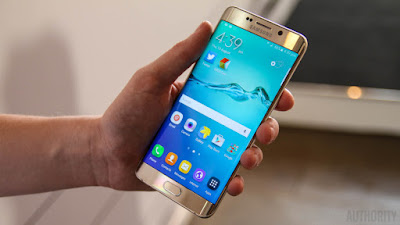
÷ How to Root Galaxy S6 Edge Plus SM-G928R4 (US Cellular).
1- Download CF Auto Root for US Cellular S6 Edge Plus G928R4.
2- Unzip the CF Auto Root .zip file that you downloaded for your device from the link above.
3- You’ll get Odin and CF Auto Root tar file and some more.
4- Run/open Odin3 v3.10.6.exe file from the extracted files on your PC.
5- (If applicable) Enable OEM unlock on your device:
6- Go to Settings » About phone » and tap “Build number” seven times to enable “Developer options”.
7- Go back to main Settings page, scroll to bottom and select “Developer options” from there.
8- Under Developer options, look for “Enable OEM unlock” checkbox/toggle and make sure you Check it or turn it ON.
9- Boot your device into Download mode:
Switch off your device.
10- Press and hold “Home + Power + Volume down” buttons for a few seconds until you see a warning screen.
11- Press Volume Up on the warning screen to accept it and boot into Download mode.
12- Once your device is in download mode, connect it to the PC with a USB cable. The Odin window on PC should detect the device and show an“Added!!” message.
13- Now click on the AP tab on Odin window and select the CF Auto Root .tar file.
14- Click the Start button on Odin and wait for it to finish the process. Once it has finished successfully, you’ll see a pass message on the Odin screen.
15- Your device will automatically reboot when Odin is done flashing, and the CF Auto Root script will be visible on your device, doing its magic.
? You can disconnect the device from PC at this stage.

That’s all. Once booted, your Samsung Galaxy device should be rooted. To verify, download/install any root checker app from the Play Store.
For More Samsung Galaxy S6 Edge Updates Keep Checking Android Custom ROM Fix ™®
That’s all. We hope this guide serves you well. If there’s anything you’d like to be added/changed on this page, PLZ Use the comment box below to contribute more ideas & Suggestions .
Like this post? PLZ Hit the share buttons below to share this article with your friends on Facebook, Google + and Twitter.
Want the latest Updates Sign up for our newsletters!
PLZ Follow Us On Flipboard 4 More Latest Updates.
Best Regards.™
÷ Prerequisites:
This Tutorial is only for Rooting Samsung Galaxy S6 Edge Plus SM-G928R4 (US Cellular).please dont try it on other Galaxy S6 edge variants.
*Disclaimer:
Android Custom ROM fix ® provide various Firmware Updates and Rooting process along with Custom ROM,Modes,file are all belong to their owners/developers. The autor of this site or the developers are not responsible, if you damage or brick your device.Do it on your own risk and follow the instruction properly.
* Important:
Backup important files stored on your device before proceeding with the steps below, so that in case something goes wrong you’ll have backup of all your important files.
÷ How to Root Galaxy S6 Edge Plus SM-G928R4 (US Cellular).
1- Download CF Auto Root for US Cellular S6 Edge Plus G928R4.
2- Unzip the CF Auto Root .zip file that you downloaded for your device from the link above.
3- You’ll get Odin and CF Auto Root tar file and some more.
4- Run/open Odin3 v3.10.6.exe file from the extracted files on your PC.
5- (If applicable) Enable OEM unlock on your device:
6- Go to Settings » About phone » and tap “Build number” seven times to enable “Developer options”.
7- Go back to main Settings page, scroll to bottom and select “Developer options” from there.
8- Under Developer options, look for “Enable OEM unlock” checkbox/toggle and make sure you Check it or turn it ON.
9- Boot your device into Download mode:
Switch off your device.
10- Press and hold “Home + Power + Volume down” buttons for a few seconds until you see a warning screen.
11- Press Volume Up on the warning screen to accept it and boot into Download mode.
12- Once your device is in download mode, connect it to the PC with a USB cable. The Odin window on PC should detect the device and show an“Added!!” message.
13- Now click on the AP tab on Odin window and select the CF Auto Root .tar file.
14- Click the Start button on Odin and wait for it to finish the process. Once it has finished successfully, you’ll see a pass message on the Odin screen.
15- Your device will automatically reboot when Odin is done flashing, and the CF Auto Root script will be visible on your device, doing its magic.
? You can disconnect the device from PC at this stage.
That’s all. Once booted, your Samsung Galaxy device should be rooted. To verify, download/install any root checker app from the Play Store.
For More Samsung Galaxy S6 Edge Updates Keep Checking Android Custom ROM Fix ™®
That’s all. We hope this guide serves you well. If there’s anything you’d like to be added/changed on this page, PLZ Use the comment box below to contribute more ideas & Suggestions .
Like this post? PLZ Hit the share buttons below to share this article with your friends on Facebook, Google + and Twitter.
Want the latest Updates Sign up for our newsletters!
PLZ Follow Us On Flipboard 4 More Latest Updates.
Best Regards.™
Available link for download
Thursday, December 8, 2016
Download Free Samsung Galaxy S6 SM g920T Stock ROM Firmware Flash File
Download Free Samsung Galaxy S6 SM g920T Stock ROM Firmware Flash File

Download Free For you. if your samsung galaxy s6 smart phone is slowly working. phone is not working properly you need upgrade or reinstall your device firmware. you can download this latest stock rom on my site.
Download Now
Available link for download
Sunday, December 4, 2016
Boot loop Samsung Galaxy S6 G920P
Boot loop Samsung Galaxy S6 G920P
Hello everyone,
So I am very new to the concepts of rooting and custom roms, and I know I should have done some more research before I started. But now I have gotten myself into a bit of a pickle. I have the SM-G920P (Sprint) S6 and earlier this week I managed to root the phone and use TWRP to download and flash a custom rom. I used MD5: 7c1d34f7ab066104c924fb7a960b57d0 to install Renegade and then the phone booted just fine. I made the mistake afterwords when I let the phone reboot, but I had not turned on the option for OEM so now my phone is stuck in a boot that gives me a FRM lock because of the custom binary. It will not let me get into the andriod recovery (volume up, home, and power) but I can get to the download mode. I cannot seem to get any firmware to flash onto the device because I always get a fail after NAND write. Any help or direction from here would be great, Thanks.
So I am very new to the concepts of rooting and custom roms, and I know I should have done some more research before I started. But now I have gotten myself into a bit of a pickle. I have the SM-G920P (Sprint) S6 and earlier this week I managed to root the phone and use TWRP to download and flash a custom rom. I used MD5: 7c1d34f7ab066104c924fb7a960b57d0 to install Renegade and then the phone booted just fine. I made the mistake afterwords when I let the phone reboot, but I had not turned on the option for OEM so now my phone is stuck in a boot that gives me a FRM lock because of the custom binary. It will not let me get into the andriod recovery (volume up, home, and power) but I can get to the download mode. I cannot seem to get any firmware to flash onto the device because I always get a fail after NAND write. Any help or direction from here would be great, Thanks.
from xda-developers http://ift.tt/2aEHtEs
via IFTTT
Available link for download
Wednesday, November 9, 2016
Hilfe Flash Rom Samsung Galaxy S6 SM G925F fehlgeschlagen
Hilfe Flash Rom Samsung Galaxy S6 SM G925F fehlgeschlagen
Guten Abend die Damen und Herren
Leider kam ich heute ohne grosse Erfahrung Betreff ROM Flash auf die Idee mein Samsung Galaxy S6 Edge Marshmallow auf ein bestimmtes Rom zu flashen damit XPose auf x64 Geräten läuft aber nun startet es nicht mehr und frierft beim Erscheinungsbild "Samsung Galaxy S6 edge" ein. Ich komme nur in den Odins-Modus und der Computer erkennt das Handy, aber nun komm ich nicht mehr weiter. Wie bring ich nun das handy wieder zu laufen, das ist nun mein einziges Ziel, danach mach ich nicht mehr am Gerät selber ^^. Ist mir dann eine Lehre, sonst muss ich morgen ein neues kaufen gehen aber hoffe das mir jemand weiterhelfen kann ahbe nicht so viel geld für ein neues-.- ....;):rolleyes:;)
Herzlichen Dank und besten Dank
leejanf8840
Leider kam ich heute ohne grosse Erfahrung Betreff ROM Flash auf die Idee mein Samsung Galaxy S6 Edge Marshmallow auf ein bestimmtes Rom zu flashen damit XPose auf x64 Geräten läuft aber nun startet es nicht mehr und frierft beim Erscheinungsbild "Samsung Galaxy S6 edge" ein. Ich komme nur in den Odins-Modus und der Computer erkennt das Handy, aber nun komm ich nicht mehr weiter. Wie bring ich nun das handy wieder zu laufen, das ist nun mein einziges Ziel, danach mach ich nicht mehr am Gerät selber ^^. Ist mir dann eine Lehre, sonst muss ich morgen ein neues kaufen gehen aber hoffe das mir jemand weiterhelfen kann ahbe nicht so viel geld für ein neues-.- ....;):rolleyes:;)
Herzlichen Dank und besten Dank
leejanf8840
from xda-developers http://ift.tt/2a36Pfb
via IFTTT
Available link for download
Monday, October 24, 2016
How to Install Android 6 0 1 Marshmallow N7 Edge Grace Port V1 0 ROM on Galaxy S6 Edge SM G925F
How to Install Android 6 0 1 Marshmallow N7 Edge Grace Port V1 0 ROM on Galaxy S6 Edge SM G925F
According to XDA member Boris2305, Android 6.0.1 Marshmallow N7 Edge Grace Port V1.0 ROM is Available for Samsung Galaxy S6 Edge SM- G925F .

÷ ROM Features:
- 6.0.1 Marshmallow
-Prerooted
-Zipaligned
-Light Debloated
-All N7 Edge apps are ported
-Fast and responsive
-Battery Friendly
-Working S7E People Edge
View my Flipboard Magazine.
÷ Prerequisites:
•This tutorial is only for installing Android 6.0.1 NobleROM ROM on Samsung Galaxy S6 Edge SM- G925F. Please do not try on any other Galaxy S6 variants.
•Your phone should be rooted and have ClockworkMod recovery installed from before.
•This tutorial will wipe out all your data. Proceed at your own risk.
•Perform a Dalvik Cache wipe before proceeding from the recovery mode.
•Samsung KIES will NOT detect your phone after installing this ROM because it is a custom firmware.
•Make sure you backup all your data in your phone before proceeding.
*Disclaimer:
Android Custom ROM fix ® provide various Firmware Updates and Rooting process along with Custom ROM,Modes,file are all belong to their owners/developers. The autor of this site or the developers are not responsible, if you damage or brick your device.Do it on your own risk and follow the instruction properly.
* Important:
Backup important files stored on your device before proceeding with the steps below, so that in case something goes wrong you’ll have backup of all your important files.

÷ How to Install Android 6.0.1 Marshmallow N7 Edge Grace Port V1.0 ROM on Galaxy S6 Edge SM- G925F.
Step 1 – Download Android 6.0.1 Marshmallow N7 Edge Grace Port V1.0 ROM to your computer.
Step 2 – Connect and mount your Galaxy S6 Edge USB memory on your computer using the USB cable.
Step 3 – Now copy/paste the downloaded Android 6.0.1 ROM zip file to your SD card. Make sure the file is in the SD card root (not in any folder).
Step 4 – Then turn OFF your phone and disconnect from the USB cable.
Step 5 – Now to get in the Recovery Mode. Switch ON the phone while pressing and holding Volume Up + Home + Power buttons together.
Step 6 – Once you are in ClockworkMod Recovery, select perform a full data wipe by selecting “wipe data/factory reset” . Use the Power button to select everything while in the Recovery Mode.
Step 7 – Then, perform a cache wipe by selecting “wipe cache partition” .
Step 8 – Now this is optional, but it is recommended to perform a wipe of your dalvik cache as well. You will not get into boot loops or any other errors. From CWM recovery, go to ‘advanced’ and then select “wipe dalvik cache”.
Step 9 – Then go back to the main recovery screen and select “install zip from SD card”.
Step 10 – Now select “choose zip from sdcard”. Using your volume keys, navigate to the Android 6.0.1 ROM zip file that you copied to your SD card and select it using the Power button. Confirm the installation on the next screen and the installation procedure should start now.
Step 11 – After the installation completes, go to “+++++Go Back+++++” and reboot the phone by selecting “reboot system now” from the recovery menu.
Your Galaxy S6 Edge will boot now and it might take about 10 minutes to boot on your first time. So, please wait.

That’s it! Your Galaxy S6 Edge should now have Android 6.0.1 Marshmallow N7 Edge Grace Port V1.0 ROM installed on your phone! Go to Settings > About phone to verify.
For More Samsung Galaxy S6 Edge latest updates Keep Checking Android Custom ROM Fix ™®
That’s all. We hope this guide serves you well. If there’s anything you’d like to be added/changed on this page, PLZ Use the comment box below to contribute more ideas & Suggestions .
Like this post? PLZ Hit the share buttons below to share this article with your friends on Facebook, Google + and Twitter.
Want the latest Updates Sign up for our newsletters!
PLZ Follow Us On Flipboard 4 More Latest Updates.
Best Regards.™
÷ Prerequisites:
•This tutorial is only for installing Android 6.0.1 NobleROM ROM on Samsung Galaxy S6 Edge SM- G925F. Please do not try on any other Galaxy S6 variants.
•Your phone should be rooted and have ClockworkMod recovery installed from before.
•This tutorial will wipe out all your data. Proceed at your own risk.
•Perform a Dalvik Cache wipe before proceeding from the recovery mode.
•Samsung KIES will NOT detect your phone after installing this ROM because it is a custom firmware.
•Make sure you backup all your data in your phone before proceeding.
*Disclaimer:
Android Custom ROM fix ® provide various Firmware Updates and Rooting process along with Custom ROM,Modes,file are all belong to their owners/developers. The autor of this site or the developers are not responsible, if you damage or brick your device.Do it on your own risk and follow the instruction properly.
* Important:
Backup important files stored on your device before proceeding with the steps below, so that in case something goes wrong you’ll have backup of all your important files.
÷ How to Install Android 6.0.1 Marshmallow N7 Edge Grace Port V1.0 ROM on Galaxy S6 Edge SM- G925F.
Step 1 – Download Android 6.0.1 Marshmallow N7 Edge Grace Port V1.0 ROM to your computer.
Step 2 – Connect and mount your Galaxy S6 Edge USB memory on your computer using the USB cable.
Step 3 – Now copy/paste the downloaded Android 6.0.1 ROM zip file to your SD card. Make sure the file is in the SD card root (not in any folder).
Step 4 – Then turn OFF your phone and disconnect from the USB cable.
Step 5 – Now to get in the Recovery Mode. Switch ON the phone while pressing and holding Volume Up + Home + Power buttons together.
Step 6 – Once you are in ClockworkMod Recovery, select perform a full data wipe by selecting “wipe data/factory reset” . Use the Power button to select everything while in the Recovery Mode.
Step 7 – Then, perform a cache wipe by selecting “wipe cache partition” .
Step 8 – Now this is optional, but it is recommended to perform a wipe of your dalvik cache as well. You will not get into boot loops or any other errors. From CWM recovery, go to ‘advanced’ and then select “wipe dalvik cache”.
Step 9 – Then go back to the main recovery screen and select “install zip from SD card”.
Step 10 – Now select “choose zip from sdcard”. Using your volume keys, navigate to the Android 6.0.1 ROM zip file that you copied to your SD card and select it using the Power button. Confirm the installation on the next screen and the installation procedure should start now.
Step 11 – After the installation completes, go to “+++++Go Back+++++” and reboot the phone by selecting “reboot system now” from the recovery menu.
Your Galaxy S6 Edge will boot now and it might take about 10 minutes to boot on your first time. So, please wait.
That’s it! Your Galaxy S6 Edge should now have Android 6.0.1 Marshmallow N7 Edge Grace Port V1.0 ROM installed on your phone! Go to Settings > About phone to verify.
For More Samsung Galaxy S6 Edge latest updates Keep Checking Android Custom ROM Fix ™®
That’s all. We hope this guide serves you well. If there’s anything you’d like to be added/changed on this page, PLZ Use the comment box below to contribute more ideas & Suggestions .
Like this post? PLZ Hit the share buttons below to share this article with your friends on Facebook, Google + and Twitter.
Want the latest Updates Sign up for our newsletters!
PLZ Follow Us On Flipboard 4 More Latest Updates.
Best Regards.™
Available link for download
Tuesday, October 18, 2016
How to Install Android 6 0 1 Marshmallow Movees ROM v3 2 On Galaxy S6 All Variants Full deodexed 100
How to Install Android 6 0 1 Marshmallow Movees ROM v3 2 On Galaxy S6 All Variants Full deodexed 100
According to XDA Member Astrubale, Android 6.0.1 Marshmallow Movees ROM v3.2 is now available for Samsung Galaxy S6 All Variants.

÷ SUPPORTED DEVICES :
Tested on
SM-G920F
SM-G925F
SM-G920I
SM-G925I
SM-G920FD
SM-G925FD .
÷ ROM FEATURES :
- Based on G925FXXS3DPF1
- Full deodexed (100%)
- DeKnoxed
- DeBloated
- Fast
- Smooth
- Rooted
- Build.prop tweaks
- Some performance improvements
- Edge panel
- SuperSu 2.74
- Latest security patch 1-06-2016
- New apps
- Floating Messages
- S5 Toolbox Mod
- Xposed
- Modded UI.

* TWEAKS :
Better RAM
Disable built in error reporting
Better phone ring time
Better scrolling
Video Acceleration Enabled And HW debugging
Saves some battery without reducing performances
Faster boot
More RAM
General Performance
Increase jpg quality to 100%
Disable Sending Usage Data
Increase the volume steps in-call
Better call voice quality
Increase some Performance
Touch Performance
Better Scrolling responsiveness and speed
Smoothens User Iterface..
÷ Prerequisites:
•Your phone should be rooted and haveClockworkMod recovery installed from before.
•This tutorial will wipe out all your data.Proceed at your own risk.Perform a Dalvik Cache wipe before proceeding from the recovery mode.
•Make sure you backup all your data in your phone before proceeding.
•Samsung KIES will NOT detect your phone after installing this ROM because it is a custom firmware.
View my Flipboard Magazine.
*Disclaimer:
Android Custom ROM fix ® provide various Firmware Updates and Rooting process along with Custom ROM,Modes,file are all belong to their owners/developers. The autor of this site or the developers are not responsible, if you damage or brick your device.Do it on your own risk and follow the instruction properly.
* Important:
Backup important files stored on your device before proceeding with the steps below, so that in case something goes wrong you’ll have backup of all your important files.

ROM Download & Installation Instructions via XDA
For More Samsung Galaxy S6 updates Keep Checking Android Custom ROM Fix™®
Like this post? PLZ Hit the share buttons below to share this article with your friends on Facebook, Google + and Twitter.
PLZ Follow Us On Flipboard 4 More Latest Updates.
PLZ Use the comment box below to contribute more ideas & Suggestions .
Best Regards.
*Disclaimer:
Android Custom ROM fix ® provide various Firmware Updates and Rooting process along with Custom ROM,Modes,file are all belong to their owners/developers. The autor of this site or the developers are not responsible, if you damage or brick your device.Do it on your own risk and follow the instruction properly.
* Important:
Backup important files stored on your device before proceeding with the steps below, so that in case something goes wrong you’ll have backup of all your important files.
ROM Download & Installation Instructions via XDA
For More Samsung Galaxy S6 updates Keep Checking Android Custom ROM Fix™®
Like this post? PLZ Hit the share buttons below to share this article with your friends on Facebook, Google + and Twitter.
PLZ Follow Us On Flipboard 4 More Latest Updates.
PLZ Use the comment box below to contribute more ideas & Suggestions .
Best Regards.
Available link for download
Wednesday, October 12, 2016
How to Update Galaxy S6 SM G920F to Android 6 0 1 Marshmallow PopWiz MSF v2 1 Rooted Odexed
How to Update Galaxy S6 SM G920F to Android 6 0 1 Marshmallow PopWiz MSF v2 1 Rooted Odexed
According to XDA Member Iris28, Android 6.0.1 Marshmallow PopWiz MSF v2.1 [ ODEX] is released For Samsung Galaxy S6 SM- G920F.

÷ ROM Features:
•Based on S6 Latest BTU Firmware
•S6 Edge apps
•Added Galaxy S7 Wallpapers
•Added Galaxy S7 Notifications, Ringtones, UI, and Alarms
•Rooted, Odexed
•Debloated (Gapps, Knox and Samsung Apps)
•CSC Tweaks (Messaging, Camera, Network mode and more) .
*ChangeLog:
÷ VERSION 1.0:
Note UX and C5 apps
Based on BTU G920FXXU3DPDP Firmware
Note UX icons
Odexed
÷ VERSION 2.1 :
Added C5 Smart Manager
Added Note UX icons
Added C5 File Manager
Added C5 Music Player
Added C5 Keyboard
Added C5 Calendar
Added C5 Weather Widget
Fixed Private Mode 0x1
Based on G920FXXU3DPDP Firmware
Debloated
Added CSC Tweaks...
÷ ROM Features:
•Based on S6 Latest BTU Firmware
•S6 Edge apps
•Added Galaxy S7 Wallpapers
•Added Galaxy S7 Notifications, Ringtones, UI, and Alarms
•Rooted, Odexed
•Debloated (Gapps, Knox and Samsung Apps)
•CSC Tweaks (Messaging, Camera, Network mode and more) .
*ChangeLog:
÷ VERSION 1.0:
Note UX and C5 apps
Based on BTU G920FXXU3DPDP Firmware
Note UX icons
Odexed
÷ VERSION 2.1 :
Added C5 Smart Manager
Added Note UX icons
Added C5 File Manager
Added C5 Music Player
Added C5 Keyboard
Added C5 Calendar
Added C5 Weather Widget
Fixed Private Mode 0x1
Based on G920FXXU3DPDP Firmware
Debloated
Added CSC Tweaks...
View my Flipboard Magazine.
÷ Prerequisites:
•This tutorial is only for installing Android 6.0.1 Marshmallow Crisscross ROM V2.0 [ 2ZPFB] on Samsung Galaxy S6 SM- G920F. Please do not try on any other Galaxy S6 Variants.
•Your phone should have a custom recovery installed in order to install this NanoROM ROM on your phone.
•We will be using TWRP Recovery for this tutorial.
•This tutorial will wipe out all your data. Make sure you backup all your data in your phone before proceeding.
•Samsung KIES will NOT detect your phone after installing this ROM because it is a custom firmware
•Perform a Dalvik Cache wipe before proceeding from the Recovery Mode.
*Disclaimer:
Android Custom ROM fix ® provide various Firmware Updates and Rooting process along with Custom ROM,Modes,file are all belong to their owners/developers. The autor of this site or the developers are not responsible, if you damage or brick your device.Do it on your own risk and follow the instruction properly.
* Important:
Backup important files stored on your device before proceeding with the steps below, so that in case something goes wrong you’ll have backup of all your important files.

You can find out how to apply it right now via XDA.
For More Samsung Galaxy S6 Updates Keep Checking Android custom ROM Fix ™®
That’s all. We hope this guide serves you well. If there’s anything you’d like to be added/changed on this page, PLZ Use the comment box below to contribute more ideas & Suggestions .
Like this post? PLZ Hit the share buttons below to share this article with your friends on Facebook, Google + and Twitter.
Want the latest Updates Sign up for our Newsletters!
PLZ Follow Us On Flipboard 4 More Latest Updates.
Best Regards.™
÷ Prerequisites:
•This tutorial is only for installing Android 6.0.1 Marshmallow Crisscross ROM V2.0 [ 2ZPFB] on Samsung Galaxy S6 SM- G920F. Please do not try on any other Galaxy S6 Variants.
•Your phone should have a custom recovery installed in order to install this NanoROM ROM on your phone.
•We will be using TWRP Recovery for this tutorial.
•This tutorial will wipe out all your data. Make sure you backup all your data in your phone before proceeding.
•Samsung KIES will NOT detect your phone after installing this ROM because it is a custom firmware
•Perform a Dalvik Cache wipe before proceeding from the Recovery Mode.
*Disclaimer:
Android Custom ROM fix ® provide various Firmware Updates and Rooting process along with Custom ROM,Modes,file are all belong to their owners/developers. The autor of this site or the developers are not responsible, if you damage or brick your device.Do it on your own risk and follow the instruction properly.
* Important:
Backup important files stored on your device before proceeding with the steps below, so that in case something goes wrong you’ll have backup of all your important files.
You can find out how to apply it right now via XDA.
For More Samsung Galaxy S6 Updates Keep Checking Android custom ROM Fix ™®
That’s all. We hope this guide serves you well. If there’s anything you’d like to be added/changed on this page, PLZ Use the comment box below to contribute more ideas & Suggestions .
Like this post? PLZ Hit the share buttons below to share this article with your friends on Facebook, Google + and Twitter.
Want the latest Updates Sign up for our Newsletters!
PLZ Follow Us On Flipboard 4 More Latest Updates.
Best Regards.™
View my Flipboard Magazine.
Available link for download
Monday, September 12, 2016
How To Update Galaxy S6 SM G920F to Marshmallow 6 0 1 July 2016 G920FXXS4DPG2 Enhanced Features Security Patch
How To Update Galaxy S6 SM G920F to Marshmallow 6 0 1 July 2016 G920FXXS4DPG2 Enhanced Features Security Patch
Today Samsung Currently Pushing July G920FXXS4DPG2 Update to the Galaxy S6 - SM-G920F on its network (UK/ Ireland) that includes a security update, as well as now displaying which security patch your phone has and bug fixes. It is recommended you keep your device updated to the latest software so that you don’t experience any flaws or drops in reliability.
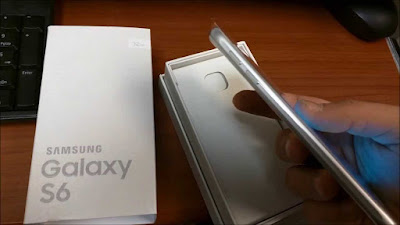
G920FXXS4DPG2 is based on the latest Marshmallow 6.0.1 for the Samsung Galaxy S6 - SM-G920F.
Follow our guide below to download the update and install it yourself.
The Update brings the following changes:
•The security of your device has been improved.
•Device stability improvements, bug fixes.
•New and / or enhanced features.
•Further improvements to performance.
View my Flipboard Magazine.
*Disclaimer:
Custom ROM fix ® provide various Firmware Updates and Rooting process along with Custom ROM,Modes,file are all belong to their owners/developers. The autor of this site or the developers are not responsible, if you damage or brick your device.Do it on your own risk and follow the instruction properly.
* Important:
Backup important files stored on your device before proceeding with the steps below, so that in case something goes wrong you’ll have backup of all your important files.
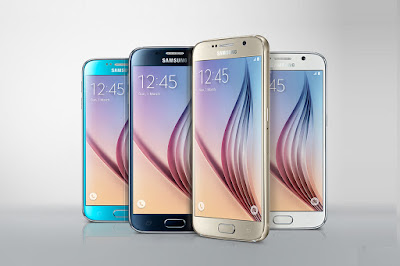
How To Update Galaxy S6 - SM-G920F to Marshmallow 6.0.1 July 2016 G920FXXS4DPG2 [Enhanced Features/Security Patch.]
Download Samsung Galaxy S6 - SM-G920F G920FXXS4DPG2 Firmware .
1- Extract (unzip) the firmware file
2- Download Odin v3.11.1
3- Extract Odin ZIP file
4- Open Odin v.3.11.1
5- Reboot Phone in Download Mode (press and hold Home + Power + Volume Down buttons)
6- Connect phone and wait until you get a blue sign in Odin
7- Add the firmware file to AP / PDA
Make sure re-partition is NOT ticked
8- Click the start button, sit back and wait few minutes.
That’s it! Your Samsung Galaxy S6 - SM-G920F should now have Marshmallow 6.0.1 July security patch on your phone! Go to Settings > About phone to verify.
For More Samsung Galaxy S6 - SM-G920F Updates Keep Checking Android Custom ROM Fix ™®
That’s all. We hope this guide serves you well. If there’s anything you’d like to be added/changed on this page, PLZ Use the comment box below to contribute more ideas & Suggestions .
Like this post? PLZ Hit the share buttons below to share this article with your friends on Facebook, Google + and Twitter.
Want the latest Updates Sign up for our newsletters!
PLZ Follow Us On Flipboard 4 More Latest Updates.
Best Regards.™
G920FXXS4DPG2
*Disclaimer:
Custom ROM fix ® provide various Firmware Updates and Rooting process along with Custom ROM,Modes,file are all belong to their owners/developers. The autor of this site or the developers are not responsible, if you damage or brick your device.Do it on your own risk and follow the instruction properly.
* Important:
Backup important files stored on your device before proceeding with the steps below, so that in case something goes wrong you’ll have backup of all your important files.
How To Update Galaxy S6 - SM-G920F to Marshmallow 6.0.1 July 2016 G920FXXS4DPG2 [Enhanced Features/Security Patch.]
Download Samsung Galaxy S6 - SM-G920F G920FXXS4DPG2 Firmware .
1- Extract (unzip) the firmware file
2- Download Odin v3.11.1
3- Extract Odin ZIP file
4- Open Odin v.3.11.1
5- Reboot Phone in Download Mode (press and hold Home + Power + Volume Down buttons)
6- Connect phone and wait until you get a blue sign in Odin
7- Add the firmware file to AP / PDA
Make sure re-partition is NOT ticked
8- Click the start button, sit back and wait few minutes.
That’s it! Your Samsung Galaxy S6 - SM-G920F should now have Marshmallow 6.0.1 July security patch on your phone! Go to Settings > About phone to verify.
For More Samsung Galaxy S6 - SM-G920F Updates Keep Checking Android Custom ROM Fix ™®
That’s all. We hope this guide serves you well. If there’s anything you’d like to be added/changed on this page, PLZ Use the comment box below to contribute more ideas & Suggestions .
Like this post? PLZ Hit the share buttons below to share this article with your friends on Facebook, Google + and Twitter.
Want the latest Updates Sign up for our newsletters!
PLZ Follow Us On Flipboard 4 More Latest Updates.
Best Regards.™
G920FXXS4DPG2
Available link for download
Monday, September 5, 2016
Galaxy S6 stuck in bootloop
Galaxy S6 stuck in bootloop
Tried to install Xposed framework, but because Im not really into modding my phone Im not very experienced with this it all went very wrong, so Ill guide you through the steps that got me into this mess.
First I rooted my phone using Odin and AutoRoot. That went fine.
When I put TWRP onto it so I could use the Xposed framework, again using Odin. This was fine also.
Then comes installing Xposed. Hit install with in TWRP, apparently it worked. So I hit reboot in TWRP and it just froze, so I did the simulated battery pull. This is where things went bad.
It got stuck in a bootloop. So because Im a moron, I decided hey, lets just format the phone and start again. And now Im still stuck in a bootloop but with barely any files on my phone. I tried to follow the advice in the sticky of forcing Xposed to be disabled but since I formatted the phone Xposed doesnt even exist any more.
So Im hoping I can get some help. At this point Id be happy with a way to just start again completely fresh but I have a feeling thats not going to go down well.
Thank you very much in advance.
First I rooted my phone using Odin and AutoRoot. That went fine.
When I put TWRP onto it so I could use the Xposed framework, again using Odin. This was fine also.
Then comes installing Xposed. Hit install with in TWRP, apparently it worked. So I hit reboot in TWRP and it just froze, so I did the simulated battery pull. This is where things went bad.
It got stuck in a bootloop. So because Im a moron, I decided hey, lets just format the phone and start again. And now Im still stuck in a bootloop but with barely any files on my phone. I tried to follow the advice in the sticky of forcing Xposed to be disabled but since I formatted the phone Xposed doesnt even exist any more.
So Im hoping I can get some help. At this point Id be happy with a way to just start again completely fresh but I have a feeling thats not going to go down well.
Thank you very much in advance.
from xda-developers http://ift.tt/29U1NED
via IFTTT
Available link for download
Saturday, September 3, 2016
How to Install Android 6 0 1 Marshmallow PopWiz ROM on Galaxy S6 G920F Rooted Odexed
How to Install Android 6 0 1 Marshmallow PopWiz ROM on Galaxy S6 G920F Rooted Odexed

Samsung Galaxy S6 G920F PopWiz custom ROM comes with tons of new features and is based on Android 6.0.1 Marshmallow. A quick list of the main features in PopWiz is given below and we are sure you’d love to use this on your Samsung Galaxy S6 G920F:
Based on S6 Latest BTU Firmware
S6 Edge apps
Added Galaxy S7 Wallpapers
Added Galaxy S7 Notifications, Ringtones, UI, and Alarms
Rooted, Odexed
Debloated (Gapps, Knox and Samsung Apps)
CSC Tweaks (Messaging, Camera, Network mode and more)..
Don’t worry we are going to share step by step guide to safely Install Android 6.0.1 Marshmallow PopWiz ROM on your Galaxy S6 G920F.
View my Flipboard Magazine.
÷ Prerequisites:
•This tutorial is only for installing Android 6.0.1 PopWiz ROM on Samsung Galaxy S6 G920F. Please do not try on any other Galaxy S6 variants.
•Your phone should have a custom recovery installed in order to install this PopWiz ROM on your phone.
•We will be using TWRP Recovery for this tutorial.
•This tutorial will wipe out all your data. Make sure you backup all your data in your phone before proceeding.
•Samsung KIES will NOT detect your phone after installing this ROM because it is a custom firmware.
•Perform a Dalvik Cache wipe before proceeding from the Recovery Mode.

*Disclaimer:
Android Custom ROM fix ® provide various Firmware Updates and Rooting process along with Custom ROM,Modes,file are all belong to their owners/developers. The autor of this site or the developers are not responsible, if you damage or brick your device.Do it on your own risk and follow the instruction properly.
* Important:
Backup important files stored on your device before proceeding with the steps below, so that in case something goes wrong you’ll have backup of all your important files.
÷ How to: Install Android 6.0.1 Marshmallow PopWiz ROM on Galaxy S6 G920F [ Rooted /Odexed]
Step 1 – Download Android 6.0.1 PopWiz ROM for Galaxy S6 to your computer.
Step 2 – Connect and mount your Galaxy S6 USB memory to your computer using the USB cable.
Step 3 – Now copy/paste the downloaded Android 6.0.1 ROM zip file to your phone memory / SD card. Make sure the file is in the phone memory / SD card root (not in any folder).
Step 4 – Then turn OFF your phone and disconnect from the USB cable.
Step 5 – Now to get in the Recovery Mode. Switch ON the phone while pressing and holding Volume Up + Home + Power buttons together.
Step 6 – Once you are in TWRP Recovery, perform a full data wipe by tapping on the ‘Wipe’ button. Then swipe on the “Swipe to Factory Reset” option at the bottom.
Step 7 – Now go back to the main menu and then tap on the ‘Install’ button. From the list, choose the ZIP file that you copied to your phone memory in Step 3.
Step 8 – Confirm installation on the next screen by swiping on the “Swipe to Confirm Flash” option. The installation procedure should start now.
Step 9 – Once the installation is completed.
Step 10 – Tap on the “Wipe cache/dalvik” button if you get into any boot loops or other issues.
Step 11 – You can now reboot your phone by selecting the “Reboot System” button.
Your Samsung Galaxy S6 will boot now and it might take about 5 minutes to boot on your first time after flashing a new ROM. So, please wait.

That’s it! Your Samsung Galaxy S6 should now have Android 6.0.1 PopWiz Marshmallow custom ROM installed on your phone! Go to Settings > About phone to verify.
For More Samsung Galaxy S6 Updates Keep Checking Android Custom ROM Fix ™®
That’s all. We hope this guide serves you well. If there’s anything you’d like to be added/changed on this page, PLZ Use the comment box below to contribute more ideas & Suggestions .
Like this post? PLZ Hit the share buttons below to share this article with your friends on Facebook, Google + and Twitter.
Want the latest Updates Sign up for our newsletters!
PLZ Follow Us On Flipboard 4 More Latest Updates.
Best Regards.™
÷ Prerequisites:
•This tutorial is only for installing Android 6.0.1 PopWiz ROM on Samsung Galaxy S6 G920F. Please do not try on any other Galaxy S6 variants.
•Your phone should have a custom recovery installed in order to install this PopWiz ROM on your phone.
•We will be using TWRP Recovery for this tutorial.
•This tutorial will wipe out all your data. Make sure you backup all your data in your phone before proceeding.
•Samsung KIES will NOT detect your phone after installing this ROM because it is a custom firmware.
•Perform a Dalvik Cache wipe before proceeding from the Recovery Mode.
*Disclaimer:
Android Custom ROM fix ® provide various Firmware Updates and Rooting process along with Custom ROM,Modes,file are all belong to their owners/developers. The autor of this site or the developers are not responsible, if you damage or brick your device.Do it on your own risk and follow the instruction properly.
* Important:
Backup important files stored on your device before proceeding with the steps below, so that in case something goes wrong you’ll have backup of all your important files.
÷ How to: Install Android 6.0.1 Marshmallow PopWiz ROM on Galaxy S6 G920F [ Rooted /Odexed]
Step 1 – Download Android 6.0.1 PopWiz ROM for Galaxy S6 to your computer.
Step 2 – Connect and mount your Galaxy S6 USB memory to your computer using the USB cable.
Step 3 – Now copy/paste the downloaded Android 6.0.1 ROM zip file to your phone memory / SD card. Make sure the file is in the phone memory / SD card root (not in any folder).
Step 4 – Then turn OFF your phone and disconnect from the USB cable.
Step 5 – Now to get in the Recovery Mode. Switch ON the phone while pressing and holding Volume Up + Home + Power buttons together.
Step 6 – Once you are in TWRP Recovery, perform a full data wipe by tapping on the ‘Wipe’ button. Then swipe on the “Swipe to Factory Reset” option at the bottom.
Step 7 – Now go back to the main menu and then tap on the ‘Install’ button. From the list, choose the ZIP file that you copied to your phone memory in Step 3.
Step 8 – Confirm installation on the next screen by swiping on the “Swipe to Confirm Flash” option. The installation procedure should start now.
Step 9 – Once the installation is completed.
Step 10 – Tap on the “Wipe cache/dalvik” button if you get into any boot loops or other issues.
Step 11 – You can now reboot your phone by selecting the “Reboot System” button.
Your Samsung Galaxy S6 will boot now and it might take about 5 minutes to boot on your first time after flashing a new ROM. So, please wait.
That’s it! Your Samsung Galaxy S6 should now have Android 6.0.1 PopWiz Marshmallow custom ROM installed on your phone! Go to Settings > About phone to verify.
For More Samsung Galaxy S6 Updates Keep Checking Android Custom ROM Fix ™®
That’s all. We hope this guide serves you well. If there’s anything you’d like to be added/changed on this page, PLZ Use the comment box below to contribute more ideas & Suggestions .
Like this post? PLZ Hit the share buttons below to share this article with your friends on Facebook, Google + and Twitter.
Want the latest Updates Sign up for our newsletters!
PLZ Follow Us On Flipboard 4 More Latest Updates.
Best Regards.™
Available link for download
Subscribe to:
Posts (Atom)