Showing posts with label g920f. Show all posts
Showing posts with label g920f. Show all posts
Wednesday, October 12, 2016
How to Update Galaxy S6 SM G920F to Android 6 0 1 Marshmallow PopWiz MSF v2 1 Rooted Odexed
How to Update Galaxy S6 SM G920F to Android 6 0 1 Marshmallow PopWiz MSF v2 1 Rooted Odexed
According to XDA Member Iris28, Android 6.0.1 Marshmallow PopWiz MSF v2.1 [ ODEX] is released For Samsung Galaxy S6 SM- G920F.

÷ ROM Features:
•Based on S6 Latest BTU Firmware
•S6 Edge apps
•Added Galaxy S7 Wallpapers
•Added Galaxy S7 Notifications, Ringtones, UI, and Alarms
•Rooted, Odexed
•Debloated (Gapps, Knox and Samsung Apps)
•CSC Tweaks (Messaging, Camera, Network mode and more) .
*ChangeLog:
÷ VERSION 1.0:
Note UX and C5 apps
Based on BTU G920FXXU3DPDP Firmware
Note UX icons
Odexed
÷ VERSION 2.1 :
Added C5 Smart Manager
Added Note UX icons
Added C5 File Manager
Added C5 Music Player
Added C5 Keyboard
Added C5 Calendar
Added C5 Weather Widget
Fixed Private Mode 0x1
Based on G920FXXU3DPDP Firmware
Debloated
Added CSC Tweaks...
÷ ROM Features:
•Based on S6 Latest BTU Firmware
•S6 Edge apps
•Added Galaxy S7 Wallpapers
•Added Galaxy S7 Notifications, Ringtones, UI, and Alarms
•Rooted, Odexed
•Debloated (Gapps, Knox and Samsung Apps)
•CSC Tweaks (Messaging, Camera, Network mode and more) .
*ChangeLog:
÷ VERSION 1.0:
Note UX and C5 apps
Based on BTU G920FXXU3DPDP Firmware
Note UX icons
Odexed
÷ VERSION 2.1 :
Added C5 Smart Manager
Added Note UX icons
Added C5 File Manager
Added C5 Music Player
Added C5 Keyboard
Added C5 Calendar
Added C5 Weather Widget
Fixed Private Mode 0x1
Based on G920FXXU3DPDP Firmware
Debloated
Added CSC Tweaks...
View my Flipboard Magazine.
÷ Prerequisites:
•This tutorial is only for installing Android 6.0.1 Marshmallow Crisscross ROM V2.0 [ 2ZPFB] on Samsung Galaxy S6 SM- G920F. Please do not try on any other Galaxy S6 Variants.
•Your phone should have a custom recovery installed in order to install this NanoROM ROM on your phone.
•We will be using TWRP Recovery for this tutorial.
•This tutorial will wipe out all your data. Make sure you backup all your data in your phone before proceeding.
•Samsung KIES will NOT detect your phone after installing this ROM because it is a custom firmware
•Perform a Dalvik Cache wipe before proceeding from the Recovery Mode.
*Disclaimer:
Android Custom ROM fix ® provide various Firmware Updates and Rooting process along with Custom ROM,Modes,file are all belong to their owners/developers. The autor of this site or the developers are not responsible, if you damage or brick your device.Do it on your own risk and follow the instruction properly.
* Important:
Backup important files stored on your device before proceeding with the steps below, so that in case something goes wrong you’ll have backup of all your important files.

You can find out how to apply it right now via XDA.
For More Samsung Galaxy S6 Updates Keep Checking Android custom ROM Fix ™®
That’s all. We hope this guide serves you well. If there’s anything you’d like to be added/changed on this page, PLZ Use the comment box below to contribute more ideas & Suggestions .
Like this post? PLZ Hit the share buttons below to share this article with your friends on Facebook, Google + and Twitter.
Want the latest Updates Sign up for our Newsletters!
PLZ Follow Us On Flipboard 4 More Latest Updates.
Best Regards.™
÷ Prerequisites:
•This tutorial is only for installing Android 6.0.1 Marshmallow Crisscross ROM V2.0 [ 2ZPFB] on Samsung Galaxy S6 SM- G920F. Please do not try on any other Galaxy S6 Variants.
•Your phone should have a custom recovery installed in order to install this NanoROM ROM on your phone.
•We will be using TWRP Recovery for this tutorial.
•This tutorial will wipe out all your data. Make sure you backup all your data in your phone before proceeding.
•Samsung KIES will NOT detect your phone after installing this ROM because it is a custom firmware
•Perform a Dalvik Cache wipe before proceeding from the Recovery Mode.
*Disclaimer:
Android Custom ROM fix ® provide various Firmware Updates and Rooting process along with Custom ROM,Modes,file are all belong to their owners/developers. The autor of this site or the developers are not responsible, if you damage or brick your device.Do it on your own risk and follow the instruction properly.
* Important:
Backup important files stored on your device before proceeding with the steps below, so that in case something goes wrong you’ll have backup of all your important files.
You can find out how to apply it right now via XDA.
For More Samsung Galaxy S6 Updates Keep Checking Android custom ROM Fix ™®
That’s all. We hope this guide serves you well. If there’s anything you’d like to be added/changed on this page, PLZ Use the comment box below to contribute more ideas & Suggestions .
Like this post? PLZ Hit the share buttons below to share this article with your friends on Facebook, Google + and Twitter.
Want the latest Updates Sign up for our Newsletters!
PLZ Follow Us On Flipboard 4 More Latest Updates.
Best Regards.™
View my Flipboard Magazine.
Available link for download

Monday, September 12, 2016
How To Update Galaxy S6 SM G920F to Marshmallow 6 0 1 July 2016 G920FXXS4DPG2 Enhanced Features Security Patch
How To Update Galaxy S6 SM G920F to Marshmallow 6 0 1 July 2016 G920FXXS4DPG2 Enhanced Features Security Patch
Today Samsung Currently Pushing July G920FXXS4DPG2 Update to the Galaxy S6 - SM-G920F on its network (UK/ Ireland) that includes a security update, as well as now displaying which security patch your phone has and bug fixes. It is recommended you keep your device updated to the latest software so that you don’t experience any flaws or drops in reliability.
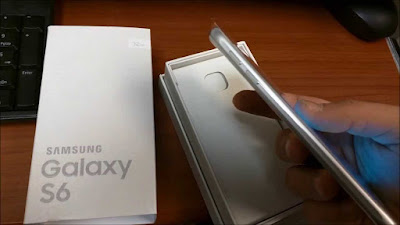
G920FXXS4DPG2 is based on the latest Marshmallow 6.0.1 for the Samsung Galaxy S6 - SM-G920F.
Follow our guide below to download the update and install it yourself.
The Update brings the following changes:
•The security of your device has been improved.
•Device stability improvements, bug fixes.
•New and / or enhanced features.
•Further improvements to performance.
View my Flipboard Magazine.
*Disclaimer:
Custom ROM fix ® provide various Firmware Updates and Rooting process along with Custom ROM,Modes,file are all belong to their owners/developers. The autor of this site or the developers are not responsible, if you damage or brick your device.Do it on your own risk and follow the instruction properly.
* Important:
Backup important files stored on your device before proceeding with the steps below, so that in case something goes wrong you’ll have backup of all your important files.
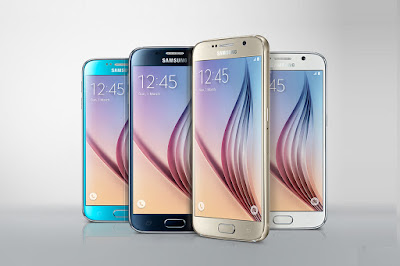
How To Update Galaxy S6 - SM-G920F to Marshmallow 6.0.1 July 2016 G920FXXS4DPG2 [Enhanced Features/Security Patch.]
Download Samsung Galaxy S6 - SM-G920F G920FXXS4DPG2 Firmware .
1- Extract (unzip) the firmware file
2- Download Odin v3.11.1
3- Extract Odin ZIP file
4- Open Odin v.3.11.1
5- Reboot Phone in Download Mode (press and hold Home + Power + Volume Down buttons)
6- Connect phone and wait until you get a blue sign in Odin
7- Add the firmware file to AP / PDA
Make sure re-partition is NOT ticked
8- Click the start button, sit back and wait few minutes.
That’s it! Your Samsung Galaxy S6 - SM-G920F should now have Marshmallow 6.0.1 July security patch on your phone! Go to Settings > About phone to verify.
For More Samsung Galaxy S6 - SM-G920F Updates Keep Checking Android Custom ROM Fix ™®
That’s all. We hope this guide serves you well. If there’s anything you’d like to be added/changed on this page, PLZ Use the comment box below to contribute more ideas & Suggestions .
Like this post? PLZ Hit the share buttons below to share this article with your friends on Facebook, Google + and Twitter.
Want the latest Updates Sign up for our newsletters!
PLZ Follow Us On Flipboard 4 More Latest Updates.
Best Regards.™
G920FXXS4DPG2
*Disclaimer:
Custom ROM fix ® provide various Firmware Updates and Rooting process along with Custom ROM,Modes,file are all belong to their owners/developers. The autor of this site or the developers are not responsible, if you damage or brick your device.Do it on your own risk and follow the instruction properly.
* Important:
Backup important files stored on your device before proceeding with the steps below, so that in case something goes wrong you’ll have backup of all your important files.
How To Update Galaxy S6 - SM-G920F to Marshmallow 6.0.1 July 2016 G920FXXS4DPG2 [Enhanced Features/Security Patch.]
Download Samsung Galaxy S6 - SM-G920F G920FXXS4DPG2 Firmware .
1- Extract (unzip) the firmware file
2- Download Odin v3.11.1
3- Extract Odin ZIP file
4- Open Odin v.3.11.1
5- Reboot Phone in Download Mode (press and hold Home + Power + Volume Down buttons)
6- Connect phone and wait until you get a blue sign in Odin
7- Add the firmware file to AP / PDA
Make sure re-partition is NOT ticked
8- Click the start button, sit back and wait few minutes.
That’s it! Your Samsung Galaxy S6 - SM-G920F should now have Marshmallow 6.0.1 July security patch on your phone! Go to Settings > About phone to verify.
For More Samsung Galaxy S6 - SM-G920F Updates Keep Checking Android Custom ROM Fix ™®
That’s all. We hope this guide serves you well. If there’s anything you’d like to be added/changed on this page, PLZ Use the comment box below to contribute more ideas & Suggestions .
Like this post? PLZ Hit the share buttons below to share this article with your friends on Facebook, Google + and Twitter.
Want the latest Updates Sign up for our newsletters!
PLZ Follow Us On Flipboard 4 More Latest Updates.
Best Regards.™
G920FXXS4DPG2
Available link for download
Saturday, September 3, 2016
How to Install Android 6 0 1 Marshmallow PopWiz ROM on Galaxy S6 G920F Rooted Odexed
How to Install Android 6 0 1 Marshmallow PopWiz ROM on Galaxy S6 G920F Rooted Odexed

Samsung Galaxy S6 G920F PopWiz custom ROM comes with tons of new features and is based on Android 6.0.1 Marshmallow. A quick list of the main features in PopWiz is given below and we are sure you’d love to use this on your Samsung Galaxy S6 G920F:
Based on S6 Latest BTU Firmware
S6 Edge apps
Added Galaxy S7 Wallpapers
Added Galaxy S7 Notifications, Ringtones, UI, and Alarms
Rooted, Odexed
Debloated (Gapps, Knox and Samsung Apps)
CSC Tweaks (Messaging, Camera, Network mode and more)..
Don’t worry we are going to share step by step guide to safely Install Android 6.0.1 Marshmallow PopWiz ROM on your Galaxy S6 G920F.
View my Flipboard Magazine.
÷ Prerequisites:
•This tutorial is only for installing Android 6.0.1 PopWiz ROM on Samsung Galaxy S6 G920F. Please do not try on any other Galaxy S6 variants.
•Your phone should have a custom recovery installed in order to install this PopWiz ROM on your phone.
•We will be using TWRP Recovery for this tutorial.
•This tutorial will wipe out all your data. Make sure you backup all your data in your phone before proceeding.
•Samsung KIES will NOT detect your phone after installing this ROM because it is a custom firmware.
•Perform a Dalvik Cache wipe before proceeding from the Recovery Mode.

*Disclaimer:
Android Custom ROM fix ® provide various Firmware Updates and Rooting process along with Custom ROM,Modes,file are all belong to their owners/developers. The autor of this site or the developers are not responsible, if you damage or brick your device.Do it on your own risk and follow the instruction properly.
* Important:
Backup important files stored on your device before proceeding with the steps below, so that in case something goes wrong you’ll have backup of all your important files.
÷ How to: Install Android 6.0.1 Marshmallow PopWiz ROM on Galaxy S6 G920F [ Rooted /Odexed]
Step 1 – Download Android 6.0.1 PopWiz ROM for Galaxy S6 to your computer.
Step 2 – Connect and mount your Galaxy S6 USB memory to your computer using the USB cable.
Step 3 – Now copy/paste the downloaded Android 6.0.1 ROM zip file to your phone memory / SD card. Make sure the file is in the phone memory / SD card root (not in any folder).
Step 4 – Then turn OFF your phone and disconnect from the USB cable.
Step 5 – Now to get in the Recovery Mode. Switch ON the phone while pressing and holding Volume Up + Home + Power buttons together.
Step 6 – Once you are in TWRP Recovery, perform a full data wipe by tapping on the ‘Wipe’ button. Then swipe on the “Swipe to Factory Reset” option at the bottom.
Step 7 – Now go back to the main menu and then tap on the ‘Install’ button. From the list, choose the ZIP file that you copied to your phone memory in Step 3.
Step 8 – Confirm installation on the next screen by swiping on the “Swipe to Confirm Flash” option. The installation procedure should start now.
Step 9 – Once the installation is completed.
Step 10 – Tap on the “Wipe cache/dalvik” button if you get into any boot loops or other issues.
Step 11 – You can now reboot your phone by selecting the “Reboot System” button.
Your Samsung Galaxy S6 will boot now and it might take about 5 minutes to boot on your first time after flashing a new ROM. So, please wait.

That’s it! Your Samsung Galaxy S6 should now have Android 6.0.1 PopWiz Marshmallow custom ROM installed on your phone! Go to Settings > About phone to verify.
For More Samsung Galaxy S6 Updates Keep Checking Android Custom ROM Fix ™®
That’s all. We hope this guide serves you well. If there’s anything you’d like to be added/changed on this page, PLZ Use the comment box below to contribute more ideas & Suggestions .
Like this post? PLZ Hit the share buttons below to share this article with your friends on Facebook, Google + and Twitter.
Want the latest Updates Sign up for our newsletters!
PLZ Follow Us On Flipboard 4 More Latest Updates.
Best Regards.™
÷ Prerequisites:
•This tutorial is only for installing Android 6.0.1 PopWiz ROM on Samsung Galaxy S6 G920F. Please do not try on any other Galaxy S6 variants.
•Your phone should have a custom recovery installed in order to install this PopWiz ROM on your phone.
•We will be using TWRP Recovery for this tutorial.
•This tutorial will wipe out all your data. Make sure you backup all your data in your phone before proceeding.
•Samsung KIES will NOT detect your phone after installing this ROM because it is a custom firmware.
•Perform a Dalvik Cache wipe before proceeding from the Recovery Mode.
*Disclaimer:
Android Custom ROM fix ® provide various Firmware Updates and Rooting process along with Custom ROM,Modes,file are all belong to their owners/developers. The autor of this site or the developers are not responsible, if you damage or brick your device.Do it on your own risk and follow the instruction properly.
* Important:
Backup important files stored on your device before proceeding with the steps below, so that in case something goes wrong you’ll have backup of all your important files.
÷ How to: Install Android 6.0.1 Marshmallow PopWiz ROM on Galaxy S6 G920F [ Rooted /Odexed]
Step 1 – Download Android 6.0.1 PopWiz ROM for Galaxy S6 to your computer.
Step 2 – Connect and mount your Galaxy S6 USB memory to your computer using the USB cable.
Step 3 – Now copy/paste the downloaded Android 6.0.1 ROM zip file to your phone memory / SD card. Make sure the file is in the phone memory / SD card root (not in any folder).
Step 4 – Then turn OFF your phone and disconnect from the USB cable.
Step 5 – Now to get in the Recovery Mode. Switch ON the phone while pressing and holding Volume Up + Home + Power buttons together.
Step 6 – Once you are in TWRP Recovery, perform a full data wipe by tapping on the ‘Wipe’ button. Then swipe on the “Swipe to Factory Reset” option at the bottom.
Step 7 – Now go back to the main menu and then tap on the ‘Install’ button. From the list, choose the ZIP file that you copied to your phone memory in Step 3.
Step 8 – Confirm installation on the next screen by swiping on the “Swipe to Confirm Flash” option. The installation procedure should start now.
Step 9 – Once the installation is completed.
Step 10 – Tap on the “Wipe cache/dalvik” button if you get into any boot loops or other issues.
Step 11 – You can now reboot your phone by selecting the “Reboot System” button.
Your Samsung Galaxy S6 will boot now and it might take about 5 minutes to boot on your first time after flashing a new ROM. So, please wait.
That’s it! Your Samsung Galaxy S6 should now have Android 6.0.1 PopWiz Marshmallow custom ROM installed on your phone! Go to Settings > About phone to verify.
For More Samsung Galaxy S6 Updates Keep Checking Android Custom ROM Fix ™®
That’s all. We hope this guide serves you well. If there’s anything you’d like to be added/changed on this page, PLZ Use the comment box below to contribute more ideas & Suggestions .
Like this post? PLZ Hit the share buttons below to share this article with your friends on Facebook, Google + and Twitter.
Want the latest Updates Sign up for our newsletters!
PLZ Follow Us On Flipboard 4 More Latest Updates.
Best Regards.™
Available link for download
Subscribe to:
Posts (Atom)