Showing posts with label stock. Show all posts
Showing posts with label stock. Show all posts
Tuesday, February 14, 2017
Flashtool How to flash the Sony Xperia Z5 Compact with stock ROM Flashtool
Flashtool How to flash the Sony Xperia Z5 Compact with stock ROM Flashtool
Over the past couple of days, I have been experiencing various issues with flashtool. Using the internets help and many hours of my time I managed to fix most of these problems that occurred for me. Although there are hundreds of Flashtool step by step instructions, I thought it would be best for an updated and more in depth on what you should be aware of first before clicking "Flash".
Firstly, I do not take responsibility for any device broken or damaged since there is ALWAYS a minute chance of your device bricking.
Lets start, shall we?
Things Needed
Okay to start off.. Yes, this should work with other phones however I am not providing the stock roms for those, it takes a simple google search to find them ie. "Sony Xperia Z5 Stock Rom ftf"
You dont need the latest stock rom either since you can update once the phone is setup depending on if you have access to OTA updates (Over the Air).
Step 1.
Download flashtool if you havent already. If you have an older version of flashtool, uninstall it and make sure all old files are gone for good and also be sure the new one is fully installed. I prefer to use the magnet link on the website (for torrents) since using uploaded.net takes forever.
Step 2a.
If youre on Windows 8/8.1 then please take note to this specific paragraph, any other OS skip to 2b Windows 8/8.1 like to have its security tight, so they block you from installing drivers with unsigned certificates to "keep your computer from harm" but just go ahead and follow the instructions to allow your computer install these drivers. If the drivers arent installed correctly, then you wont be flashing anything today :p Okay, go to Settings>General and then click on Restart Now under Advanced Startup.
This will restart your PC. It will then take you to a screen that gives you various options. On Windows 8 you will see Troubleshoot and on Windows 8.1 you will see Start-up Settings. Select either that appears. This will take you to another page that will ask to restart windows in order to use some advanced startup features, just click Restart. If it already takes you to the page without restart, or if your computer just restarted and youre getting the options of what to select, make sure you select Disable driver signature enforcement.
Your computer should now restart with driver signature enforcement disabled. Now, go ahead and carry on with the instructions in 2b!
Step 2b.
Navigate to the drivers folder where you installed Flashtool. If you cant remember where you installed it, the default directory should be in "C:Flashtool". Open Flashtool-drivers.exe and install:
Now we have successfully installed the drivers for flashtool and our device! :D
Step 3.
Find the stock rom you downloaded, copy and paste it into your firmwares folder in flashtool. For me, this is in "C:UsersMatty.flashToolfirmwares". People have been saying to delete the folders inside the firmwares folder, do not do this as the flash might not work.
Step 4.
Note
If youre running 64bit, I recommend you to not use Flashtool64.exe at first, just use the standard Flashtool.exe. If you dont get an icon on your desktop from the setup, just navigate to the folder in the directory you installed it in, then right click and click send to desktop so you can access it easy :)
Step 5.
Open Flashtool from your newly created shortcut on your desktop. Click the Flash icon, then click Flashmode, then hit Ok. Click your Firmware on the left to start off with. You might have to hit the firmware dropdown until it gets to the actual firmware like so:
If you want to remove all your data, where it says Wipe, hit all the boxes. (APPS_LOG, DIAG, SSD, USERDATA). Then click Flash. You will now see "Preparing files for flashing" on your screen. Be very patient, and in the meantime, turn your phone off ready to enter Flashmode. Make sure your phone is switched off and NOT plugged.
When you see this box come up on your computer, Its probably time to connect the USB to your computer, and enter flashmode on your phone.
Plug the USB into your computer
(TRY USB 2.0 FIRST, SOME REASON NO USB 3.0 PORT WORKED FOR ME+MANY OTHER PEOPLE HAD PROBLEMS WITH USB 3.0 I.E loader.sin errors)
Entering Flash Mode
Hold the Volume Down button and plug the USB cable from your computer into your phone. You should hear the Windows noise it makes to say the device is connected to the PC. If any extra drivers are needed to complete the flash it could take longer for the flash to start. You should then see a constant green light in the top right of your device, gently put it somewhere without unplugging the charger and let Flashtool do the hard work :)
Step 6.
Leave the device for no longer than 30 minutes. However, if youre unsure be safe and leave it for a full hour, go out have a nice brew, do a tap and dance and come back and it should be done. The only reason it would get stuck is because you unplugged the phone during the Flash, or if the cable somewhat died throughout the operation. If so, repeat the instructions in hope your device will be as good as new :)
Flashtool will now let you know when it is done. It will say "Flashing finished, please uplug and start your phone."
If it says that, hooray! You have successfully flashed your phone with stock rom!
If not and you get an error before it even wants to flash, or throughout the process you get an error, post it below and Ill take a look. Im not very good but I know quite a few errors.
END OF TUTORIAL :)
I just thought Id help the community out in a way that I can, since Im bad at like everything else lol.
Peace folks :highfive: :cyclops:
Firstly, I do not take responsibility for any device broken or damaged since there is ALWAYS a minute chance of your device bricking.
Lets start, shall we?
Things Needed
- Z5 Compact ;)
- Original Cable (or any cable actually that is working and can transfer files)
- Flashtool 0.9.22.3
- Sony Xperia Z5 Compact Stock Rom
Okay to start off.. Yes, this should work with other phones however I am not providing the stock roms for those, it takes a simple google search to find them ie. "Sony Xperia Z5 Stock Rom ftf"
You dont need the latest stock rom either since you can update once the phone is setup depending on if you have access to OTA updates (Over the Air).
Step 1.
Download flashtool if you havent already. If you have an older version of flashtool, uninstall it and make sure all old files are gone for good and also be sure the new one is fully installed. I prefer to use the magnet link on the website (for torrents) since using uploaded.net takes forever.
Step 2a.
If youre on Windows 8/8.1 then please take note to this specific paragraph, any other OS skip to 2b Windows 8/8.1 like to have its security tight, so they block you from installing drivers with unsigned certificates to "keep your computer from harm" but just go ahead and follow the instructions to allow your computer install these drivers. If the drivers arent installed correctly, then you wont be flashing anything today :p Okay, go to Settings>General and then click on Restart Now under Advanced Startup.

This will restart your PC. It will then take you to a screen that gives you various options. On Windows 8 you will see Troubleshoot and on Windows 8.1 you will see Start-up Settings. Select either that appears. This will take you to another page that will ask to restart windows in order to use some advanced startup features, just click Restart. If it already takes you to the page without restart, or if your computer just restarted and youre getting the options of what to select, make sure you select Disable driver signature enforcement.

Your computer should now restart with driver signature enforcement disabled. Now, go ahead and carry on with the instructions in 2b!
Step 2b.
Navigate to the drivers folder where you installed Flashtool. If you cant remember where you installed it, the default directory should be in "C:Flashtool". Open Flashtool-drivers.exe and install:
- Flashmode Drivers
- Fastboot Drivers
- Z5 Compact Device Driver (Or whatever your device is)
Now we have successfully installed the drivers for flashtool and our device! :D
Step 3.
Find the stock rom you downloaded, copy and paste it into your firmwares folder in flashtool. For me, this is in "C:UsersMatty.flashToolfirmwares". People have been saying to delete the folders inside the firmwares folder, do not do this as the flash might not work.
Step 4.
Note
If youre running 64bit, I recommend you to not use Flashtool64.exe at first, just use the standard Flashtool.exe. If you dont get an icon on your desktop from the setup, just navigate to the folder in the directory you installed it in, then right click and click send to desktop so you can access it easy :)
Step 5.
Open Flashtool from your newly created shortcut on your desktop. Click the Flash icon, then click Flashmode, then hit Ok. Click your Firmware on the left to start off with. You might have to hit the firmware dropdown until it gets to the actual firmware like so:

If you want to remove all your data, where it says Wipe, hit all the boxes. (APPS_LOG, DIAG, SSD, USERDATA). Then click Flash. You will now see "Preparing files for flashing" on your screen. Be very patient, and in the meantime, turn your phone off ready to enter Flashmode. Make sure your phone is switched off and NOT plugged.
When you see this box come up on your computer, Its probably time to connect the USB to your computer, and enter flashmode on your phone.

Plug the USB into your computer
(TRY USB 2.0 FIRST, SOME REASON NO USB 3.0 PORT WORKED FOR ME+MANY OTHER PEOPLE HAD PROBLEMS WITH USB 3.0 I.E loader.sin errors)
Entering Flash Mode
Hold the Volume Down button and plug the USB cable from your computer into your phone. You should hear the Windows noise it makes to say the device is connected to the PC. If any extra drivers are needed to complete the flash it could take longer for the flash to start. You should then see a constant green light in the top right of your device, gently put it somewhere without unplugging the charger and let Flashtool do the hard work :)
Step 6.
Leave the device for no longer than 30 minutes. However, if youre unsure be safe and leave it for a full hour, go out have a nice brew, do a tap and dance and come back and it should be done. The only reason it would get stuck is because you unplugged the phone during the Flash, or if the cable somewhat died throughout the operation. If so, repeat the instructions in hope your device will be as good as new :)
Flashtool will now let you know when it is done. It will say "Flashing finished, please uplug and start your phone."

If it says that, hooray! You have successfully flashed your phone with stock rom!
If not and you get an error before it even wants to flash, or throughout the process you get an error, post it below and Ill take a look. Im not very good but I know quite a few errors.
END OF TUTORIAL :)
I just thought Id help the community out in a way that I can, since Im bad at like everything else lol.
Peace folks :highfive: :cyclops:
from xda-developers http://ift.tt/2aEzLdz
via IFTTT
Available link for download

Sunday, February 12, 2017
HTC One M8 Stock ROM Firmware Flash File Free Download
HTC One M8 Stock ROM Firmware Flash File Free Download
The latest updated stock ROMs for HTC One M8 available here for download. Stock ROM is used for flash android mobiles. Flashing of mobile does stage if mobile is working slow or completely break with the reason of its outdated firmware. After flashing your mobile will restored in its original settings. You can use Stock ROMs for flashing android mobiles. You can update your mobile android firmware any time any where. You can use different tools or boxes for flashing. Flashing tools allows you to flash mobiles via USB data cable without flashing boxes. We are always sharing free and official site downloading links so you can manage it easily. Official site is easiest and free way to download files. Official developers providing free downloading links and they are releasing new updates for old setups for better performance.

Now you can download latest Stock ROM of HTC One M8 from below downloading links. If downloading links are not working or you are unable to download it please contact us via commenting we will help you if possible for us.
Downloading links
HTC One M8 Stock ROM/Flash File
Now you can download latest Stock ROM of HTC One M8 from below downloading links. If downloading links are not working or you are unable to download it please contact us via commenting we will help you if possible for us.
Downloading links
HTC One M8 Stock ROM/Flash File
Available link for download
Friday, February 10, 2017
Micromax Bolt A34 Stock ROM Download
Micromax Bolt A34 Stock ROM Download
Micromax Bolt A34 Stock ROM free Download
Here you can find most popular flash file, stock rom, tablet new and latest firmware free direct download link
Android os Version 2.3.6 Latest factory firmware download from here
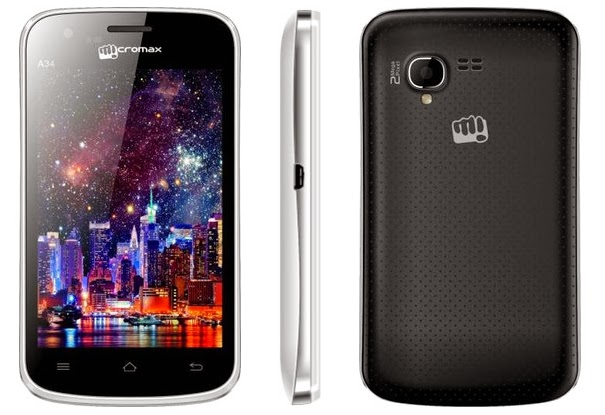
Micromax Bolt A34 Factory firmware upgrade tool
File size: (137 MB)
Download
Available link for download
Wednesday, February 8, 2017
HTC ONE A5ENZE MT6575 Stock ROM Download
HTC ONE A5ENZE MT6575 Stock ROM Download
HTC ONE A5ENZE [MT6575] latest flash file download directly for free without waiting longer. This is the Update Android version firmware setup available i.e 4.1.1 It is tested as well as good and working software setup

HTC ONE A5ENZE Android details:
CPU, Chip id: MTK6575

HTC ONE A5ENZE Flash File Free Download
Android HTC ONE A5ENZE Firmware File Without password
Click below to download the HTC ONE A5ENZE
DOWNLOAD LINK HERE:
Available link for download
Thursday, February 2, 2017
Download Moto Z Stock Wallpapers and Ringtones Now
Download Moto Z Stock Wallpapers and Ringtones Now
Here are some stock wallpapers straight from the Motorola Moto Z. If you are wondering which Moto Z these are from, regular one or Force edition, well we don’t know that.

But here we are, and the four wallpapers from Moto Z, as they come pre-installed with the device.
Under ringtones zip file are hidden alarm, alert, notifications, ringtones and UI tones, and also robotic eri voices audio files.

Download Moto Z: Wallpaper | Ringtones
For More Keep Checking Android Custom ROM Fix ™®
That’s all. We hope this guide serves you well. If there’s anything you’d like to be added/changed on this page, PLZ Use the comment box below to contribute more ideas & Suggestions .
Like this post? PLZ Hit the share buttons below to share this article with your friends on Facebook, Google + and Twitter.
Want the latest Updates Sign up for our newsletters!
PLZ Follow Us On Flipboard 4 More Latest Updates.
Best Regards.™
Available link for download
Sunday, January 15, 2017
Micromax Bolt A67 Stock ROM For All Download
Micromax Bolt A67 Stock ROM For All Download
Micromax Bolt A67 Stock ROM Form All Download
Here you can find most popular Chinese phone flash file, stock rom, tablet new and latest firmware free direct download link
Android os Version 4.0.3 Latest factory firmware download from here
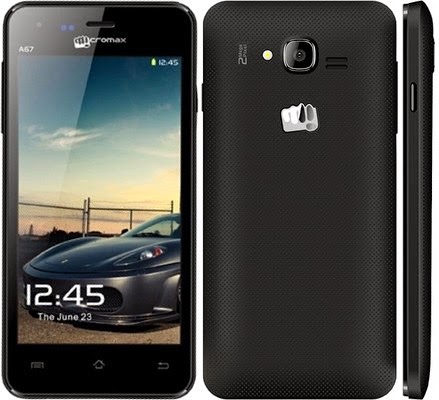
Guide: How to flash Micromax Bolt A67 video tutorial with factory tools
Micromax Bolt A67 Factory firmware upgrade tool
ROM v1.1.7 Size: (266 MB)
Download V1.1.7
ROM v1.1.8 Size: (264 MB)
Download V1.1.8
How to hard reset Micromax Bolt A67 Solution here
Available link for download
GUIDE Installing Xposed on Stock ROM
GUIDE Installing Xposed on Stock ROM
Getting Xposed up and running on this thing is pretty simple once your rooted, but I got a request to make this, and I dont want anyone breaking their phone while theyre trying to get it installed, so I made a guide.
Before you begin, youll need your phone rooted with SuperSU (systemless root). My phone is the Amazon Prime version running stock ROM version 6.1, but Im sure this will work fine on the later version, or the non-Prime version of the phone. You also must have TWRP installed. Not really sure how you got root without having TWRP, but you do need it.
As always, youre doing this at your own risk. Its not my fault if your phone gets bricked, damaged, or becomes sentient and plots with other Android devices to kill you and your cat.
With all that out of the way, lets get started here.
1. First, you need DVDandroids Material Design Xposed installer. Its a really great alternative to the official Xposed installer and I prefer it on all my devices. You can download it from this thread.
2. After installing that, open it up. Youll be greeted with a screen telling you to be careful and that this could damage your device. Dismiss it.
3. Slide over to the systemless tab in the Xposed installer. The official version of Xposed framework will probably work fine, but I prefer using the systemless version wherever Im using systemless root. Ive had a higher success rate with it.
4. From the top dropdown, choose xposed-(version)-sdk23-topjohnwu, where (version) is replaced with the latest version of the file. This should be selected by default, but double check.
5. Click Install/Update. Xposed installer will give you a few warnings and ask for root access, but at the end of it all, your phone will reboot.
6. The rest is automatic. Your phone will boot into TWRP, where it will run a couple scripts, and then reboot back into the system. The first boot process will take a long time, and might even loop once or twice. It will also rebuild the caches for every app on your phone, so it will take a while. Once it finally finishes, you should be booted to Android with Xposed framework enabled!
Thats it! Install your favourite modules and play with your phone to your hearts content!
Also note that after performing these steps, your device will take a long time to boot up. The Xposed framework simply being initialized will make your phone take much longer to start up than normal. Every additional module you enable will also make your phone take a little longer to boot. You can disable the Xposed framework in the Xposed Status tab of the Xposed Installer using the switch at the top. This will disable Xposed and your phone will boot quickly again (without even removing Xposed!), so you can use this as a hotswitch for enabling/disabling Xposed (if that makes sense in your use-case). Removal of Xposed is also pretty straightforward. Just head over to the systemless tab in Xposed Installer and click the Uninstall button. Ive never personally tried this because I see no reason for it, but I cant imagine why it would break anything.
Before you begin, youll need your phone rooted with SuperSU (systemless root). My phone is the Amazon Prime version running stock ROM version 6.1, but Im sure this will work fine on the later version, or the non-Prime version of the phone. You also must have TWRP installed. Not really sure how you got root without having TWRP, but you do need it.
As always, youre doing this at your own risk. Its not my fault if your phone gets bricked, damaged, or becomes sentient and plots with other Android devices to kill you and your cat.
With all that out of the way, lets get started here.
1. First, you need DVDandroids Material Design Xposed installer. Its a really great alternative to the official Xposed installer and I prefer it on all my devices. You can download it from this thread.
2. After installing that, open it up. Youll be greeted with a screen telling you to be careful and that this could damage your device. Dismiss it.
3. Slide over to the systemless tab in the Xposed installer. The official version of Xposed framework will probably work fine, but I prefer using the systemless version wherever Im using systemless root. Ive had a higher success rate with it.
4. From the top dropdown, choose xposed-(version)-sdk23-topjohnwu, where (version) is replaced with the latest version of the file. This should be selected by default, but double check.
5. Click Install/Update. Xposed installer will give you a few warnings and ask for root access, but at the end of it all, your phone will reboot.
6. The rest is automatic. Your phone will boot into TWRP, where it will run a couple scripts, and then reboot back into the system. The first boot process will take a long time, and might even loop once or twice. It will also rebuild the caches for every app on your phone, so it will take a while. Once it finally finishes, you should be booted to Android with Xposed framework enabled!
Thats it! Install your favourite modules and play with your phone to your hearts content!
Also note that after performing these steps, your device will take a long time to boot up. The Xposed framework simply being initialized will make your phone take much longer to start up than normal. Every additional module you enable will also make your phone take a little longer to boot. You can disable the Xposed framework in the Xposed Status tab of the Xposed Installer using the switch at the top. This will disable Xposed and your phone will boot quickly again (without even removing Xposed!), so you can use this as a hotswitch for enabling/disabling Xposed (if that makes sense in your use-case). Removal of Xposed is also pretty straightforward. Just head over to the systemless tab in Xposed Installer and click the Uninstall button. Ive never personally tried this because I see no reason for it, but I cant imagine why it would break anything.
from xda-developers http://ift.tt/2as7do7
via IFTTT
Available link for download
Wednesday, January 11, 2017
custom kernel for stock 236
custom kernel for stock 236
hello everybody, I have a question its maybe a little noob but Im still reading and cant find the answer. is possible to flash a custom kernel in a stock rom without lose the camera quality? and if its possibly which one is the best.
I trying to change governors in the stock kernel/rom but they keep reverting to initial values, in slim rom can stop the cores which is what Im looking for but the camera is very bad compared with stock.
thanks to all.
I trying to change governors in the stock kernel/rom but they keep reverting to initial values, in slim rom can stop the cores which is what Im looking for but the camera is very bad compared with stock.
thanks to all.
from xda-developers http://ift.tt/2ad1uUh
via IFTTT
Available link for download
Wednesday, January 4, 2017
Galaxy Note 4 show dm verity verification failed after stock rom flash
Galaxy Note 4 show dm verity verification failed after stock rom flash
Hi
Is there any one who can guide how to fix the dm verity verifiaction failed. i flashed the one with a new firmware 6.0.1 from sammobile, but still face the issue of phone stuck and rebooting at the samsung logo.
Thank you in advance for any assistance.
Is there any one who can guide how to fix the dm verity verifiaction failed. i flashed the one with a new firmware 6.0.1 from sammobile, but still face the issue of phone stuck and rebooting at the samsung logo.
Thank you in advance for any assistance.
from xda-developers http://ift.tt/2a5vQqc
via IFTTT
Available link for download
Friday, December 30, 2016
KERNEL stock kernel12s 25 7 2016
KERNEL stock kernel12s 25 7 2016
? ? ?_? ??In the name of our great lord Helix!? ? ?_? ??
Welcome to yet another stock kernel for the Z3 Compact!
Kernel12
Potatoes arent that poisonous...
Welcome to yet another stock kernel for the Z3 Compact!
Kernel12
Potatoes arent that poisonous...
AMAZING FEATURES:
- They happen to change so often that youre better off checking the changelog, but if youre stubborn, heres the core ones:
- Additional CPU and GPU steps
- Faux123s Intelli_plug and Intelli_thermal
- adreno_idler
- Memory fixes up the arse
- Countless battery life and overall performance optimizations
- Obviously theres more so go ahead and check my Github!
DOWNLOADS:
Always read the changelog before downloading and flashing!
Changelog: http://j.mp/changelog12_stock
Downloads: http://bit.ly/kernel12s
Generously hosted by the good guys on Androidfilehost.com
HOW-TO:
* Flash using recovery
* If youre using systemless root, you need to re-flash the supersu zip after updating the boot.img
SERIOUS DISCLAIMER!
Code:
I guarantee nothing except for squids taking over our planet by the year 3027. #squidmasterrace Id also like to point out that the kernel developers for this device are different people with different lives, schedules and priorities, which shows in many differences in their work. We are not enemies or competitors but rather friends and colleagues, but we each support what we do as we are able to and as we deem is best.
Kernel sources: http://ift.tt/2alMm7K
? ? ?_? ??PRAISE HELIX? ? ?_? ??
XDA:DevDB Information
kernel12s, Kernel for the Sony Xperia Z3 Compact
Contributors
someone755
Source Code: http://ift.tt/2alMm7K
Kernel Special Features:
Version Information
Status: Stable
Stable Release Date: 2016-07-25
Created 2016-07-25
Last Updated 2016-07-24
from xda-developers http://ift.tt/2alMEeG
via IFTTT
Available link for download
Sunday, December 25, 2016
Cómo Intermitente Stock Rom Cubot Cheetah Via SP Flashtool
Cómo Intermitente Stock Rom Cubot Cheetah Via SP Flashtool

- ARCHIVOS NECESARIOS :
- los USB drivers para el MTK65XX [DESCARGAR]
- los USB drivers para el MTK6577 [DESCARGAR]
- MTK Droid Tool And Root [DESCARGAR]
- SP FlashTool [DESCARGAR]
- Rom, Firmware Cubot Cheetah [DESCARGAR]
- Bateria por lo menos al 50%
- PASOS A SEGUIR :
- Instale el controlador USB de Mediatek MTK
- Descargar el firmware Cubot Cheetah. Extraer el contenido Firmware
- Asegurarnos de que el móvil tenga por lo menos un 50% de batería. Al realizar también se borrarán los contenidos del teléfono; por lo tanto, no hay que olvidarse de hacer una copia de los datos que no queramos perder.
- Apagar el Cubot Cheetah
- Abrir el directorio "SP Flash Tool" y ejectuar "Flash_tool.exe"
- Una vez ejectuado, clickar en "Scatter Loding" y seleccionar el siguiente firmware:
- Pulsar en el botón "Download". Pulsar "yes" en los diálogos de conformación que aparezcan.
- Conectar el teléfonono mediante el USB y apagar el teléfono
- Conectar el cable USB al Cubot Cheetah
- Un nuevo dispositivo será detectetado (MediaTek Preloader USB VCOM Port)
- Después de encenderse el móvil debería empezar a actualizarse el firmware.
Si por algún motivo se te queda booteando en el logo de Cubot Cheetah apaga el celular, reinicia en Recovery Mode y realiza un wipe data y wipe cache.
Cómo utilizar SP FlashTool para actualizar el dispositivo MTK
Available link for download
Friday, December 23, 2016
Cómo Intermitente Stock Rom Cubot X16 Via Sp Flashtool
Cómo Intermitente Stock Rom Cubot X16 Via Sp Flashtool

- ARCHIVOS NECESARIOS :
- los USB drivers para el MTK65XX [DESCARGAR]
- los USB drivers para el MTK6577 [DESCARGAR]
- MTK Droid Tool And Root [DESCARGAR]
- SP FlashTool [DESCARGAR]
- Rom, Firmware Cubot X16 [DESCARGAR]
- Bateria por lo menos al 50%
- PASOS A SEGUIR :
- Instale el controlador USB de Mediatek MTK
- Descargar el firmware Cubot X16. Extraer el contenido Firmware
- Asegurarnos de que el móvil tenga por lo menos un 50% de batería. Al realizar también se borrarán los contenidos del teléfono; por lo tanto, no hay que olvidarse de hacer una copia de los datos que no queramos perder.
- Apagar el Cubot X16
- Abrir el directorio "SP Flash Tool" y ejectuar "Flash_tool.exe"
- Una vez ejectuado, clickar en "Scatter Loding" y seleccionar el siguiente firmware:
- Pulsar en el botón "Download". Pulsar "yes" en los diálogos de conformación que aparezcan.
- Conectar el teléfonono mediante el USB y apagar el teléfono
- Conectar el cable USB al Cubot X16
- Un nuevo dispositivo será detectetado (MediaTek Preloader USB VCOM Port)
- Después de encenderse el móvil debería empezar a actualizarse el firmware.
Si por algún motivo se te queda booteando en el logo de Cubot X16 apaga el celular, reinicia en Recovery Mode y realiza un wipe data y wipe cache.
Cómo utilizar SP FlashTool para actualizar el dispositivo MTK
Available link for download
Thursday, December 8, 2016
Download Free Samsung Galaxy S6 SM g920T Stock ROM Firmware Flash File
Download Free Samsung Galaxy S6 SM g920T Stock ROM Firmware Flash File

Download Free For you. if your samsung galaxy s6 smart phone is slowly working. phone is not working properly you need upgrade or reinstall your device firmware. you can download this latest stock rom on my site.
Download Now
Available link for download
Saturday, December 3, 2016
Infinix X507 Stock ROM Flash File Firmware Download Free
Infinix X507 Stock ROM Flash File Firmware Download Free
The latest flash file of Infinix X507 has been released and free download links are available for download. You can use these ROM for flashing your mobile. If you are going to flash your phone please take a backup of your important data like images, messages and contacts. Because after flashing you will lose your all of data and your mobile will restored in its original settings. We are always sharing free and official site download links so you can manage it easily. Flashing of mobiles does at those stage if mobiles are working slow or completely break with the reason of its outdated or corrupted firmware. You can use latest flash files for hard flashing mobiles. During flashing you can use different tools or boxes for flashing. Flashing tools allows you to flash mobiles via USB data without flashing boxes.

You can download latest flash files of your mobile from below download links. If downloading links are not working or you are unable to download just contact us via commenting we will change or update download links. The links are tested and well working and cleaned by dangerous viruses.
Downloading links
Infinix X507 Stock ROM Download
You can download latest flash files of your mobile from below download links. If downloading links are not working or you are unable to download just contact us via commenting we will change or update download links. The links are tested and well working and cleaned by dangerous viruses.
Downloading links
Infinix X507 Stock ROM Download
Available link for download
Saturday, November 26, 2016
Alcatel One Touch 4007X Firmware Flash File Stock Rom Free Download
Alcatel One Touch 4007X Firmware Flash File Stock Rom Free Download
Alcatel One Touch 4007X is an android Smartphone and most popular in all around the country of India. It looks very beautiful and slim, therefore all the people like it very much. If you have the Alcatel One Touch 4007X android smartphone then you can download latest version stock rom, flash file for it from here. It has been brought you from its official site but due to some errors the direct downloading link of the official site has not given here. You will download the official latest flash file from google drive because I have shared the downloading link of indishare link to free download on this post.

It is one of the best mobile brand which has been making in India. Therefore it is the cheapest android mobile phone in India. You can easily buy it from any mobile shop. If you have baught it already then you should download the given latest flash file from here and then install on you Alcatel One Touch 4007X Android Smartphone only and update it.
The latest version of this firmware of Alcatel One Touch 4007X Android has been given here to free download. If you want to download it, then scroll download and go at the bottom of this post to click on the given downloading link. When you will click on the given downloading link below then it will show you a small window where an option will be given that "save file". At that time you are to just click on that option. When you will click on the option "save file" then the downloading process will be continued further, and when you will not click on that option the downloading will not be processed further. So you must click on that option to get the complete firmware file. The latest flash file which is given here contains 119 MB volume, which has been given here to free download.
Password: bakar_siddeik@yahoo.com
Download
Available link for download
Wednesday, November 16, 2016
HTC Desire 816g Stock ROM Custom ROM Firmware Flash File Download Free
HTC Desire 816g Stock ROM Custom ROM Firmware Flash File Download Free
The latest Stock ROMs of HTC Desire 816g has been released and free downloading links are available for download from its official server. You can use these stock ROMs for flashing mobiles. If you will flash your mobile with these stock ROMs your mobile will restored in its original settings. You can use many flashing tools or boxes for flashing. Flashing of mobiles does at those stage if mobiles are working slow or completely break with the reason of its outdated or corrupted firmware. We are always sharing free and official site downloading links so you can manage it easily. If you are going to flash your phone with its latest flash files you will need to take a backup of your important data like Images, Videos, Messages and Contacts. Otherwise you well lose your all of data any and your mobile will restored in its original settings.

Now you can download latest Stock ROM of HTC Desire 816g from below downloading links. If downloading links are not working or you are unable to download stock ROM of your mobile feel free to contact us via commenting we will update downloading links. We will update or change downloading links.
Downloading links
HTC Desire 816g Flash File/Stock ROM (Official Server)
Now you can download latest Stock ROM of HTC Desire 816g from below downloading links. If downloading links are not working or you are unable to download stock ROM of your mobile feel free to contact us via commenting we will update downloading links. We will update or change downloading links.
Downloading links
HTC Desire 816g Flash File/Stock ROM (Official Server)
Available link for download
Saturday, November 12, 2016
Custom ROM to Stock ROM
Custom ROM to Stock ROM
How can I flash to stock rom for SM-N900P? Where can I get the stock ROM? I want to update my PRL and Profile. I heard the only way to do that is to flash to stock rom. I am planning to flash back to my custom rom after updating the prl and profile. Any help is greatly appreciated. Thanks!
from xda-developers http://ift.tt/2a75YhR
via IFTTT
Available link for download
Friday, November 11, 2016
HTC One X Stock ROM Stock Firmware Free Download
HTC One X Stock ROM Stock Firmware Free Download
The developers of HTC have been released stock ROMs for HTC one X and free downloading links are available for download. Flashing of mobile does at those stage if mobile is working slow or completely break with the reason of its outdated or corrupted firmware. You can use stock ROMs for flashing or updating android mobiles. After successful flashing your mobile will restored in its original settings. You can always update your mobile firmware if your mobiles firmware was outdated. You can use different tools or boxes for flashing. Flashing tools helps you to flash your mobiles with USB data cable without flashing boxes. It is little bit difficult work for you to flash mobiles with tools instead of flashing with boxes. Official servers always allowing users to download free flash files and they are releasing new updates for old firmwares.

Now you can download HTC One X Stock ROM firmware from below downloading links. The downloading links are tested and 100% working as well. If downloading links are not working or you are unable to download your flash files please contact us via commenting we will update downloading links.
Downloading links
HCT One X Stock ROM Firmware (Official Site)
Now you can download HTC One X Stock ROM firmware from below downloading links. The downloading links are tested and 100% working as well. If downloading links are not working or you are unable to download your flash files please contact us via commenting we will update downloading links.
Downloading links
HCT One X Stock ROM Firmware (Official Site)
Available link for download
Saturday, October 29, 2016
HTC Desire 516 Stock ROM Flash File Firmware Download
HTC Desire 516 Stock ROM Flash File Firmware Download
We have shared latest flash file of HTC Desire 516 and free downloading links are available for download from its official server. Flashing of mobiles does at those stage if mobiles are working slow or completely break with the reason of its outdated or corrupted firmware. You can use this firmware for flash mobile. You can use different tools or boxes for flashing. Flashing tools allows you to flash mobiles via USB data cable without flashing boxes. However it is little bit difficult work for you to flash mobiles with tools instead of flashing with boxes. We are always sharing free and official site download links so you can manage it easily.
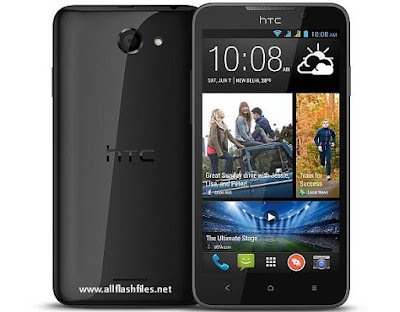
Before flashing please take a backup of your important data like images, messages and contacts. After flashing you will lose your all of data and your mobile will restored in its original settings. You can restore your backup data to your phone after successful flashing. Now you can download latest flash files of your mobile from below download links. If downloading links are not working or you are unable to download just contact us via commenting we will change or update downloading links.
Downloading links
HTC Desire 516 Stock Firmware
Before flashing please take a backup of your important data like images, messages and contacts. After flashing you will lose your all of data and your mobile will restored in its original settings. You can restore your backup data to your phone after successful flashing. Now you can download latest flash files of your mobile from below download links. If downloading links are not working or you are unable to download just contact us via commenting we will change or update downloading links.
Downloading links
HTC Desire 516 Stock Firmware
Available link for download
Friday, October 28, 2016
HTC One Max Stock ROM Stock Firmware Flash File Download Free
HTC One Max Stock ROM Stock Firmware Flash File Download Free
The latest stock ROM of HTC one Max released by its developers and free download links are available for download on different sites. You can use this stock ROM for hard flashing your mobile. After flashing this stock ROM your mobile will restore in its original settings. So you will need to take a backup of your important data like images, contacts & messages. After successful flashing you can restore your backup data to your phone safely. Their are many flashing tools or boxes which you can use as a flasher. It is little bit difficult work for you to flash mobiles with tools instead of flashing with boxes. Now download the latest stock ROM of your phone and put it in one specific folder. Because during flashing you should find it easily. If you have not an enough experience in flashing please dont take a risk of flashing your mobile. If you will flash your phone with corrupted or outdated flash files, your mobile will going to dead.

You can download Stock ROM of HTC one MAX from below download links. If download links are not working or you are facing difficulties during downloading please contact us via commenting, we will update download links very soon. The download links are recently tested and good working. We are always sharing free and official site download links so you can mange it easily.
Download links
HTC One Max Stock ROM
You can download Stock ROM of HTC one MAX from below download links. If download links are not working or you are facing difficulties during downloading please contact us via commenting, we will update download links very soon. The download links are recently tested and good working. We are always sharing free and official site download links so you can mange it easily.
Download links
HTC One Max Stock ROM
Available link for download
Subscribe to:
Posts (Atom)