Sunday, February 12, 2017
HTC One M8 Stock ROM Firmware Flash File Free Download
HTC One M8 Stock ROM Firmware Flash File Free Download

Now you can download latest Stock ROM of HTC One M8 from below downloading links. If downloading links are not working or you are unable to download it please contact us via commenting we will help you if possible for us.
Downloading links
HTC One M8 Stock ROM/Flash File
Available link for download

Thursday, February 9, 2017
How to Update OnePlus One to Android 6 0 1 Marshmallow SmartisanOS ROM
How to Update OnePlus One to Android 6 0 1 Marshmallow SmartisanOS ROM
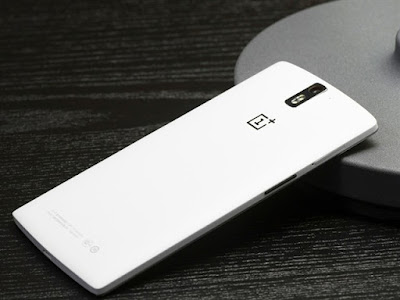
Android 6.0.1 Marshmallow.
Beautiful UI.
Fast & Smooth.
Stable....
Don’t worry we are going to share step by step guide to safely Update your OnePlus One to Android 6.0.1 Marshmallow SmartisanOS ROM:
÷ Prerequisites:
•This tutorial is only for installing Android 6.0.1 SmartisanOS ROM on OnePlus One. Please do not try on any other One variants.
•Your phone should have a custom recovery installed in order to install this SmartisanOS ROM on your phone.
•We will be using TWRP Recovery for this tutorial.
•This tutorial will wipe out all your data. Make sure you backup all your data in your phone before proceeding.
•Perform a Dalvik Cache wipe before proceeding from the Recovery Mode.
*Disclaimer:
Android Custom ROM fix ® provide various Firmware Updates and Rooting process along with Custom ROM,Modes,file are all belong to their owners/developers. The autor of this site or the developers are not responsible, if you damage or brick your device.Do it on your own risk and follow the instruction properly.
* Important:
Backup important files stored on your device before proceeding with the steps below, so that in case something goes wrong you’ll have backup of all your important files.
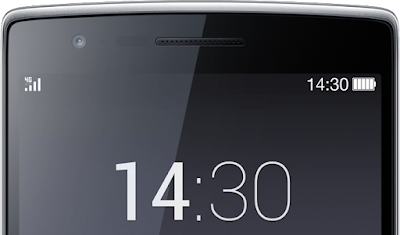
How to: Update OnePlus One to Android 6.0.1 Marshmallow SmartisanOS ROM:
Step 1 – Download Android 6.0.1 SmartisanOS ROM for One to your computer.
Step 2 – Connect and mount your OnePlus One USB memory to your computer using the USB cable.
Step 3 – Now copy/paste the downloaded Android 6.0.1 ROM zip file to your phone memory / SD card. Make sure the file is in the phone memory / SD card root (not in any folder).
Step 4 – Then turn OFF your phone and disconnect from the USB cable.
Step 5 – Now to get in the Recovery Mode. Switch ON the phone while pressing and holding Volume Down + Power buttons together.
Step 6 – Once you are in TWRP Recovery, perform a full data wipe by tapping on the ‘Wipe’ button. Then swipe on the “Swipe to Factory Reset” option at the bottom.
Step 7 – Now go back to the main menu and then tap on the ‘Install’ button. From the list, choose the ZIP file that you copied to your phone memory in Step 3.
Step 8 – Confirm installation on the next screen by swiping on the “Swipe to Confirm Flash” option. The installation procedure should start now.
Step 9 – Once the installation is completed.
Step 10 – Tap on the “Wipe cache/dalvik” button if you get into any boot loops or other issues.
Step 11 – You can now reboot your phone by selecting the “Reboot System” button.
Your One will boot now and it might take about 5 minutes to boot on your first time after flashing a new ROM. So, please wait.
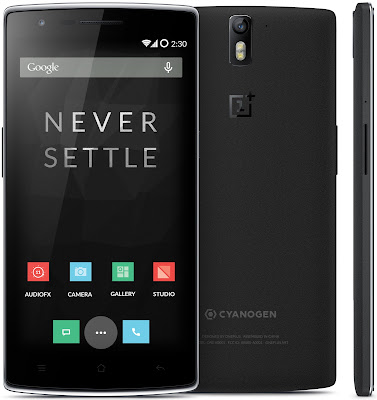
That’s it! Your OnePlus One should now have Android 6.0.1 SmartisanOS Marshmallow custom ROM installed on your phone! Go to Settings > About phone to verify.
For More OnePlus One Updates Keep Checking Android Custom ROM Fix ™®
That’s all. We hope this guide serves you well. If there’s anything you’d like to be added/changed on this page, PLZ Use the comment box below to contribute more ideas & Suggestions .
Like this post? PLZ Hit the share buttons below to share this article with your friends on Facebook, Google + and Twitter.
Want the latest Updates Sign up for our newsletters!
PLZ Follow Us On Flipboard 4 More Latest Updates.
Best Regards.™
Available link for download
Wednesday, February 8, 2017
HTC ONE A5ENZE MT6575 Stock ROM Download
HTC ONE A5ENZE MT6575 Stock ROM Download


Available link for download
Wednesday, February 1, 2017
How to Install Android 6 0 1 Marshmallow Slim6 ROM on HTC One M9
How to Install Android 6 0 1 Marshmallow Slim6 ROM on HTC One M9

Don’t worry we are going to share step by step guide to safely Install Android 6.0.1 Marshmallow Slim6 ROM on your HTC One (M9).
÷ Prerequisites:
•This tutorial is only for installing Android 6.0.1 Slim6 ROM on HTC One M9. Please do not try on any other One M9 variants.
•Your phone should have a custom recovery installed in order to install this Slim6 ROM on your phone.
•We will be using TWRP Recovery for this tutorial.
•Bootloader should be unlocked.
•This tutorial will wipe out all your data. Make sure you backup all your data in your phone before proceeding.
•Perform a Dalvik Cache wipe before proceeding from the Recovery Mode.
*Disclaimer:
Android Custom ROM fix ® provide various Firmware Updates and Rooting process along with Custom ROM,Modes,file are all belong to their owners/developers. The autor of this site or the developers are not responsible, if you damage or brick your device.Do it on your own risk and follow the instruction properly.
* Important:
Backup important files stored on your device before proceeding with the steps below, so that in case something goes wrong you’ll have backup of all your important files.

÷ How to Install Android 6.0.1 Marshmallow Slim6 ROM on HTC One (M9)
Step 1 – Download Android 6.0.1 Slim6 ROM for One M9 to your computer and extract boot.img from the zip file separately.
Step 2 – Connect and mount your One M9 USB memory to your computer using the USB cable.
Step 3 – Now copy/paste the downloaded Android 6.0.1 ROM zip file to your phone memory / SD card. Make sure the file is in the phone memory / SD card root (not in any folder).
Step 4 – Copy/paste the boot.img file to android-sdk-windowsplatform-tools directory.
Step 5 – Then turn OFF your phone and disconnect from the USB cable.
Step 6 – Now to get in the Bootloader/Fastboot Mode. Turn ON the phone while pressing and holding the Volume Down + Power buttons.
Step 7 – Once in the Fastboot mode (on your phone), navigate to android-sdk-windowsplatform-tools directory (on your computer) and open Command Prompt (Shift + Right-click > Open Command Prompt).
Step 8 – Type the following command and press Enter.
fastboot flash boot boot.img
Step 9 – Then, type the following command and press Enter.
fastboot reboot
Step 10 – Follow the navigation instructions on the screen. Select BOOTLOADER and then go to RECOVERY.
Step 11 – Once you are in TWRP Recovery, perform a full data wipe by tapping on the ‘Wipe’ button. Then swipe on the “Swipe to Factory Reset” option at the bottom.
Step 12 – Now go back to the main menu and then tap on the ‘Install’ button. From the list, choose the ZIP file that you copied to your phone memory in Step 3.
Step 13 – Confirm installation on the next screen by swiping on the “Swipe to Confirm Flash” option. The installation procedure should start now.
Step 14 – Once the installation is completed.
Step 15 – Tap on the “Wipe cache/dalvik” button if you get into any boot loops or other issues.
Step 16 – You can now reboot your phone by selecting the “Reboot System” button.
Your HTC One M9 will boot now and it might take about 5 minutes to boot on your first time after flashing a new ROM. So, please wait.

For More HTC One M9 latest updates Keep Checking Android Custom ROM Fix …
That’s all. We hope this guide serves you well. If there’s anything you’d like to be added/changed on this page, PLZ Use the comment box below to contribute more ideas & Suggestions .
Like this post? PLZ Hit the share buttons below to share this article with your friends on Facebook, Google + and Twitter.
Want the latest Updates Sign up for our newsletters!
PLZ Follow Us On Flipboard 4 More Latest Updates.
Best Regards.™
Available link for download
Friday, January 20, 2017
Motorola All In One Flash Too Softwarel Free Download
Motorola All In One Flash Too Softwarel Free Download
- It is available on different sites for downloading
- Can support for flashing many Motorola mobiles
- Very easy and straight to use
- You can flash your mobiles without flashing boxes
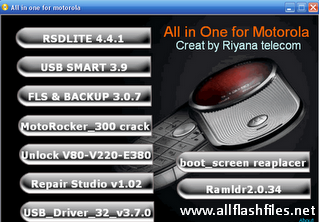
First of all you will need to download the latest setup of Motorola flash tool and install it on your PC. After that download the latest flash files of your mobile and put it in one specific folder in C:Program Files because during flashing you can find it easily. Now you can download latest setup of Motorola mobile flash tool from below download links. If downloading links are not working or you are unable to download please contact us via commenting.
Downloading links
Motorola Mobile Flashing Tool Download
Available link for download
Monday, December 26, 2016
Alcatel One Touch Y580
Alcatel One Touch Y580
 Alcatel One Touch Y580 Pocket WiFi Hotspot
* Networks: 3G HSDPA/HSUPA/UMTS - 2G GSM/GPRS/EDGE
* WLAN Band: 2.4GHz
* Storage Capacity: NAND flash 128MB + SDRAM 64MB
* Security: WPS, WPA, Firewall
* Web Interface Language: English, French
* Display: OLED screen
* LED Indicator: WiFi ? Power ?
Alcatel Y580 Full Specification, Review, Features:
| General | |
|---|---|
| Model | Y580 |
| Brand | ALCATEL |
| Type | Mobile WiFi Hotspot |
| Ports | 1x Micro USB |
| Networks | 3G / 2G |
| Dimensions | |
|---|---|
| Weight | <60 g |
| Height | 103.8 mm |
| Width | 61.8 mm |
| Depth | 16.9 mm |
| Network Access | |
|---|---|
| 3G Bands | 850/1900/2100 MHz |
| 2G Bands | 850/900/1800/1900 MHz |
| Connectivity Speed | |
|---|---|
| HSDPA | 21.6 Mbps |
| HSUPA | 5.76 Mbps |
| UMTS | 384 kbps |
| EDGE | 236.8 kbps |
| GPRS | 85.6 kbps |
| Battery | |
|---|---|
| Type | Li-ion battery |
| Capacity | 3.7v, 1500mAh |
| Life Time | 3 Hours |
| Standby Time | 20 Hours |
| WiFi Connection | |
|---|---|
| Protocols | IEEE 802.11b/g/n |
| Encryption | WEP, WPA, WPA2, WPA-PSK, WPA2-AES |
| Wi-Fi Devices | 10 Users |
| System Requirements | |
|---|---|
| Operating System | Windows 2000 * Windows XP * Windows Vista * Windows 7 & 8 * Mac * Linux |
Alcatel Y580 full specification, Alcatel Y580 mobile hotspot, Alcatel Y580 review, Alcatel Y580 features, caractéristiques Alcatel portable 3G wireless WiFi router
Available link for download
Sunday, December 25, 2016
How to Install CM13 0 Nightly Android 6 0 1 Marshmallow on HTC One A9 GSM US Latest Build
How to Install CM13 0 Nightly Android 6 0 1 Marshmallow on HTC One A9 GSM US Latest Build
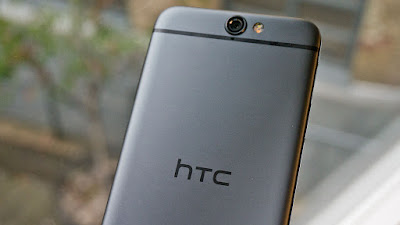
The HTC One A9 is a phone that could have been great two years ago. It may look like an iPhone, but its got Android 6.0 Marshmallow underneath it all.
If you are looking to install a new custom ROM on your HTC One A9 (GSM US) then we have here as usual the best Custom ROMs for you.
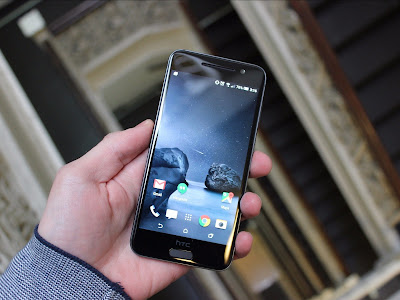
CyanogenMod 13 [CM13.0] Nightly ROM latest build.cm-13.0-20160618-NIGHTLY-hiaeul.zip is released for HTC One A9 (GSM US) hiaeul.
CM13.0 will let HTC One A9 users taste the sweetness of Marshmallow 6.0.1 such as the battery saving ‘doze’ functionality and new permissions model, alongside the CM features you’d expect.
Follow our guide below to download the Unofficial CM13.0 Nightly and install it yourself.
÷ Prerequisites:
•This tutorial is only for installing CyanogenMod 13 [CM13.0] Nightly ROM on HTC One A9 (GSM US) hiaeul. Please do not try on any other HTC One A9 variants.
•Your phone should be rooted and haveClockworkMod recovery installed from before.
•This tutorial will wipe out all your data.Proceed at your own risk.Perform a Dalvik Cache wipe before proceeding from the recovery mode.
•Make sure you backup all your data in your phone before proceeding.
*Disclaimer:
Android Custom ROM fix ® provide various Firmware Updates and Rooting process along with Custom ROM,Modes,file are all belong to their owners/developers. The autor of this site or the developers are not responsible, if you damage or brick your device.Do it on your own risk and follow the instruction properly.
* Important:
Backup important files stored on your device before proceeding with the steps below, so that in case something goes wrong you’ll have backup of all your important files.
÷ How to Install CM13.0 Nightly Android 6.0.1 Marshmallow on HTC One A9 (GSM US)
Step 1 – Download CM13.0 Android 6.0.1 Marshmallow and Google Apps for your HTC One A9 to your computer.
Step 2 – Connect and mount your HTC One A9 (GSM US) USB memory on your computer using the USB cable.
Step 3 – Now copy/paste the downloaded Android 6.0.1 ROM zip file and Google Appszip files to your SD card. Make sure the files are in the SD card root (not in any folder).
Step 4 – Then turn OFF your phone and disconnect from the USB cable.
Step 5 – Now to get in the Recovery Mode. Switch ON the phone while pressing and holding Volume Up + Home + Power buttons together
Step 6 – Once you are in ClockworkModRecovery, select perform a full data wipe by selecting “wipe data/factory reset”. Use the Power button to select everything while in the Recovery Mode.
Step 7 – Then, perform a cache wipe by selecting “wipe cache partition” .
Step 8 – Now this is optional, but it is recommended to perform a wipe of your dalvik cache as well. You will not get into boot loops or any other errors. From CWM recovery, go to ‘advanced’ and then select “wipe dalvik cache”.
Step 9 – Then go back to the main recovery screen and select “install zip from SD card”.
Step 10 – Now select “choose zip from sdcard”. Using your volume keys, navigate to the Android 6.0.1 ROM zip file that you copied to your SD card and select it using the Power button. Confirm the installation on the next screen and the installation procedure should start now.
Google Apps: Repeat the above step for the Gapps zip file as well and install it on your phone.
Step 11 – After the installation completes, go to “+++++Go Back+++++” and reboot the phone by selecting “reboot system now” from the recovery menu.
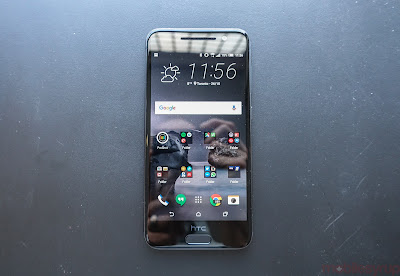
Your HTC One A9 (GSM US) will boot now and it might take about 5 minutes to boot on your first time. So, please wait.
That’s it Your HTC One A9 (GSM US) hiaeul should now have CM13.0 Nightly Android 6.0.1 Marshmallow latest build installed on your phone! Go to Settings > About phone to verify.
For More HTC One A9 Brand New Firmware & Custom ROM keep checking AndroidCustomROM Fix ™®
Like this post? PLZ Hit the share buttons below to share this article with your friends on Facebook, Google + and Twitter.
PLZ Follow Us On Flipboard 4 More HTC One A9 latest custom ROM fix.
PLZ Use the comment box below to contribute more ideas & Suggestions .
Best Regards.
Available link for download
Saturday, November 26, 2016
Alcatel One Touch 4007X Firmware Flash File Stock Rom Free Download
Alcatel One Touch 4007X Firmware Flash File Stock Rom Free Download
Available link for download
Saturday, November 12, 2016
Google Phone app for Nexus Android One devices updated with warning for potential spam calls
Google Phone app for Nexus Android One devices updated with warning for potential spam calls

One benefit of owning a Nexus device that’s often highlighted is that you get updates directly from Google, typically giving you new features before most other Android users. There are other benefits, though, including the one that Google is focusing on today.
Google says that it’s now updating the Google Phone app on Nexus and Android One devices. With this update, you’ll get a warning when you’re receiving a phone call from a suspected spam caller.

from PhoneDog.com - Latest videos, reviews, articles, news and posts http://ift.tt/2a9QYN7
via IFTTT
Available link for download
Friday, November 11, 2016
HTC One X Stock ROM Stock Firmware Free Download
HTC One X Stock ROM Stock Firmware Free Download

Now you can download HTC One X Stock ROM firmware from below downloading links. The downloading links are tested and 100% working as well. If downloading links are not working or you are unable to download your flash files please contact us via commenting we will update downloading links.
Downloading links
HCT One X Stock ROM Firmware (Official Site)
Available link for download
Wednesday, November 9, 2016
How to Install Android 6 0 1 Marshmallow Slim6 ROM on HTC One M8
How to Install Android 6 0 1 Marshmallow Slim6 ROM on HTC One M8

Don’t worry we are going to share step by step guide to safely & Easily Install Android 6.0.1 Marshmallow Slim6 ROM on your HTC One (M8)
÷ Prerequisites:
•This tutorial is only for installing Andoid 6.0.1 Slim6 ROM on HTC One M8. Please do not try on any other One M8 variants.
•Your phone should have a custom recovery installed in order to install this Slim6 ROM on your phone.
•We will be using TWRP Recovery for this tutorial.
•Bootloader should be unlocked.
•This tutorial will wipe out all your data. Make sure you backup all your data in your phone before proceeding.
•Perform a Dalvik Cache wipe before proceeding from the Recovery Mode.

*Disclaimer:
Android Custom ROM fix ® provide various Firmware Updates and Rooting process along with Custom ROM,Modes,file are all belong to their owners/developers. The autor of this site or the developers are not responsible, if you damage or brick your device.Do it on your own risk and follow the instruction properly.
* Important:
Backup important files stored on your device before proceeding with the steps below, so that in case something goes wrong you’ll have backup of all your important files.
÷ How to: Install Android 6.0.1 Marshmallow Slim6 ROM on HTC One (M8)
Step 1 – Download Andoid 6.0.1 Slim6 ROM for One M88 to your computer and extract boot.img from the zip file separately.
Step 2 – Connect and mount your One M8 USB memory to your computer using the USB cable.
Step 3 – Now copy/paste the downloaded Andoid 6.0.1 ROM zip file to your phone memory / SD card. Make sure the file is in the phone memory / SD card root (not in any folder).
Step 4 – Copy/paste the boot.img file to android-sdk-windowsplatform-tools directory.
Step 5 – Then turn OFF your phone and disconnect from the USB cable.
Step 6 – Now to get in the Bootloader/Fastboot Mode. Turn ON the phone while pressing and holding the Volume Down + Power buttons.
Step 7 – Once in the Fastboot mode (on your phone), navigate to android-sdk-windowsplatform-tools directory (on your computer) and open Command Prompt (Shift + Right-click > Open Command Prompt).
Step 8 – Type the following command and press Enter.
fastboot flash boot boot.img
Step 9 – Then, type the following command and press Enter.
fastboot reboot
Step 10 – Follow the navigation instructions on the screen. Select BOOTLOADER and then go to RECOVERY.
Step 11 – Once you are in TWRP Recovery, perform a full data wipe by tapping on the ‘Wipe’ button. Then swipe on the “Swipe to Factory Reset” option at the bottom.
Step 12 – Now go back to the main menu and then tap on the ‘Install’ button. From the list, choose the ZIP file that you copied to your phone memory in Step 3.
Step 13 – Confirm installation on the next screen by swiping on the “Swipe to Confirm Flash” option. The installation procedure should start now .
Step 14 – Once the installation is completed.
Step 15 – Tap on the “Wipe cache/dalvik” button if you get into any boot loops or other issues.
Step 16 – You can now reboot your phone by selecting the “Reboot System” button.

Your HTC One M8 will boot now and it might take about 5 minutes to boot on your first time after flashing a new ROM. So, please wait.
That’s it! Your HTC One M8 should now have Andoid 6.0.1 Slim6 Marshmallow custom ROM installed on your phone! Go to Settings > About phone to verify.
For More HTC One M8 Updates Keep Checking Android Custom ROM Fix ™®
That’s all. We hope this guide serves you well. If there’s anything you’d like to be added/changed on this page, PLZ Use the comment box below to contribute more ideas & Suggestions .
Like this post? PLZ Hit the share buttons below to share this article with your friends on Facebook, Google + and Twitter.
Want the latest Updates Sign up for our newsletters!
PLZ Follow Us On Flipboard 4 More Latest Updates.
Best Regards.™
Available link for download
Tuesday, November 1, 2016
Libratone One Click Review Sophisticated styling smooth sounds and spiffy straps
Libratone One Click Review Sophisticated styling smooth sounds and spiffy straps

This pretty little thing is the Libratone One Click. Designed by Danish engineers, with characteristic Scandinavian simplicity, its a speaker that has caught the attention of everyone Ive shown it to. Sure, it looks nice, but how does it sound? Read on my friends, and youll find out.
Whats in the box
- The speaker: It measures 4.7"×1.6"× 8" and weighs 2lbs with a 3" woofer, 1" tweeter and a passive driver.
- MicroUSB charging cable: No proprietary cord or charger.
Libratone One Click Review: Sophisticated styling, smooth sounds, and spiffy straps was written by the awesome team at Android Police.


from Android Police – Android News, Apps, Games, Phones, Tablets http://ift.tt/2a5IeJk
via IFTTT
Available link for download
Friday, October 28, 2016
HTC One Max Stock ROM Stock Firmware Flash File Download Free
HTC One Max Stock ROM Stock Firmware Flash File Download Free

You can download Stock ROM of HTC one MAX from below download links. If download links are not working or you are facing difficulties during downloading please contact us via commenting, we will update download links very soon. The download links are recently tested and good working. We are always sharing free and official site download links so you can mange it easily.
Download links
HTC One Max Stock ROM
Available link for download
Wednesday, October 26, 2016
How to Install CM13 0 Nightly Android 6 0 1 Marshmallow on HTC One 2014 Dual SIM Latest Build
How to Install CM13 0 Nightly Android 6 0 1 Marshmallow on HTC One 2014 Dual SIM Latest Build

The HTC One was one of our favorite smartphones of 2013 which you can put two SIM and remains an object of desire for many aspiring Android owners.
If you are looking to install a new custom ROM on your HTC One 2014 Dual SIM (m8d) then we have here as usual the best Custom ROMs for you.
CM13.0 will let HTC One 2014 Dual SIM users taste the sweetness of Marshmallow 6.0.1 such as the battery saving ‘doze’ functionality and new permissions model, alongside the CM features you’d expect.
Follow our guide below to download the Unofficial CM13.0 and install it yourself.
÷ Prerequisites:
•This tutorial is only for installing CyanogenMod 13 [CM13.0] Nightly ROM on HTC One 2014 Dual SIM Please do not try on any other HTC One variants.
•Your phone should be rooted and haveClockworkMod recovery installed from before.
•This tutorial will wipe out all your data.Proceed at your own risk.Perform a Dalvik Cache wipe before proceeding from the recovery mode.
Make sure you backup all your data in your phone before proceeding.

*Disclaimer:
Android Custom ROM fix ® provide various Firmware Updates and Rooting process along with Custom ROM,Modes,file are all belong to their owners/developers. The autor of this site or the developers are not responsible, if you damage or brick your device.Do it on your own risk and follow the instruction properly.
* Important:
Backup important files stored on your device before proceeding with the steps below, so that in case something goes wrong you’ll have backup of all your important files.
÷ How to Install CM13.0 Nightly Android 6.0.1 Marshmallow on HTC One 2014 Dual SIM.
Step 1 – Download CM13.0 Android 6.0.1 Marshmallow and Google Apps for your HTC One 2014 Dual SIM to your computer.
Step 2 – Connect and mount your HTC One 2014 Dual SIM USB memory on your computer using the USB cable.
Step 3 – Now copy/paste the downloaded Android 6.0.1 ROM zip file and Google Appszip files to your SD card. Make sure the files are in the SD card root (not in any folder).
Step 4 – Then turn OFF your phone and disconnect from the USB cable.
Step 5 – Now to get in the Recovery Mode. Switch ON the phone while pressing and holding Volume Up + Home + Power buttons together
Step 6 – Once you are in ClockworkModRecovery, select perform a full data wipe by selecting “wipe data/factory reset”. Use the Power button to select everything while in the Recovery Mode.
Step 7 – Then, perform a cache wipe by selecting “wipe cache partition” .
Step 8 – Now this is optional, but it is recommended to perform a wipe of your dalvik cache as well. You will not get into boot loops or any other errors. From CWM recovery, go to ‘advanced’ and then select “wipe dalvik cache”.
Step 9 – Then go back to the main recovery screen and select “install zip from SD card”.
Step 10 – Now select “choose zip from sdcard”. Using your volume keys, navigate to the Android 6.0.1 ROM zip file that you copied to your SD card and select it using the Power button. Confirm the installation on the next screen and the installation procedure should start now.
Google Apps: Repeat the above step for the Gapps zip file as well and install it on your phone.
Step 11 – After the installation completes, go to “+++++Go Back+++++” and reboot the phone by selecting “reboot system now” from the recovery menu.
Your HTC One 2014 Dual SIM will boot now and it might take about 5 minutes to boot on your first time. So, please wait.
That’s it Your HTC One 2014 Dual SIM should now have CM13.0 Nightly Android 6.0.1 Marshmallow latest build installed on your phone! Go to Settings > About phone to verify.

For More HTC One 2014 Dual SIM Brand New Firmware & Custom ROM keep checking AndroidCustomROM Fix ™®
Like this post? PLZ Hit the share buttons below to share this article with your friends on Facebook, Google + and Twitter.
PLZ Follow Us On Flipboard 4 More HTC One latest custom ROM fix.
PLZ Use the comment box below to contribute more ideas & Suggestions .
Best Regards.
Available link for download
Tuesday, October 11, 2016
Install Android 6 0 1 Marshmallow Revolution Custom ROM on HTC One M8
Install Android 6 0 1 Marshmallow Revolution Custom ROM on HTC One M8

•Android 6.0.0 (Marshmallow) – latest official HTC One 6.12.401.4_R (WWE) firmware (53.x series)
•This is improved version of stock ROM – no visual changes!
•Very fast, clean & stable!
•Full HTC Sense 7.0 Interface
•Multi-language (WWE)
•For HTC One M8
•Thanks to HTC for the base firmware.
÷ Prerequisites:
•This tutorial is only for installing Android 6.0.1 Android Revolution ROM on HTC One M8. Please do not try on any other One M8 variants.
•Your phone should have a custom recovery installed in order to install this Android
Revolution ROM on your phone.
•We will be using TWRP Recovery for this tutorial.
•Bootloader should be unlocked.
•This tutorial will wipe out all your data. Make sure you backup all your data in your phone before proceeding.
•Perform a Dalvik Cache wipe before proceeding from the Recovery Mode.
*Disclaimer:
Android Custom ROM fix ® provide various Firmware Updates and Rooting process along with Custom ROM,Modes,file are all belong to their owners/developers. The autor of this site or the developers are not responsible, if you damage or brick your device.Do it on your own risk and follow the instruction properly.
* Important:
Backup important files stored on your device before proceeding with the steps below, so that in case something goes wrong you’ll have backup of all your important files.

÷ Install Android 6.0.1 Marshmallow Revolution Custom ROM:
Step 1 – Download Android 6.0.1 Android Revolution ROM for One M8 to your computer and extract boot.img from the zip file separately.
Step 2 – Connect and mount your One M8 USB memory to your computer using the USB cable.
Step 3 – Now copy/paste the downloaded Android 6.0.1 ROM zip file to your phone memory / SD card. Make sure the file is in the phone memory / SD card root (not in any folder).
Step 4 – Copy/paste the boot.img file to android-sdk-windowsplatform-tools directory.
Step 5 – Then turn OFF your phone and disconnect from the USB cable.
Step 6 – Now to get in the Bootloader/Fastboot Mode. Turn ON the phone while pressing and holding the Volume Down + Power buttons.
Step 7 – Once in the Fastboot mode (on your phone), navigate to android-sdk-windowsplatform-tools directory (on your computer) and open Command Prompt (Shift + Right-click > Open Command Prompt).
Step 8 – Type the following command and press Enter.
fastboot flash boot boot.img
Step 9 – Then, type the following command and press Enter.
fastboot reboot
Step 10 – Follow the navigation instructions on the screen. Select BOOTLOADER and then go to RECOVERY.
Step 11 – Once you are in TWRP Recovery, perform a full data wipe by tapping on the ‘Wipe’ button. Then swipe on the “Swipe to Factory Reset” option at the bottom.
Step 12 – Now go back to the main menu and then tap on the ‘Install’ button. From the list, choose the ZIP file that you copied to your phone memory in Step 3.
Step 13 – Confirm installation on the next screen by swiping on the “Swipe to Confirm Flash” option. The installation procedure should start now.
Step 14 – Once the installation is completed.
Step 15 – Tap on the “Wipe cache/dalvik” button if you get into any boot loops or other issues.
Step 16 – You can now reboot your phone by selecting the “Reboot System” button.
Your HTC One M8 will boot now and it might take about 5 minutes to boot on your first time after flashing a new ROM. So, please wait.

That’s it! Your HTC One M8 should now have Android 6.0.1 Android Revolution Marshmallow custom ROM installed on your phone! Go to Settings > About phone to verify.
For More HTC one M8 Update Keep Checking Android Custom ROM Fix ™®
That’s all. We hope this guide serves you well. If there’s anything you’d like to be added/changed on this page, PLZ Use the comment box below to contribute more ideas & Suggestions .
Like this post? PLZ Hit the share buttons below to share this article with your friends on Facebook, Google + and Twitter.
Want the latest Updates Sign up for our newsletters!
PLZ Follow Us On Flipboard 4 More Latest Updates.
Best Regards.™
Available link for download
Monday, October 10, 2016
Google brings spam call protection to some Nexus and Android One phones
Google brings spam call protection to some Nexus and Android One phones
Google is rolling out an update for the Android phone app that will warn you about spam callers. The update, currently for Nexus or Android One phones on Marshmallow, lets you block and report these numbers.

From Nexus on Google+:
Today, were beginning to update your Google Phone app with spam protection on #Nexus and #AndroidOne devices to warn you about potential spam callers and give you the ability to block and report these numbers. If you already have Caller ID turned on, spam protection will be available on your phone once your app updates to the latest version.
Spam call protection will be turned on in the phone app by default. In addition to new incoming calls, you will also be able to mark old calls as spam in your Recent calls section in the app.

from Android Central - Android Forums, News, Reviews, Help and Android Wallpapers http://ift.tt/2a6Gukn
via IFTTT
Available link for download
Sunday, October 9, 2016
Alcatel One Touch L800 4G LTE Modem
Alcatel One Touch L800 4G LTE Modem
 Alcatel L800 4G LTE USB Modem Dongle
* Storage Capacity: 2GB NAND flash + 1GB LPDDR
* LTE: Download speed up to 100 Mbps
* 3G: DC-HSPA+/HSPA+/HSDPA/HSUPA/UMTS
* External Interface: USB interface, Standard Micro SD card interface; SIM/USIM card interface;
* Support Windows 7 & 8, Windows Vista (32bit or 64bit), Windows XP (SP2 or later), MAC (10.4 or later), Linux (Ubuntu)
Alcatel L800 Technical Specification:
| General | |
|---|---|
| Model | L800 |
| Brand | ALCATEL |
| Type | 4G USB Modem |
| Ports | USB 2.0 High Speed |
| Networks | 4G / 3G / 2G |
| Dimensions | |
|---|---|
| Weight | <35 g |
| Height | 89 mm |
| Width | 27.5 mm |
| Depth | 14 mm |
| Network Access | |
|---|---|
| 4G Bands | 800/900/1800/2600 MHz |
| 3G Bands | 900/1800/2100 MHz |
| 2G Bands | 850/900/1800/1900 MHz |
| Connectivity Speed | |
|---|---|
| LTE | DL:100 Mbps / UP:50 Mbps |
| DC-HSPA+ | DL:43.2 Mbps / UP:5.76 Mbps |
| Memory Support | |
|---|---|
| Memory Capacity | 32 GB |
| Memory Card Slot | SD Card |
| System Requirements | |
|---|---|
| Operating System | Windows 2000 * Windows XP * Windows Vista * Windows 7 & 8 * Mac * Linux |
caractéristiques Alcatel L800 wireless usb dongle, Alcatel L800 4g lte modem full specification, Alcatel L800 internet stick review, Alcatel L800 data card features, Alcatel L800 usb modem datacard
Available link for download
Saturday, October 8, 2016
Hands on review HP DeskJet 3720 All in One Printer
Hands on review HP DeskJet 3720 All in One Printer

The new HP, the one called HP Development Company, hasnt been shy when it comes to trying new things. Between the worlds thinnest laptop (the HP Spectre), a 3-in-1 smartphone (the HP Elite x3) and the worlds fastest desktop printers (the Officejet Pro range), the company has had a busy 12 months.
HP engineers have now sought to add another Guinness World Record badge to the collection with the DeskJet 3720 (J9V93B), the worlds smallest all-in-one (AIO) printer for the home and presumably also for a small office.*
And matters started off well enough – we were impressed by the dimensions and weight of the device which is about half the size of its nearest rival with a volume of under 10 litres. Some laptops weve tested recently actually weigh more than the 2.33kg DeskJet 3720.

Priced £59.99 at Currys (around $80, AU$105), it isnt expensive, although you are paying a premium for going small. If you dont mind something bigger, the HP Envy 5540, with its flat scanning mode and duplex printing, may well be a better option.
The box this MFP comes in contains a few leaflets, an installation disc, a power cable, and a USB lead – a rarity in this day and age for a cheap printer – along with the printer itself.
The printer embraces a bright blue colour scheme, perhaps to distance itself from its blander looking siblings.

The first thing you notice is the absence of a flat scanner bed. That had to go in order to reduce the size and complexity of the all-in-one. Instead, you have a fixed sensor and a mechanism that pulls the document to be scanned from bottom to top.
The sensor module hosts all the buttons and a tiny display panel. The buttons include an information one, resume/cancel, wireless, start copy colour, start copy black, web services and Wi-Fi Direct.
The minuscule ink cartridges are located behind the front flap. As expected, two cartridges rather than four are used with HP indicating that the black cartridge has a cartridge yield of 120 pages, and the tri-colour one is good for 100 pages only. At under a tenner each, they offer moderate value for money.

Swap them for bigger cartridges and the average cartridge yield goes up to 480 and 330 pages respectively, a far better deal for cartridges costing £16.95. The printer is one of the many models that support HPs Instant Ink plan where which embraces a subscription model, eschewing the traditional pay-as-you-go setup.
The cheapest tier allows you to print 600 pages per year for £23.88 which is ideal if you plan to churn out full-bleed colour prints – in that case its an absolute no-strings-attached bargain at 4p per page.
You get a free three-month trial worth at least £5.97 (or 150 pages) with your printer. Note that you will have to create an HP Connected account to activate that offer.
The input and output trays are deployed within seconds; the former can accommodate up to 60 sheets of paper while the latter can handle 20.
The printer is not a true plug-and-play affair, so getting the DeskJet 3720 ready to print required us to power it on, connect it to our Windows 10 machine, and fire up the installation software to get the most out of the device.

If you dont have an optical drive, then download the software straight from HPs website – the entire package is a nimble 110MB. The printer comes with an embedded web server that, according to HP, accesses and manages printer features over a wired/wireless connection.
Essentially, it is a website built into the printer that can be accessed by typing the printer IP address into a webserver.
We tried to find that elusive IP address but couldnt do so. Its also worth noting that having a webserver on your printer, one which also has access to your routers settings, could be seen as slightly controversial, especially if vulnerabilities are found later.
Printing from a smartphone or tablet – and setting up the wireless connectivity – is easy thanks to the available web services and Wi-Fi direct complemented by HPs own ePrint and AIO Printer Remote app solutions. Just make sure you remember to remove the USB cable when printing over Wi-Fi.
The printer can print at 1200 x 1200 dpi in black and up to 4800 x 1200 dpi on HPs premium photo paper. Duplex printing is possible in manual mode and the 3720 has a low monthly duty cycle of 1,000 pages.
HP claims that this device can print at up to 19 pages per minute in black and 15 pages per minute in colour (draft mode) but real life testing shows that these are very optimistic numbers.

As for scanning, it can process only one page at a time through its document feeder, achieving 600 x 600 pixels, which is more than adequate for most tasks. Nine copies can be made of the original scan with speeds of four pages per minute (black) and 2.5 pages per minute (colour) promised by HP.
We printed a 14-page text document in just over 100 seconds which translates into approximately 8.2 pages per minute. We wouldnt suggest using this MFP for anything but rough documents as the quality is sub-par.
Scanning a one-page leaflet (with a dash of colour) took around 50 seconds, a speed of 1.2 pages per minute. In both printing and scanning, there was visible banding in areas of solid colour as expected. What was surprising though is that the scanner lacks edge detection, which translates into ugly black lines.
Early verdict
Too many corners have been cut in order to reach a reasonable price point and the targeted physical form factor. Sure, HPs DeskJet 3720 is light, well-designed and doesnt take a lot of space, but the compromises that had to be made to achieve this may be seen as a bridge too far for many.
That said, it doesnt have any competition if youre looking for a cheap all-in-one printer that can be carried around frequently. With an appropriate inverter, you might even use it on the move, in any vehicle equipped with a cigarette lighter socket.
(*For the sake of clarity, its worth mentioning that HPs claim of smallest AIO printer is for printers costing less than 223 Euros (around £190, $250, AU$325). Theres a good reason for that – if youre ready to spend a bit more than that then the Primera Trio, at half the weight and a quarter of the size, nabs that trophy. It has the added benefit of being able to work with a battery).
- Best printer: 15 top inkjet and laser printers

from TechRadar: Technology reviews http://ift.tt/29Tfxhs
Available link for download
Monday, October 3, 2016
HTC One E8 Stock ROM Firmware Flash File Download Free
HTC One E8 Stock ROM Firmware Flash File Download Free

Please keep updating your mobile firmware for best performances. You can download latest Stock firmware of HTC One E8 from below download links. We are always sharing free and official site downloading links so you can manage it easily. If downloading links are not working or you are unable to download just contact us via commenting we will change or update download links.
Downloading links
HTC One E8 Stock Firmware
Available link for download
Tuesday, September 27, 2016
HTC One M7 Stock ROM Flash File Firmware Update Download Free
HTC One M7 Stock ROM Flash File Firmware Update Download Free

Now you can download Stock ROMs/Firmware of HTC One M7 from below download links. If downloading links are not working or you are unable to download it from below downloading links feel free to contact us via commenting. We will update or change downloading links.
Downloading links
HTC One M7 Stock ROM/Firmware Download (Official Site)
Available link for download