Friday, February 3, 2017
How to Update Xperia Z3 to Android 6 0 1 Marshmallow LinuXRoM Fast Smooth
How to Update Xperia Z3 to Android 6 0 1 Marshmallow LinuXRoM Fast Smooth
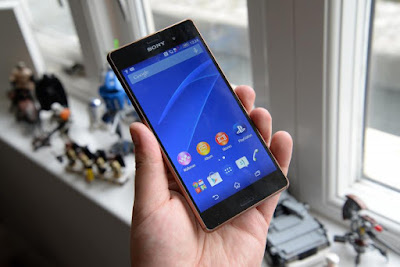
Android 6.0.1 Marshmallow.
Xperia X System UI.
Fast & Smooth.
Stable...
You can find out how to apply it right now via this easy tutorial.
÷ Prerequisites:
•This tutorial is only for installing Android 6.0.1 LinuXRoM ROM on Sony Xperia Z3. Please do not try on any other Xperia Z3 variants.
•Your phone should be rooted and have ClockworkMod recovery installed from before.
•This tutorial will wipe out all your data. Proceed at your own risk.
•Perform a Dalvik Cache wipe before proceeding from the recovery mode.
•Sony PC Companion will NOT detect your phone after installing this ROM because it is a custom firmware.
•Bootloader should be unlocked or you will not be able to install this ROM.
•Make sure you backup all your data in your phone before proceeding.
*Disclaimer:
Android Custom ROM fix ® provide various Firmware Updates and Rooting process along with Custom ROM,Modes,file are all belong to their owners/developers. The autor of this site or the developers are not responsible, if you damage or brick your device.Do it on your own risk and follow the instruction properly.
* Important:
Backup important files stored on your device before proceeding with the steps below, so that in case something goes wrong you’ll have backup of all your important files.
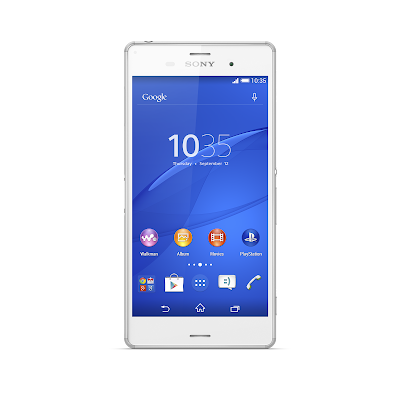
Step 1 – Download LinuXRoM Android 6.0.1 ROM for Sony Xperia Z3 to your computer and extract boot.img from the zip file separately.
Step 2 – Connect and mount your Sony Xperia Z3 USB (mass) memory on your computer using the USB cable.
Step 3 – Now copy/paste the downloaded Android 6.0.1 ROM zip file to your SD card. Make sure the file is in the SD card root.
Step 4 – Copy/paste the boot.img file to android-sdk-windowsplatform-tools directory.
Step 5 – Then turn OFF your phone.
Step 6 – Now to get into the Bootloader Mode. Press and hold the Volume Up button while connecting it again with the USB cable. Your phone LED will turn blue and it will get into the Bootloader Mode.
Step 7 – Once in the Fastboot mode (on your phone), navigate to android-sdk-windowsplatform-tools directory (on your computer) and open Command Prompt (Shift + Right-click > Open Command Prompt).
Step 8 – Type the following command and press Enter.
fastboot flash boot boot.img
Step 9 – Then, type the following command and press Enter.
fastboot reboot
Step 10 – Now to get in the Recovery Mode. Switch ON the phone while pressing the Volume Up or Volume Down buttons a few times when you see the LED light turn pink or any other colour.
Step 11 – Once you are in ClockworkMod Recovery, select perform a full data wipe by selecting “wipe data/factory reset” . Use the Power button to select everything while in the Recovery Mode.
Step 12 – Then, perform a cache wipe by selecting “wipe cache partition”.
Step 13 – Now this is optional, but it is recommended to perform a wipe of your dalvik cache as well. You will not get into boot loops or any other errors. From CWM recovery, go to ‘advanced’ and then select “wipe dalvik cache”.
Step 14 – Then go back to the main recovery screen and select “install zip from SD card”.
Step 15 – Now select “choose zip from sdcard”. Using your volume keys, navigate to the Android 6.0.1 ROM zip file that you copied to your SD card and select it using the Power button. Confirm the installation on the next screen and the installation procedure should start now.
Step 16 – After the installation completes, go to “+++++Go Back+++++” and reboot the phone by selecting “reboot system now” from the recovery menu.
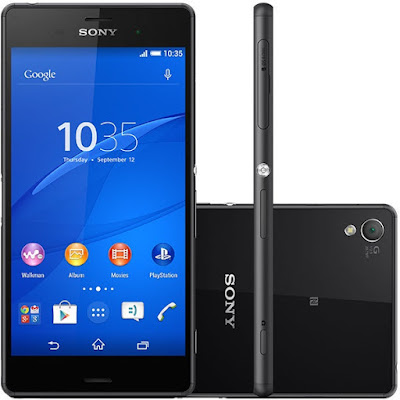
Your Xperia Z3 will boot now and it might take about 5 minutes to boot on your first time. So, please wait.
That’s it! Your Xperia Z3 should now have Android 6.0.1 LinuXRoM Marshmallow custom ROM installed on your phone! Go to Settings > About phone to verify.
For MoreXperia Z3 latest updates Keep Checking Android Custom ROM Fix™®
That’s all. We hope this guide serves you well. If there’s anything you’d like to be added/changed on this page, PLZ Use the comment box below to contribute more ideas & Suggestions .
Like this post? PLZ Hit the share buttons below to share this article with your friends on Facebook, Google + and Twitter.
Want the latest Updates Sign up for our newsletters!
PLZ Follow Us On Flipboard 4 More Latest Updates.
Best Regards.™
Available link for download

Sunday, January 8, 2017
Chrome custom tabs smooth the transition between apps and the web
Chrome custom tabs smooth the transition between apps and the web
Originally posted on the Chromium blog
Posted by Yusuf Ozuysal, Chief Tab Customizer
Android app developers face a difficult tradeoff when it comes to showing web content in their Android app. Opening links in the browser is familiar for users and easy to implement, but results in a heavy-weight transition between the app and the web. You can get more granular control by building a custom browsing experience on top of Android’s WebView, but at the cost of more technical complexity and an unfamiliar browsing experience for users. A new feature in the most recent version of Chrome called custom tabs addresses this tradeoff by allowing an app to customize how Chrome looks and feels, making the transition from app to web content fast and seamless.
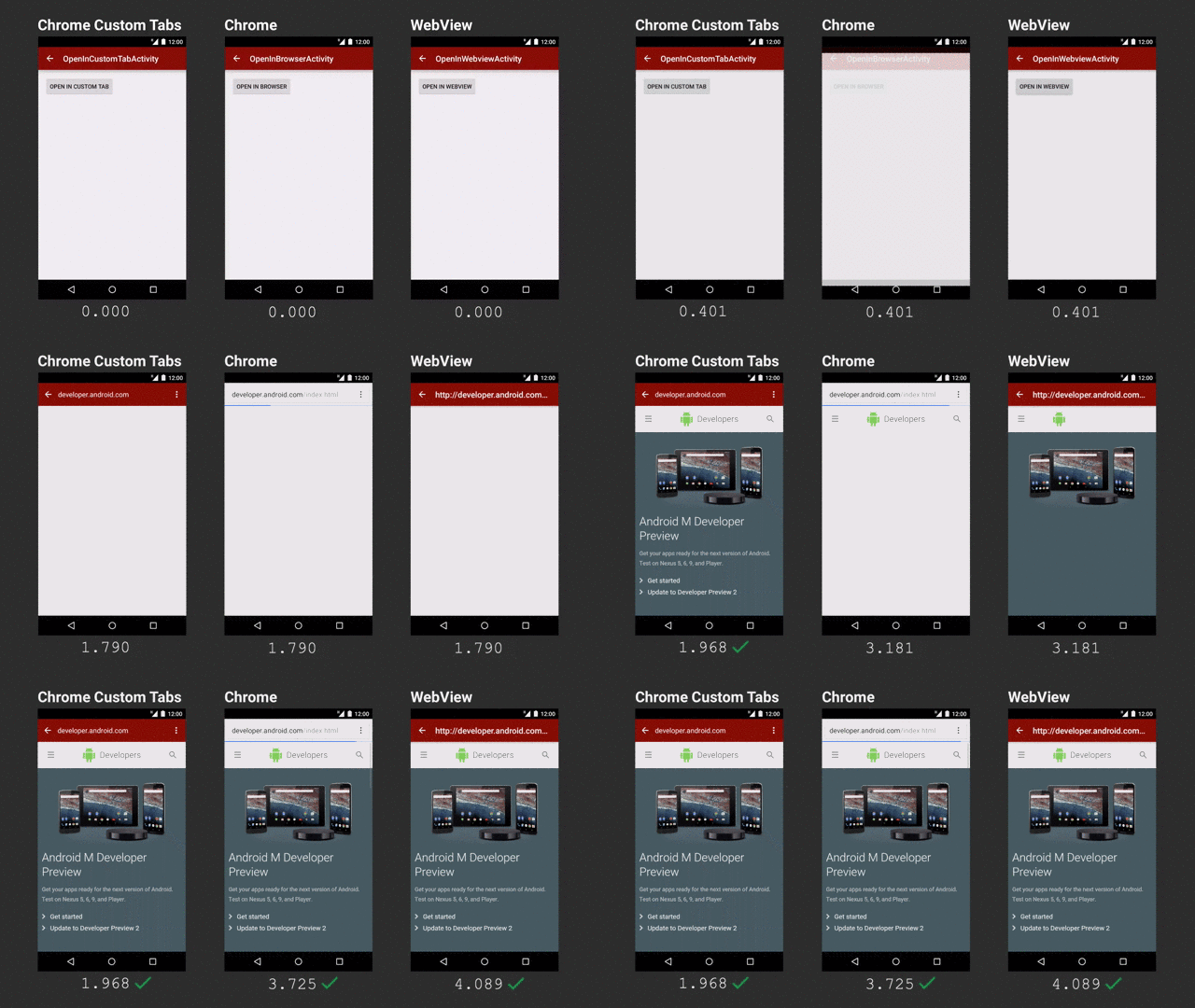
Chrome custom tabs allow an app to provide a fast, integrated, and familiar web experience for users. Custom tabs are optimized to load faster than WebViews and traditional methods of launching Chrome. As shown above, apps can pre-load pages in the background so they appear to load nearly instantly when the user navigates to them. Apps can also customize the look and feel of Chrome to match their app by changing the toolbar color, adjusting the transition animations, and even adding custom actions to the toolbar so users can perform app-specific actions directly from the custom tab.
Custom tabs benefit from Chrome’s advanced security features, including its multi-process architecture and robust permissions model. They use the same cookie jar as Chrome, allowing a familiar browsing experience while keeping users’ information safe. For example, if a user has signed in to a website in Chrome, they will also be signed in if they visit the same site in a custom tab. Other features that help users browse the web, like saved passwords, autofill, Tap to Search, and Sync, are also available in custom tabs.
Custom tabs are easy for developers to integrate into their app by tweaking a few parameters of their existing VIEW intents. Basic integrations require only a few extra lines of code, and a support library makes more complex integrations easy to accomplish, too. Since custom tabs is a feature of Chrome, it’s available on any version of Android where recent versions of Chrome are available.
Users will begin to experience custom tabs in the coming weeks in Feedly, The Guardian, Medium, Player.fm, Skyscanner, Stack Overflow, Tumblr, and Twitter, with more coming soon. To get started integrating custom tabs into your own application, check out the developer guide.
Available link for download
Tuesday, November 1, 2016
Libratone One Click Review Sophisticated styling smooth sounds and spiffy straps
Libratone One Click Review Sophisticated styling smooth sounds and spiffy straps

This pretty little thing is the Libratone One Click. Designed by Danish engineers, with characteristic Scandinavian simplicity, its a speaker that has caught the attention of everyone Ive shown it to. Sure, it looks nice, but how does it sound? Read on my friends, and youll find out.
Whats in the box
- The speaker: It measures 4.7"×1.6"× 8" and weighs 2lbs with a 3" woofer, 1" tweeter and a passive driver.
- MicroUSB charging cable: No proprietary cord or charger.
Libratone One Click Review: Sophisticated styling, smooth sounds, and spiffy straps was written by the awesome team at Android Police.


from Android Police – Android News, Apps, Games, Phones, Tablets http://ift.tt/2a5IeJk
via IFTTT
Available link for download