Saturday, January 14, 2017
Games developer Dots share their Do’s and Don’ts for improving your visibility on Google Play
Games developer Dots share their Do’s and Don’ts for improving your visibility on Google Play
Editor’s note: A few weeks ago we shared some tips from game developer, Seriously, on how they’ve been using notifications successfully to drive ongoing engagement. This week, we’re sharing tips from Christian Calderon at US game developer, Dots, on how to successfully optimize your Play Store Listing. -Ed.

A well thought-out Google Play store listing can significantly improve the discoverability of your app or game and drive installations. With the recent launch of Store Listing Experiments on the Google Play Developer Console, you can now conduct A/B tests on the text and graphics of your store listing page and use the data to make more informed decisions.
Dots is a US-founded game developer which released the popular game, Dots, and its addictive sequel, TwoDots. Dots used its store listings to showcase its brands and improve conversions by letting players know what to expect.
Christian Calderon, Head of Marketing for Dots, shared his top tips with us on store listings and visibility on Google Play.
Do’s and Don’ts for optimizing store listings on Google Play
| Do’s | Don’ts |
| Do be creative and unique with the icon. Try to visually convince the user that your product is interesting and in alignment with what they are looking for. | Don’t spam keywords in your app title. Keep the title short, original and thoughtful and keep your brand in mind when representing your product offering. |
| Do remember to quickly respond to reviews and implement a scalable strategy to incorporate feedback into your product offering. App ratings are important social proof that your product is well liked. | Don’t overload the ‘short description’. Keep it concise. It should be used as a call-to-action to address your product’s core value proposition and invite the user to install the application. Remember to consider SEO best practices. |
| Do invest in a strong overall paid and organic acquisition strategy. More downloads will make your product seem more credible to users, increasing the likeliness that a user will install your app. | Don’t overuse text in your screenshots. They should create a visual narrative for what’s in your game and help users visualize your product offering, using localization where possible. |
| Do link your Google Play store listing to your website, social media accounts, press releases and any of your consumer-facing channels that may drive organic visibility to your target market. This can impact your search positioning. | Don’t have a negative, too short or confusing message in your “What’s New” copy. Let users know what updates, product changes or bug fixes have been implemented in new versions. Keep your copy buoyant, informative, concise and clear. |
| Do use Video Visualization to narrate the core value proposition. For TwoDots, our highest converting videos consist of gameplay, showcasing features and events within the game that let the player know exactly what to expect. | Don’t flood the user with information in the page description. Keep the body of the page description organized and concise and test different structural patterns that works best for you and your product! |
Use Google Play Store Listing Experiments to increase your installs
As part of the 100 Days of Google Dev video series, Kobi Glick from the Google Play team explains how to test different graphics and text on your app or game’s Play Store listing to increase conversions using the new Store Listing Experiments feature in the Developer Console.
Find out more about using Store Listing Experiments to turn more of your visits into installs.
Available link for download

Saturday, December 31, 2016
Google Knowledge Graph Cards Add Share Button
Google Knowledge Graph Cards Add Share Button
Googles Knowledge Graph cards added a button that lets you share the search results pages on Facebook, Twitter, Google+ or by sending an email. Youre actually sending a link to the entire search page, not just to the card.
Knowledge Graph cards include a lot of useful information extracted from various web pages and other resources: images, official homepage, social network pages, Wikipedia descriptions, useful facts, events, quotes and more.


Available link for download
Monday, August 29, 2016
How to Share Internet Connection Mobile Partner WiFi Hotspot
How to Share Internet Connection Mobile Partner WiFi Hotspot
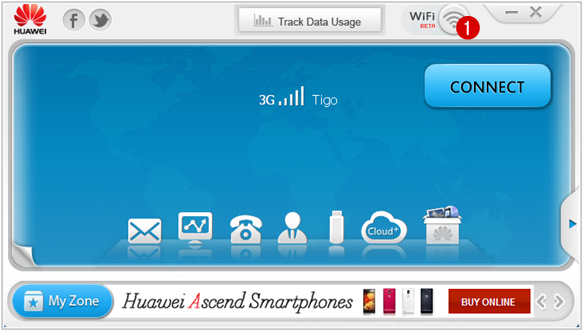
Huawei Technologies Co., Ltd .. sells routers 3G / 4G mobile high performance, these WiFi Hotspot offer many advantages in terms of connection speed and their use is ideal when moving. You can share your Internet connection with multiple devices equipped with Wi-Fi device (iPad, iPhone, iTouch, Playstation III, tablet, smartphone, Xbox 360).



Wireless Device
Available link for download